Ana içeriğe geç
Onarım Topluluğuna Katılın - Hesap Oluşturun

Garmin STRIKER 4 Silicon Buttons Replacement

Neye ihtiyacın var

  1. Garmin STRIKER 4 Silicon Buttons Replacement, Backing: adım 1, 3 resimden 1. Garmin STRIKER 4 Silicon Buttons Replacement, Backing: adım 1, 3 resimden 2. Garmin STRIKER 4 Silicon Buttons Replacement, Backing: adım 1, 3 resimden 3.
    • Flip the device so the back is facing up.

    FixBot'a Sor

    Yorum Ekle

  2. Garmin STRIKER 4 Silicon Buttons Replacement: adım 2, 3 resimden 1. Garmin STRIKER 4 Silicon Buttons Replacement: adım 2, 3 resimden 2. Garmin STRIKER 4 Silicon Buttons Replacement: adım 2, 3 resimden 3.
    • Remove all six 6 mm screws using a Phillips #0 screwdriver.

    • Detach and flip the backside to open the device.

    FixBot'a Sor

    Yorum Ekle

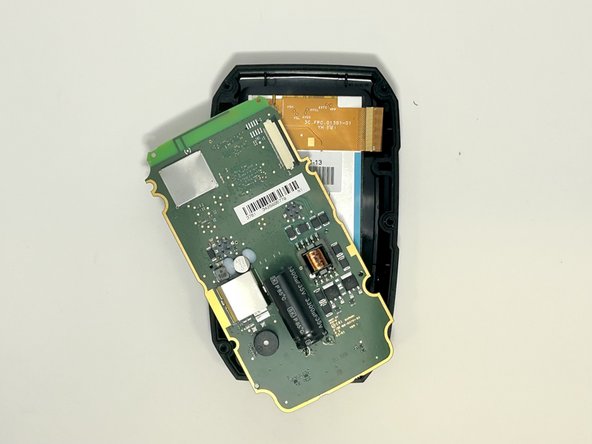
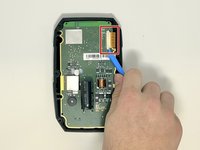
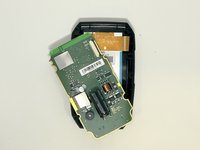
  3. Garmin STRIKER 4 Silicon Buttons Replacement, Motherboard: adım 3, 2 resimden 1. Garmin STRIKER 4 Silicon Buttons Replacement, Motherboard: adım 3, 2 resimden 2.
    • Slide out the screen cable from the motherboard using the iFixit opening tool or your fingernail.

    • Remove the motherboard from the device.

    FixBot'a Sor

    Yorum Ekle

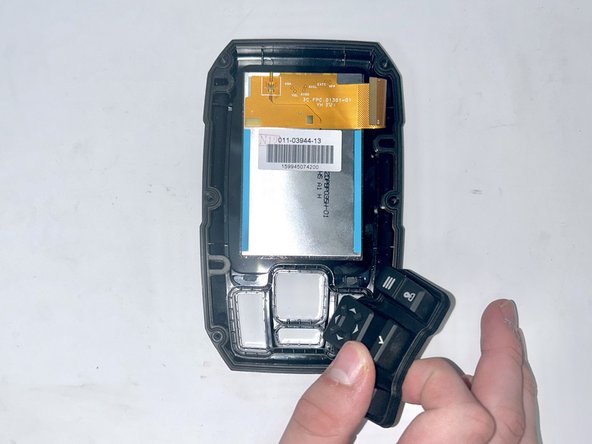
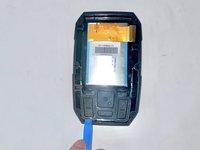
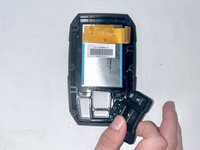
  4. Garmin STRIKER 4 Silicon Buttons Replacement, Silicon Buttons: adım 4, 2 resimden 1. Garmin STRIKER 4 Silicon Buttons Replacement, Silicon Buttons: adım 4, 2 resimden 2.
    • Use the iFixit opening tool to lift the silicon buttons from their original casing.

    FixBot'a Sor

    Yorum Ekle

Sonuç

To reassemble your device, follow these instructions in reverse order.

İptal et: Bu kılavuzu tamamlamadım.

2 farklı kişi bu kılavuzu tamamladı.

Eliza Goodwin

Üyelik tarihi: 09/20/23

208 İtibar

2 adet Kılavuz yazıldı

Ekip

Utah Tech University, Team 1-5, McMurrin Fall 2023 Utah Tech University, Team 1-5, McMurrin Fall 2023 üyesi

UTAHTECH-MCMURRIN-F23S1G5

3 Üyeler

4 adet Kılavuz yazıldı

0Kılavuz Yorumları

Yorum Ekle

İstatistikleri Görüntüle:

Son 24 Saat: 0

Son 7 gün: 7

Son 30 gün: 38

Her zaman: 355