Giriş
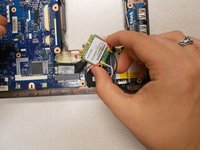
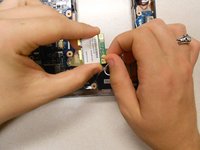
The WiFi card can be replaced once you've opened up your computer.
Neye ihtiyacın var
-
-
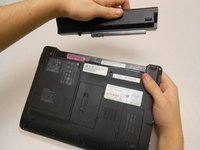
Unlock the tab located in the top left corner of the netbook.
-
The red tab indicated that the battery has been properly unlocked.
-
Remove the battery.
-
-
-
-
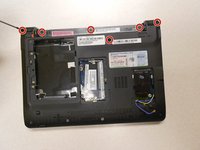
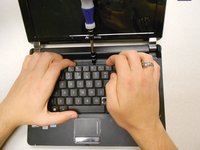
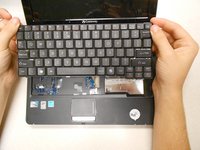
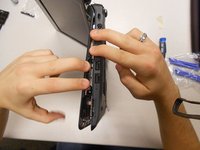
Separate the upper cover from the back cover. It is possible to do this without a tool, but you may also use a plastic opening tool for added leverage.
-
Be careful to keep even pressure all the way around the cover so that it is not bent beyond repair.
-
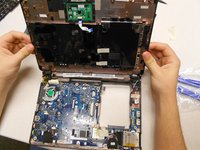
Carefully disconnect two ribbon cables to complete the separation of the upper cover.
-
-
-
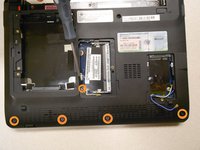
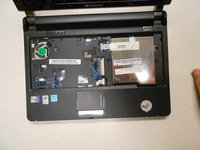
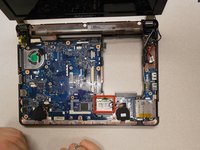
The WiFi card is shown here.
-
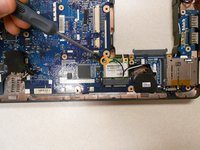
Remove the one (1) 5mm screw holding the card to the motherboard using a Phillips #0 screwdriver.
-












To reassemble your device, follow these instructions in reverse order.
To reassemble your device, follow these instructions in reverse order.
İptal et: Bu kılavuzu tamamlamadım.
3 farklı kişi bu kılavuzu tamamladı.



Ekip

Clemson, Team 14-3, Benson Fall 2013 Clemson, Team 14-3, Benson Fall 2013 üyesi
CLEM-BENSON-F13S14G3
3 Üyeler
22 adet Kılavuz yazıldı
