Bu çeviri bir makine tarafından oluşturulmuştur ve henüz bir kişi tarafından incelenmemiştir. Bu dili konuşuyor musunuz? İnceleme için.
Giriş
Kablosuz kart, dizüstü bilgisayarın internet erişimi için kablosuz ağlara olan bağlanırlığını düzenler. Eğer dizüstü bilgisayarınız çalışan bir kablosuz ağa bağlanmakta sorun yaşıyorsa, kablosuz kart hasar görmüş olabilir ve değiştirilmesi gerekebilir.
Neye ihtiyacın var
-
-
-
Dizüstü bilgisayarın sağ üst köşesindeki düğmenin "kilit açık" (kilit açık asma kilit simgesine doğru) konumunda olduğundan emin olun.
 FixBot'a Sor
-
-
-
Dizüstü bilgisayarın sol üst köşesindeki anahtarı, açık asma kilit simgesine doğru çekin.
-
Bataryayı sıkıca tutarak dizüstü bilgisayardan dışarı ve uzağa doğru çekin.
-
-
-
-
-
-
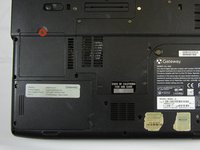
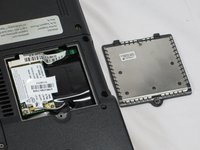
WiFi kartı arka plakasının arkasındaki 3 mm'lik Yıldız vidayı gevşetin.
-
Arka plakayı çıkarmak için yukarı doğru kaldırın.
-
-
-
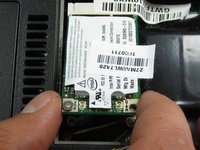
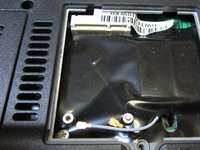
İki bağlantı kablosunu çıkarmak için açma aletini kullanarak nazikçe yukarı doğru kanırtın.
-
-




Cihazınızı yeniden toplamak için bu talimatları ters sırayla uygulayın.

Ekip

Cal Poly, Team 6-2, Forte Spring 2014 Cal Poly, Team 6-2, Forte Spring 2014 üyesi
CPSU-FORTE-S14S6G2
5 Üyeler
132 adet Kılavuz yazıldı
