Ana içeriğe geç
Onarım Topluluğuna Katılın - Hesap Oluşturun

Gateway NE52203u Wireless Card Replacement

Neye ihtiyacın var

  1. Gateway NE52203u Wireless Card Replacement, Battery: adım 1, 1 resimden 1.
    • Flip the device over onto its backside in order to access the battery.

    FixBot'a Sor

    Yorum Ekle

  2. Gateway NE52203u Wireless Card Replacement: adım 2, 2 resimden 1. Gateway NE52203u Wireless Card Replacement: adım 2, 2 resimden 2.
    • Locate the battery release latch and slide it over to the other side.

    • A small tool like a pen or screwdriver may be helpful in sliding the latch to release the battery.

    FixBot'a Sor

    Yorum Ekle

  3. Gateway NE52203u Wireless Card Replacement: adım 3, 1 resimden 1.
    • Grab the newly ejected battery from the device to completely remove it.

    • When reinserting the new battery, make sure the prongs on the battery are aligned with the corresponding holes on the laptop.

    FixBot'a Sor

    Yorum Ekle

  4. Gateway NE52203u Wireless Card Replacement, Touchpad Assembly: adım 4, 2 resimden 1. Gateway NE52203u Wireless Card Replacement, Touchpad Assembly: adım 4, 2 resimden 2.
    • Remove 18 6.0 mm Phillips #00 screws from the bottom of the laptop.

    • Remove 5 6.0 mm Phillip #00 screws from under cover.

    FixBot'a Sor

    Yorum Ekle

  5. Gateway NE52203u Wireless Card Replacement: adım 5, 1 resimden 1.
    • Remove three 2.9 mm Phillips #00 screws from the battery compartment.

    FixBot'a Sor

    Yorum Ekle

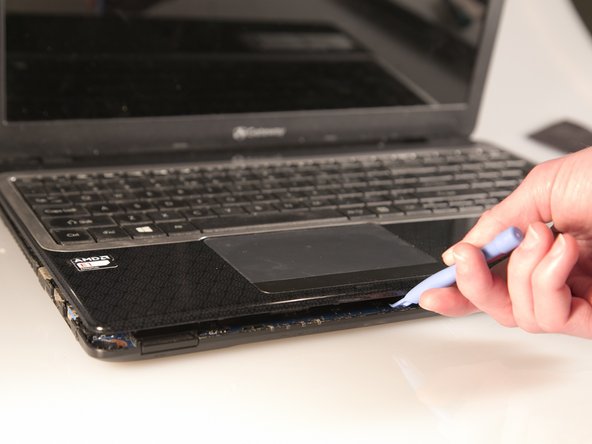
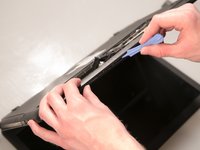
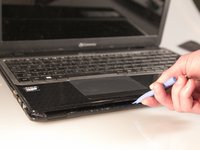
  6. Gateway NE52203u Wireless Card Replacement: adım 6, 2 resimden 1. Gateway NE52203u Wireless Card Replacement: adım 6, 2 resimden 2.
    • Separate the bottom panel from the touchpad assembly by inserting a plastic opening tool between them on all four sides.

    FixBot'a Sor

    Yorum Ekle

  7. Gateway NE52203u Wireless Card Replacement: adım 7, 1 resimden 1.
    Bu adımda kullanılan alet:
    Tweezers
    $4.99
    • Pull black ribbon wire from port using tweezers in order to completely separate touchpad assembly from bottom assembly.

    FixBot'a Sor

    Yorum Ekle

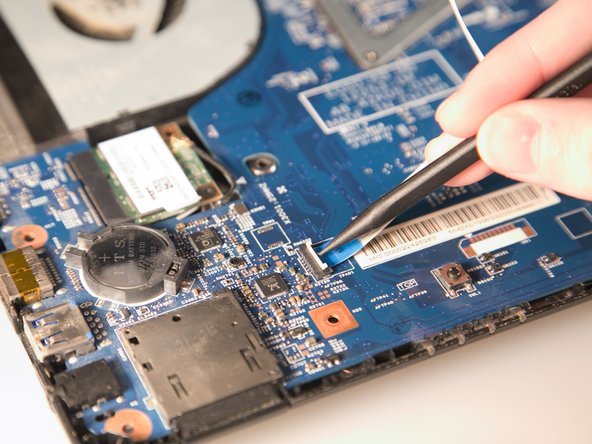
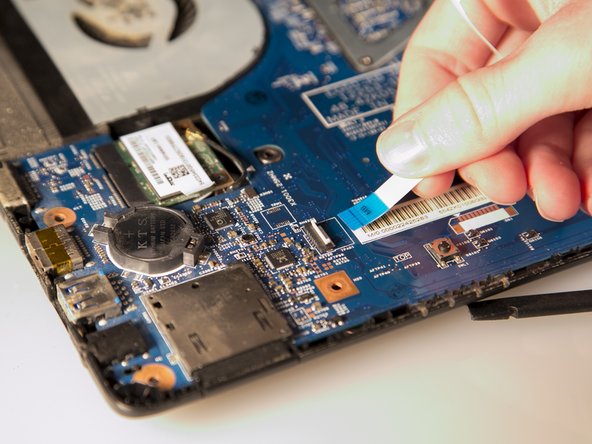
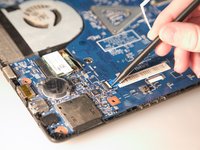
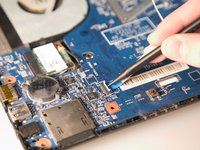
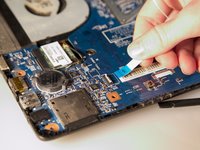
  8. Gateway NE52203u Wireless Card Replacement: adım 8, 3 resimden 1. Gateway NE52203u Wireless Card Replacement: adım 8, 3 resimden 2. Gateway NE52203u Wireless Card Replacement: adım 8, 3 resimden 3.
    • Disconnect the two ZIF ports that attach the touchpad assembly to the motherboard.

    • First flip open the flap covering the ribbon using a spudger or fingernail.

    • Second gently pull the ribbon away from the port.

    FixBot'a Sor

    Yorum Ekle

  9. Gateway NE52203u Wireless Card Replacement, Wireless Card: adım 9, 2 resimden 1. Gateway NE52203u Wireless Card Replacement, Wireless Card: adım 9, 2 resimden 2.
    Bu adımda kullanılan alet:
    Tweezers
    $4.99
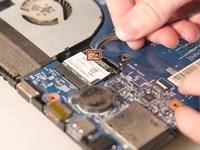
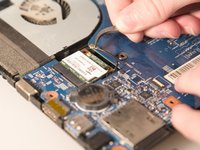
    • Grab the antenna cable with tweezers and lift up to pull it off.

    • The antenna is the small black cable with the golden head

    FixBot'a Sor

    Yorum Ekle

  10. Gateway NE52203u Wireless Card Replacement: adım 10, 1 resimden 1.
    • Remove the one 2.9 mm Phillips #00 screw holding down the wireless card in place.

    FixBot'a Sor

    Yorum Ekle

  11. Gateway NE52203u Wireless Card Replacement: adım 11, 1 resimden 1.
    • After the screw is removed, the card will spring upwards slightly. Pull out the old wireless card from its port.

    FixBot'a Sor

    Yorum Ekle

Sonuç

To reassemble your device, follow these instructions in reverse order.

İptal et: Bu kılavuzu tamamlamadım.

Stephen Spees

Üyelik tarihi: 03/20/15

542 İtibar

4 adet Kılavuz yazıldı

Ekip

Baylor, Team 2-1, Grigsby Spring 2015 Baylor, Team 2-1, Grigsby Spring 2015 üyesi

BU-GRIGSBY-S15S2G1

4 Üyeler

10 adet Kılavuz yazıldı

0Kılavuz Yorumları

Yorum Ekle

İstatistikleri Görüntüle:

Son 24 Saat: 2

Son 7 gün: 9

Son 30 gün: 30

Her zaman: 864