Ana içeriğe geç
Onarım Topluluğuna Katılın - Hesap Oluşturun

GoPro Hero LCD Screen Replacement

Neye ihtiyacın var

  1. GoPro Hero LCD Screen Replacement, Casing: adım 1, 1 resimden 1.
    • Power off your GoPro before beginning disassembly.

    • Unclip the black latch to the camera case and open the case.

    FixBot'a Sor

    Yorum Ekle

  2. GoPro Hero LCD Screen Replacement: adım 2, 1 resimden 1.
    • Gently pry the back open by inserting a metal spudger between the case and back panel.

    FixBot'a Sor

    Yorum Ekle

  3. GoPro Hero LCD Screen Replacement: adım 3, 1 resimden 1.
    • Disconnect the battery from the motherboard by unplugging the red, white, and black wires from the white adapter.

    FixBot'a Sor

    Yorum Ekle

  4. GoPro Hero LCD Screen Replacement: adım 4, 1 resimden 1.
    • Disconnect the ribbon cable from the lens by lifting the black latch and gently pulling the ribbon cable from the socket.

    FixBot'a Sor

    Yorum Ekle

  5. GoPro Hero LCD Screen Replacement: adım 5, 1 resimden 1.
    • Use a Phillips screwdriver (PH000) to remove the four screws around the white plastic piece.

    • Make sure to keep track of these screws as they are very small.

    FixBot'a Sor

    Yorum Ekle

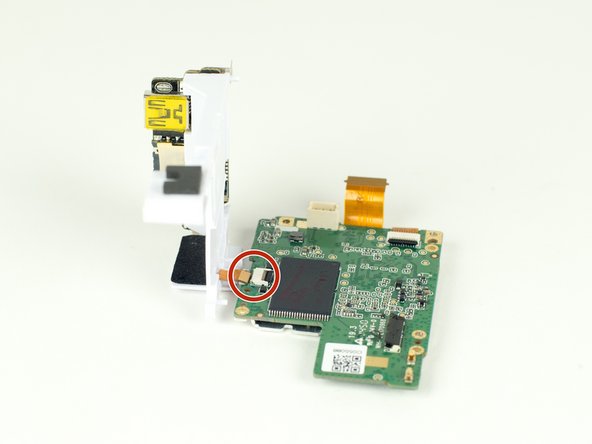
  6. GoPro Hero LCD Screen Replacement: adım 6, 1 resimden 1.
    • Carefully remove the motherboard and white plastic piece from the case.

    FixBot'a Sor

    Yorum Ekle

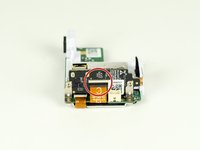
  7. GoPro Hero LCD Screen Replacement, LCD Screen: adım 7, 2 resimden 1. GoPro Hero LCD Screen Replacement, LCD Screen: adım 7, 2 resimden 2.
    • Remove the larger ribbon cable from the daughter board by lifting the black latch and pulling the ribbon cable gently from the socket.

    • Disconnect the smaller ribbon cable leading from the white plastic piece by simply pulling it from the socket.

    FixBot'a Sor

    Yorum Ekle

  8. GoPro Hero LCD Screen Replacement: adım 8, 1 resimden 1.
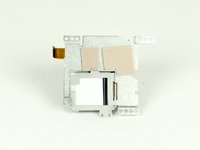
    • Separate the motherboard from the white piece of plastic.

    FixBot'a Sor

    Yorum Ekle

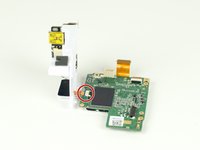
  9. GoPro Hero LCD Screen Replacement: adım 9, 1 resimden 1.
    • Remove the ribbon cable from the motherboard by simply pulling the cable from the socket.

    FixBot'a Sor

    Yorum Ekle

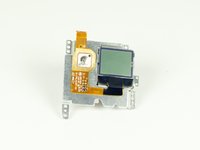
  10. GoPro Hero LCD Screen Replacement: adım 10, 2 resimden 1. GoPro Hero LCD Screen Replacement: adım 10, 2 resimden 2.
    • Separate the LCD screen from the motherboard.

    FixBot'a Sor

    Yorum Ekle

Sonuç

To reassemble your device, follow these instructions in reverse order.

İptal et: Bu kılavuzu tamamlamadım.

6 farklı kişi bu kılavuzu tamamladı.

River Drake

Üyelik tarihi: 04/02/15

1.065 İtibar

5 adet Kılavuz yazıldı

Ekip

Cal Poly, Team 12-2, Lancaster Spring 2015 Cal Poly, Team 12-2, Lancaster Spring 2015 üyesi

CPSU-LANCASTER-S15S12G2

4 Üyeler

18 adet Kılavuz yazıldı

3Kılavuz Yorumları

Where do you buy the replacement lcd

Anthony Volatile - Yanıt Paylaş

Gopro hero 7 white repair cost:

Screen: $45 - https://www.ebay.com.au/itm/183828969944

Side panel: $35 - https://www.herogear.com.au/genuine-repl...

Addisen KING - Yanıt Paylaş

I can find the screen but is it compatible with the Hero+

Brian Casado - Yanıt Paylaş

Yorum Ekle

İstatistikleri Görüntüle:

Son 24 Saat: 5

Son 7 gün: 30

Son 30 gün: 172

Her zaman: 27,182