Ana içeriğe geç
Onarım Topluluğuna Katılın - Hesap Oluşturun

Graco Secure Coverage LED Nursery Unit Replacement

Neye ihtiyacın var

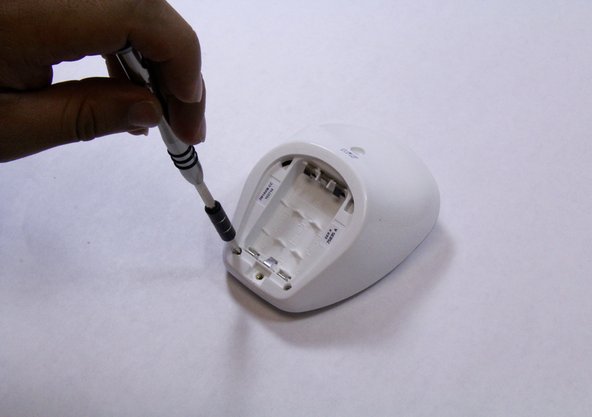
    1. Graco Secure Coverage LED Nursery Unit Replacement, Nursery Unit Battery: adım 1, 3 resimden 1. Graco Secure Coverage LED Nursery Unit Replacement, Nursery Unit Battery: adım 1, 3 resimden 2. Graco Secure Coverage LED Nursery Unit Replacement, Nursery Unit Battery: adım 1, 3 resimden 3.
      • Remove the 9mm screw from the battery cover of the nursery unit using a Phillips #1 tip screwdriver.

      FixBot'a Sor

      Yorum Ekle

    2. Graco Secure Coverage LED Nursery Unit Replacement: adım 2, 2 resimden 1. Graco Secure Coverage LED Nursery Unit Replacement: adım 2, 2 resimden 2.
      • Using the plastic opening tool, pry and remove the battery cover carefully.

      • Remove the batteries using plastic opening tool.

      • Replace the batteries.

      FixBot'a Sor

      Yorum Ekle

    1. Graco Secure Coverage LED Nursery Unit Replacement, LED Nursery Unit: adım 3, 2 resimden 1. Graco Secure Coverage LED Nursery Unit Replacement, LED Nursery Unit: adım 3, 2 resimden 2.
      • Remove the two 9mm Phillips #1 screws from the rare case of the device.

      • Place the screws in a secure place.

      FixBot'a Sor

      Yorum Ekle

    2. Graco Secure Coverage LED Nursery Unit Replacement: adım 4, 1 resimden 1.
      • Hold the bottom of the device with one hand and pull down to separate the front and rare cases.

      • While holding the device with one hand, use plastic opening tool to pry the edges of the front case away from the back case.

      • Apply constant force carefully to avoid breaking any other plastic parts from the device.

      FixBot'a Sor

      Yorum Ekle

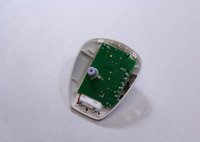
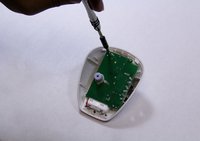
    3. Graco Secure Coverage LED Nursery Unit Replacement: adım 5, 2 resimden 1. Graco Secure Coverage LED Nursery Unit Replacement: adım 5, 2 resimden 2.
      • Remove all three 7mm Phillips #1 screws from the mother board.

      • Place the screws in secure place.

      FixBot'a Sor

      Yorum Ekle

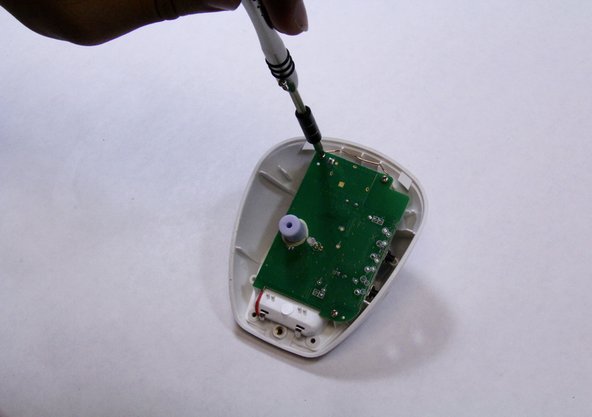
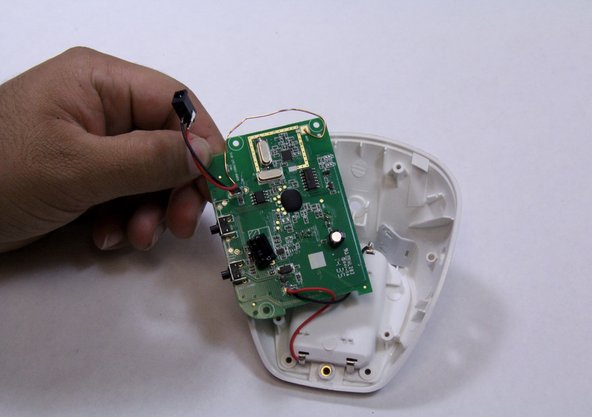
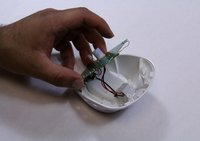
    4. Graco Secure Coverage LED Nursery Unit Replacement: adım 6, 3 resimden 1. Graco Secure Coverage LED Nursery Unit Replacement: adım 6, 3 resimden 2. Graco Secure Coverage LED Nursery Unit Replacement: adım 6, 3 resimden 3.
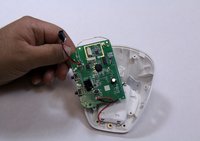
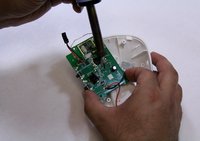
      • Flip over the motherboard to look at the LED pins that are connected to it.

      • Solder off the LED pin from the motherboard.

      • There are many pins are connect to the motherboard, so make sure that you solder off the LED pin.

      • Replace the LED.

      FixBot'a Sor

      Yorum Ekle

Sonuç

To reassemble your device, follow these instructions in reverse order.

İptal et: Bu kılavuzu tamamlamadım.

Bryson Wolff

Üyelik tarihi: 08/31/15

237 İtibar

2 adet Kılavuz yazıldı

Ekip

USF Tampa, Team 6-5, Remmell Fall 2015 USF Tampa, Team 6-5, Remmell Fall 2015 üyesi

USFT-REMMELL-F15S6G5

4 Üyeler

56 adet Kılavuz yazıldı

0Kılavuz Yorumları

Yorum Ekle

İstatistikleri Görüntüle:

Son 24 Saat: 0

Son 7 gün: 8

Son 30 gün: 27

Her zaman: 405