Ana içeriğe geç
Onarım Topluluğuna Katılın - Hesap Oluşturun

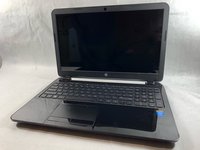
HP 15-R011DX Motherboard Replacement

Neye ihtiyacın var

    1. HP 15-R011DX Motherboard Replacement, Battery: adım 1, 2 resimden 1. HP 15-R011DX Motherboard Replacement, Battery: adım 1, 2 resimden 2.
      • Slide the lock mechanism on the left side of the laptop to the right.

      FixBot'a Sor

      Yorum Ekle

    2. HP 15-R011DX Motherboard Replacement: adım 2, 1 resimden 1.
      • While holding the right slide mechanism, remove the battery from the laptop.

      • The battery is not pictured here because it is missing from this particular device.

      FixBot'a Sor

      Yorum Ekle

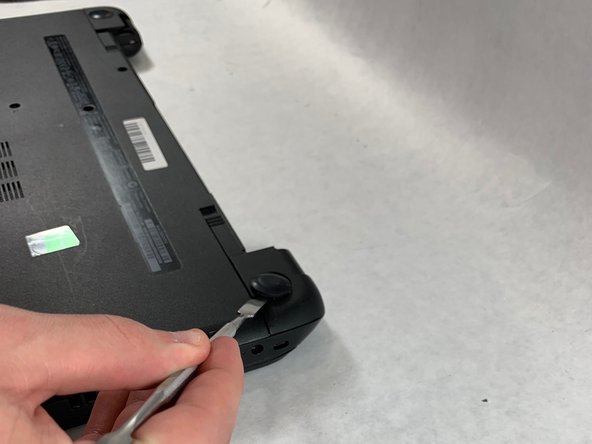
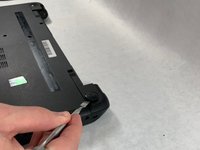
    1. HP 15-R011DX Motherboard Replacement, How to Access the Internal Components of an HP 15-R011DX: adım 3, 2 resimden 1. HP 15-R011DX Motherboard Replacement, How to Access the Internal Components of an HP 15-R011DX: adım 3, 2 resimden 2.
      • Flip the laptop over to reveal screw locations.

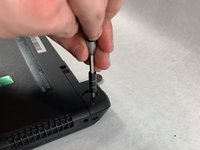
      • Use a metal spudger to remove the two rear rubber feet. There are screws hidden underneath them.

      FixBot'a Sor

      Yorum Ekle

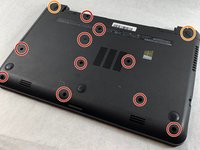
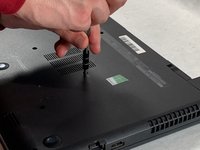
    2. HP 15-R011DX Motherboard Replacement: adım 4, 2 resimden 1. HP 15-R011DX Motherboard Replacement: adım 4, 2 resimden 2.
      • Remove the twelve 5mm Phillips #1 screws on the back of the laptop.

      FixBot'a Sor

      Yorum Ekle

    3. HP 15-R011DX Motherboard Replacement: adım 5, 2 resimden 1. HP 15-R011DX Motherboard Replacement: adım 5, 2 resimden 2.
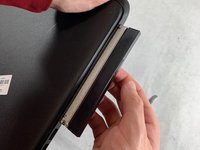
      • Remove the DVD drive from the laptop.

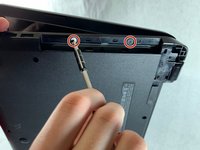
      • Remove the two 3 mm Phillips #1 screws underneath the DVD drive.

      FixBot'a Sor

      Yorum Ekle

    4. HP 15-R011DX Motherboard Replacement: adım 6, 3 resimden 1. HP 15-R011DX Motherboard Replacement: adım 6, 3 resimden 2. HP 15-R011DX Motherboard Replacement: adım 6, 3 resimden 3.
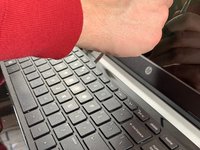
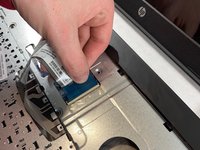
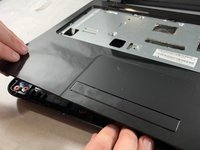
      • Flip the laptop and open.

      • Detach the keyboard by prying it free from the laptop using a spudger.

      • Do not completely remove the keyboard yet. It is still attached by a ribbon cable.

      • Disconnect the keyboard ribbon cable.

      FixBot'a Sor

      Yorum Ekle

    5. HP 15-R011DX Motherboard Replacement: adım 7, 2 resimden 1. HP 15-R011DX Motherboard Replacement: adım 7, 2 resimden 2.
      • Disconnect the two narrow ribbon cables to the left of the keyboard connection.

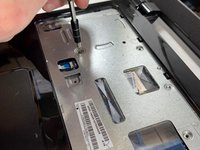
      • Remove five 4 mm Phillips #1 screws from the metal tray for the keyboard.

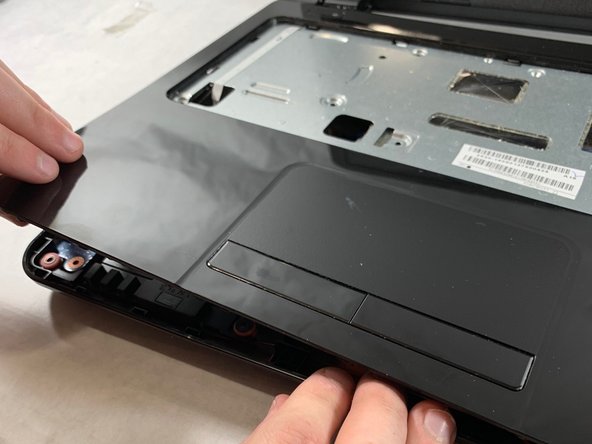
      • Pry open the plastic casing using a spudger.

      • If struggling to remove the plastic case, check that all screws have been removed.

      FixBot'a Sor

      Yorum Ekle

    1. HP 15-R011DX Motherboard Replacement, Hard Drive: adım 8, 1 resimden 1.
      • Remove two 5 mm Phillips #1 screws located at the base of the hard drive.

      FixBot'a Sor

      Yorum Ekle

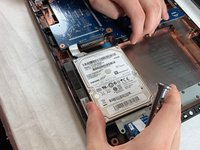
    2. HP 15-R011DX Motherboard Replacement: adım 9, 2 resimden 1. HP 15-R011DX Motherboard Replacement: adım 9, 2 resimden 2.
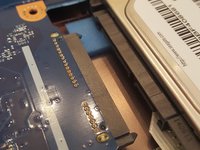
      • Pull the hard drive upwards and away from the laptop.

      • The hard drive should disconnect from its port on the motherboard as shown in the second image.

      FixBot'a Sor

      Yorum Ekle

    3. HP 15-R011DX Motherboard Replacement: adım 10, 1 resimden 1.
      • Flip the hard drive over.

      • Remove the two 4 mm Phillips #1 screws from the base of the hard drive.

      • Remove the mounting brace (silver bracket) from the hard drive.

      FixBot'a Sor

      Yorum Ekle

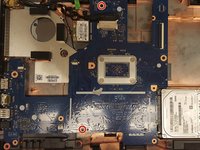
    1. HP 15-R011DX Motherboard Replacement, Motherboard: adım 11, 2 resimden 1. HP 15-R011DX Motherboard Replacement, Motherboard: adım 11, 2 resimden 2.
      • Remove the remaining two 5 mm Philips #1 screws from the motherboard.

      FixBot'a Sor

      Yorum Ekle

    2. HP 15-R011DX Motherboard Replacement: adım 12, 1 resimden 1.
      • Remove the tape from the display connector attached to the motherboard.

      • Disconnect the display connector from the motherboard.

      FixBot'a Sor

      Yorum Ekle

    3. HP 15-R011DX Motherboard Replacement: adım 13, 1 resimden 1.
      • Remove one 4 mm Phillips #1 screw from the wireless chip.

      • Remove the wireless chip from the motherboard.

      FixBot'a Sor

      Yorum Ekle

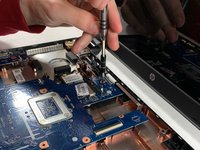
    4. HP 15-R011DX Motherboard Replacement: adım 14, 1 resimden 1.
      • Remove two 5 mm Phillips #1 screws from the USB component connected to the motherboard.

      • Lift the USB component until the band connecting it to the motherboard lifts off of the laptop.

      FixBot'a Sor

      Yorum Ekle

    5. HP 15-R011DX Motherboard Replacement: adım 15, 1 resimden 1.
      • Slowly lift the motherboard out of the computer.

      • Be sure that the I/O ports on the left side of the motherboard are not stuck on the laptop frame.

      • Disconnect the power connector from the motherboard as shown in the image.

      FixBot'a Sor

      Yorum Ekle

Sonuç

To reassemble your device, follow these instructions in reverse order.

İptal et: Bu kılavuzu tamamlamadım.

3 farklı kişi bu kılavuzu tamamladı.

Ethan Guillotte

Üyelik tarihi: 03/20/19

517 İtibar

3 adet Kılavuz yazıldı

Ekip

UMass Dartmouth, Team S2-G4, Bailey Spring 2019 UMass Dartmouth, Team S2-G4, Bailey Spring 2019 üyesi

UMASSD-BAILEY-S19S2G4

3 Üyeler

60 adet Kılavuz yazıldı

0Kılavuz Yorumları

Yorum Ekle

İstatistikleri Görüntüle:

Son 24 Saat: 1

Son 7 gün: 8

Son 30 gün: 23

Her zaman: 948