Ana içeriğe geç
Onarım Topluluğuna Katılın - Hesap Oluşturun

HP 15-db0004dx Battery Replacement

Neye ihtiyacın var

  1. HP 15-db0004dx Battery Replacement, Bottom Case: adım 1, 2 resimden 1. HP 15-db0004dx Battery Replacement, Bottom Case: adım 1, 2 resimden 2.
    • Turn the laptop off and unplug it before starting.

    • Flip your laptop over, face down.

    FixBot'a Sor

    Yorum Ekle

  2. HP 15-db0004dx Battery Replacement: adım 2, 1 resimden 1.
    • Peel off the two long rubber grips running lengthwise on the laptop.

    FixBot'a Sor

    Yorum Ekle

  3. HP 15-db0004dx Battery Replacement: adım 3, 2 resimden 1. HP 15-db0004dx Battery Replacement: adım 3, 2 resimden 2.
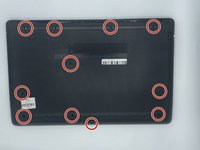
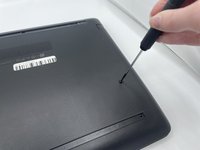
    • Using a Phillips #000 screwdriver, remove the eleven 10 mm screws located on the underside of the laptop, that are holding the back panel in place.

    FixBot'a Sor

    Yorum Ekle

  4. HP 15-db0004dx Battery Replacement: adım 4, 1 resimden 1.
    • Carefully slide the optical drive out of the laptop.

    FixBot'a Sor

    Yorum Ekle

  5. HP 15-db0004dx Battery Replacement: adım 5, 1 resimden 1.
    • Use a plastic opening tool to separate the back panel from the laptop.

    • For an easier removal, start at the corner and run the tool along the edge of the cover.

    • If you do not have a plastic opening tool, open it carefully using your hands, as shown.

    • Be careful to not bend the back panel, or to not apply too much pressure and force, doing so could cause the panel to break.

    FixBot'a Sor

    Yorum Ekle

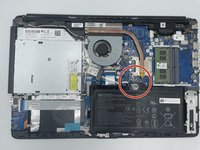
  6. HP 15-db0004dx Battery Replacement, Battery: adım 6, 2 resimden 1. HP 15-db0004dx Battery Replacement, Battery: adım 6, 2 resimden 2.
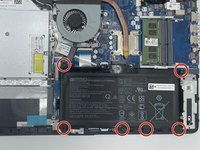
    • Using the Philips #000 screwdriver remove all of the six 5mm screws.

    FixBot'a Sor

    Yorum Ekle

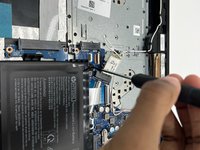
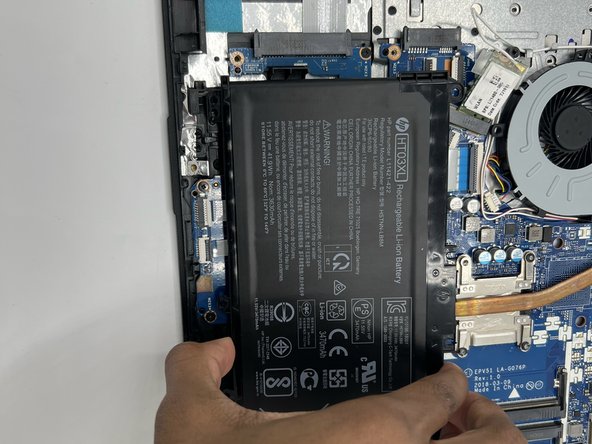
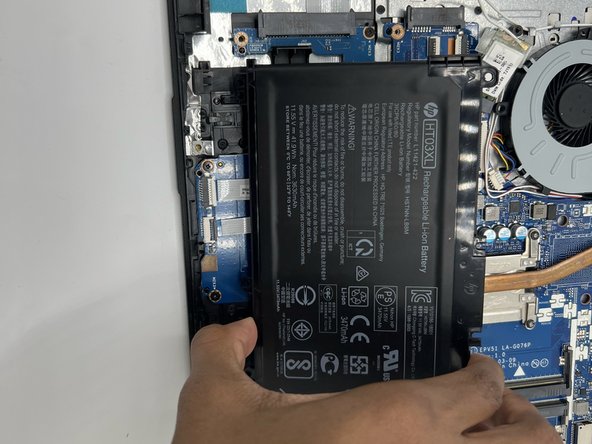
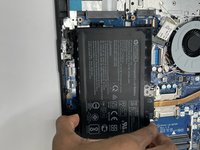
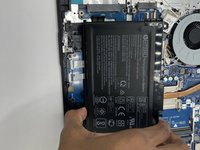
  7. HP 15-db0004dx Battery Replacement: adım 7, 3 resimden 1. HP 15-db0004dx Battery Replacement: adım 7, 3 resimden 2. HP 15-db0004dx Battery Replacement: adım 7, 3 resimden 3.
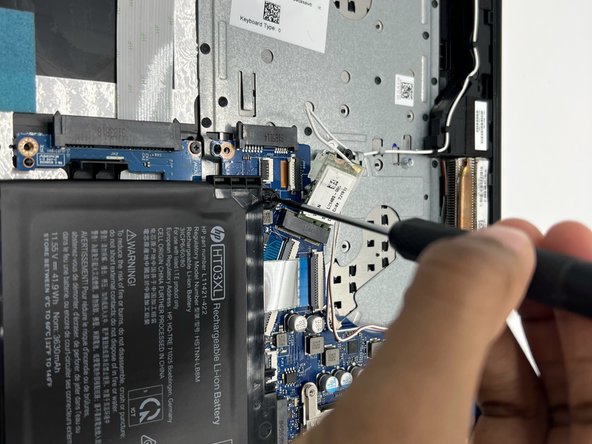
    • Disconnect the battery connector.

    • Slide the battery up and out.

    FixBot'a Sor

    Yorum Ekle

Sonuç

To reassemble your device, follow these instructions in reverse order.

İptal et: Bu kılavuzu tamamlamadım.

2 farklı kişi bu kılavuzu tamamladı.

0Kılavuz Yorumları

Yorum Ekle

İstatistikleri Görüntüle:

Son 24 Saat: 1

Son 7 gün: 6

Son 30 gün: 46

Her zaman: 1,223