Ana içeriğe geç
Onarım Topluluğuna Katılın - Hesap Oluşturun

HP Chromebook 11 G3 Camera Replacement

Neye ihtiyacın var

  1. HP Chromebook 11 G3 Camera Replacement, Keyboard Mount: adım 1, 2 resimden 1. HP Chromebook 11 G3 Camera Replacement, Keyboard Mount: adım 1, 2 resimden 2.
    • Flip the laptop upside down so that the lid lies flat on the table.

    • Remove the nine 6mm Phillips #00 screws that line the border.

    FixBot'a Sor

    Yorum Ekle

  2. HP Chromebook 11 G3 Camera Replacement: adım 2, 2 resimden 1. HP Chromebook 11 G3 Camera Replacement: adım 2, 2 resimden 2.
    Bu adımda kullanılan alet:
    Tweezers
    $4.99
    • Remove the two rubber feet closest to the hinge using tweezers.

    • Remove the two 6mm Phillips #00 screws revealed under these rubber feet.

    • The rubber feet may tear while removal; preventing this can be difficult, but it won’t harm the laptop. If desired, replace these rubber feet during reassembly.

    FixBot'a Sor

    Yorum Ekle

  3. HP Chromebook 11 G3 Camera Replacement: adım 3, 1 resimden 1.
    • Flip the laptop so it is in the upright position.

    • Open the lid.

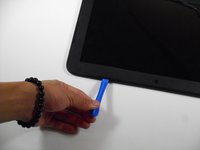
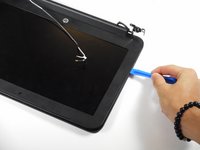
    • Unsnap the keyboard mount along the border of the laptop using a plastic opening tool.

    • This may require more force than expected. Hearing loud clicks as the plastic opening tool slides along the seam is normal.

    FixBot'a Sor

    Yorum Ekle

  4. HP Chromebook 11 G3 Camera Replacement: adım 4, 3 resimden 1. HP Chromebook 11 G3 Camera Replacement: adım 4, 3 resimden 2. HP Chromebook 11 G3 Camera Replacement: adım 4, 3 resimden 3.
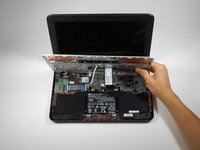
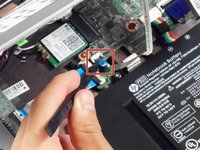
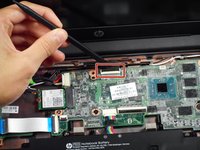
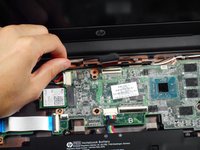
    • Tilt the keyboard mount up.

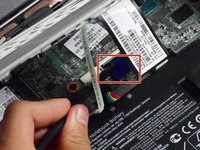
    • Use a spudger to flip up the two ZIF connector retaining flaps for the ribbon cables that connect the keyboard mount to the motherboard.

    • Gently remove both ribbon cables.

    FixBot'a Sor

    Yorum Ekle

  5. HP Chromebook 11 G3 Camera Replacement: adım 5, 1 resimden 1.
    • Lift the keyboard mount out of the laptop.

    FixBot'a Sor

    Yorum Ekle

  6. HP Chromebook 11 G3 Camera Replacement, Display Assembly: adım 6, 1 resimden 1.
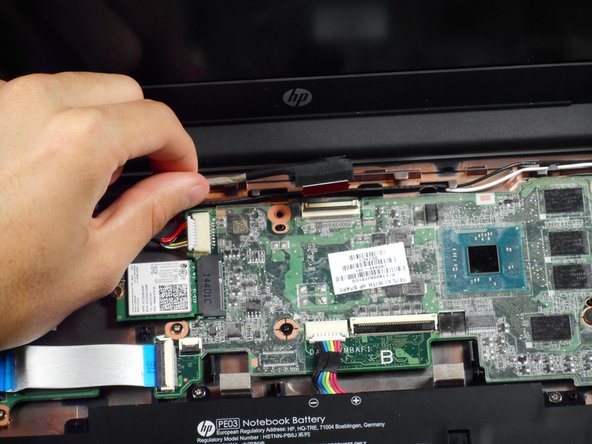
    • Gently tug on the black and white wires connected to the Wi-Fi module to disconnect them.

    FixBot'a Sor

    Yorum Ekle

  7. HP Chromebook 11 G3 Camera Replacement: adım 7, 2 resimden 1. HP Chromebook 11 G3 Camera Replacement: adım 7, 2 resimden 2.
    • Using a spudger, lift the ZIF retaining flap that secures the display’s ribbon cable to the motherboard.

    • Gently pull the ribbon cable out of its socket.

    FixBot'a Sor

    Yorum Ekle

  8. HP Chromebook 11 G3 Camera Replacement: adım 8, 1 resimden 1.
    • Free the wire from the casing.

    FixBot'a Sor

    Yorum Ekle

  9. HP Chromebook 11 G3 Camera Replacement: adım 9, 1 resimden 1.
    • Remove the two 6mm Phillips #00 screws located near the upper left and right corners of the hinge mounts.

    • Hold the lid so that it is folded slightly inwards while removing the screws so that the lid doesn’t fall.

    FixBot'a Sor

    Yorum Ekle

  10. HP Chromebook 11 G3 Camera Replacement: adım 10, 1 resimden 1.
    • Rotate the lid to a 90-degree angle with the table.

    • Shimmy the lid out of the laptop.

    FixBot'a Sor

    Yorum Ekle

  11. HP Chromebook 11 G3 Camera Replacement, Screen Bezel: adım 11, 3 resimden 1. HP Chromebook 11 G3 Camera Replacement, Screen Bezel: adım 11, 3 resimden 2. HP Chromebook 11 G3 Camera Replacement, Screen Bezel: adım 11, 3 resimden 3.
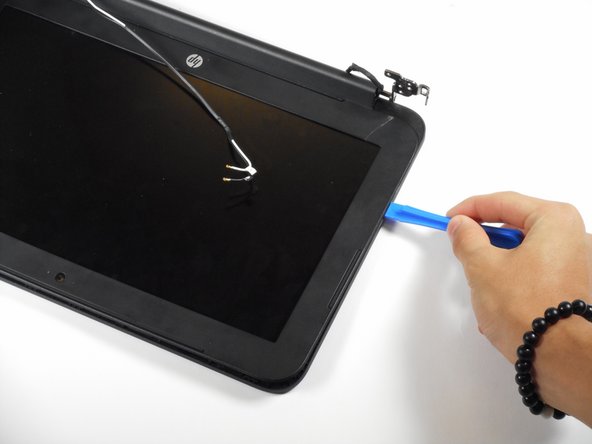
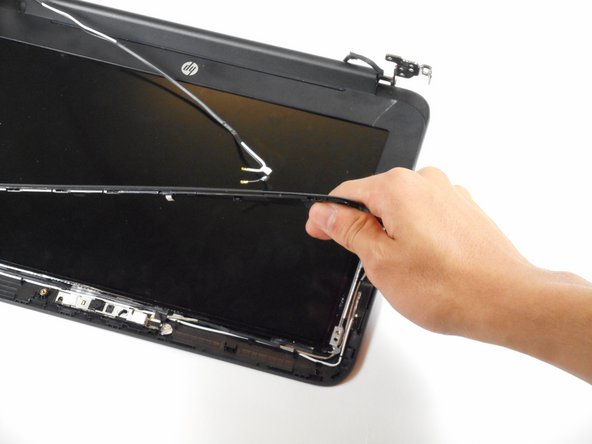
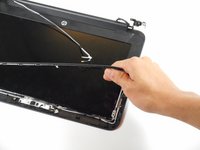
    • Use the plastic opening tool to pry the left and right side of the top of the lid, and proceed inwards from the sides.

    • Do not attempt to remove the entire frame; this isn't necessary for removing the camera.

    • Do not pry at the center of the lid; this may damage the camera inside.

    FixBot'a Sor

    Yorum Ekle

  12. HP Chromebook 11 G3 Camera Replacement, Camera: adım 12, 1 resimden 1.
    • Gently remove the slide-out connector near the bottom left corner of the camera mount.

    FixBot'a Sor

    Yorum Ekle

  13. HP Chromebook 11 G3 Camera Replacement: adım 13, 1 resimden 1.
    Bu adımda kullanılan alet:
    Tweezers
    $4.99
    • Locate the two silver strips of tape on each edge of the camera mount.

    • Use tweezers to peel off these strips.

    FixBot'a Sor

    Yorum Ekle

  14. HP Chromebook 11 G3 Camera Replacement: adım 14, 1 resimden 1.
    • Use a plastic opening tool to pry the camera mount out of the lid.

    • Apply force evenly to prevent bending the mount.

    FixBot'a Sor

    Yorum Ekle

  15. HP Chromebook 11 G3 Camera Replacement: adım 15, 1 resimden 1.
    • Lift the camera out of the lid.

    FixBot'a Sor

    Yorum Ekle

Sonuç

To reassemble your device, follow these instructions in reverse order.

İptal et: Bu kılavuzu tamamlamadım.

3 farklı kişi bu kılavuzu tamamladı.

Rahul Goyal

Üyelik tarihi: 04/26/17

1.401 İtibar

10 adet Kılavuz yazıldı

Ekip

Cal Poly, Team S23-G3, Livingston Spring 2017 Cal Poly, Team S23-G3, Livingston Spring 2017 üyesi

CPSU-LIVINGSTON-S17S23G3

4 Üyeler

12 adet Kılavuz yazıldı

0Kılavuz Yorumları

Yorum Ekle

İstatistikleri Görüntüle:

Son 24 Saat: 1

Son 7 gün: 5

Son 30 gün: 28

Her zaman: 1,448