Ana içeriğe geç
Onarım Topluluğuna Katılın - Hesap Oluşturun

HP Chromebook CB2L Motherboard Replacement

Neye ihtiyacın var

  1. HP Chromebook CB2L Motherboard Replacement, Battery: adım 1, 2 resimden 1. HP Chromebook CB2L Motherboard Replacement, Battery: adım 1, 2 resimden 2.
    • First flip your HP Chromebook CB2L over such that the bottom is facing upwards.

    • Next, using the plastic opening tool remove the blue panel.

  2. HP Chromebook CB2L Motherboard Replacement: adım 2, 3 resimden 1. HP Chromebook CB2L Motherboard Replacement: adım 2, 3 resimden 2. HP Chromebook CB2L Motherboard Replacement: adım 2, 3 resimden 3.
    • Using the Phillips #1 screwdriver, remove the six 1.2mm screws.

    • Gently pry off the white back panel using the plastic opening tool.

  3. HP Chromebook CB2L Motherboard Replacement: adım 3, 1 resimden 1.
    • Disconnect the battery input to the motherboard using the plastic opening tool

  4. HP Chromebook CB2L Motherboard Replacement: adım 4, 1 resimden 1.
    • Unscrew the four 1.2mm screws using the Phillips #1 screwdriver.

  5. HP Chromebook CB2L Motherboard Replacement: adım 5, 1 resimden 1.
    • Using the plastic opening tool remove the battery from the Chromebook.

  6. HP Chromebook CB2L Motherboard Replacement, Speaker: adım 6, 1 resimden 1.
    • Using the plastic opening tool lift the black tab.

    • Disconnect the blue and black strip from the motherboard.

  7. HP Chromebook CB2L Motherboard Replacement: adım 7, 1 resimden 1.
    • Use the Phillips #1 screwdriver to remove the four 1.2mm screws circled red.

  8. HP Chromebook CB2L Motherboard Replacement: adım 8, 3 resimden 1. HP Chromebook CB2L Motherboard Replacement: adım 8, 3 resimden 2. HP Chromebook CB2L Motherboard Replacement: adım 8, 3 resimden 3.
    • Gently pull the black wire to disconnect the audio port from the motherboard.

    • Disconnect the black wire connecting the speaker to the motherboard with caution.

  9. HP Chromebook CB2L Motherboard Replacement: adım 9, 1 resimden 1.
    • Use the plastic opening tool to remove the speaker from back panel.

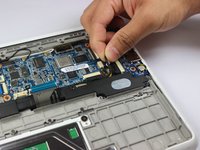
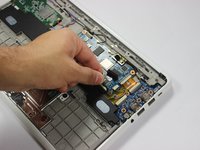
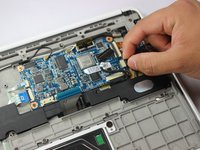
  10. HP Chromebook CB2L Motherboard Replacement, Motherboard: adım 10, 3 resimden 1. HP Chromebook CB2L Motherboard Replacement, Motherboard: adım 10, 3 resimden 2. HP Chromebook CB2L Motherboard Replacement, Motherboard: adım 10, 3 resimden 3.
    • Disconnect the black wire which connects the audio port to the motherboard.

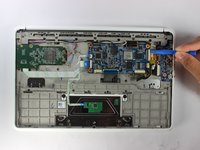
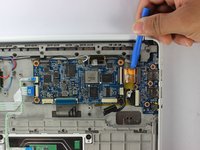
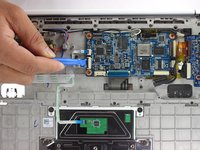
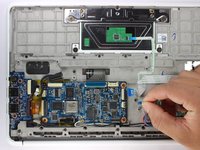
    • Use the plastic opening tool to lift the white tab.

    • Use the plastic opening tool to disconnect the gold strip which connects the audio port to the motherboard.

  11. HP Chromebook CB2L Motherboard Replacement: adım 11, 2 resimden 1. HP Chromebook CB2L Motherboard Replacement: adım 11, 2 resimden 2.
    • Lift the black tab using the plastic opening tool.

    • Remove the two white strips from the motherboard.

  12. HP Chromebook CB2L Motherboard Replacement: adım 12, 2 resimden 1. HP Chromebook CB2L Motherboard Replacement: adım 12, 2 resimden 2.
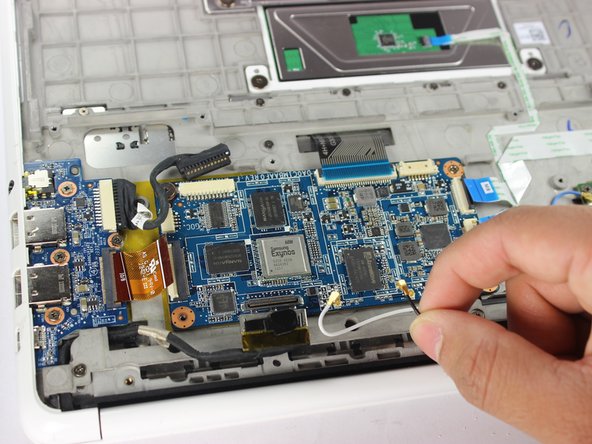
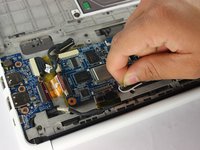
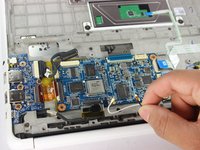
    • Lift the black and silver connector using plastic opening tool as shown.

    • Remove the white and black wires by rotating them counterclockwise and gently lifting them.

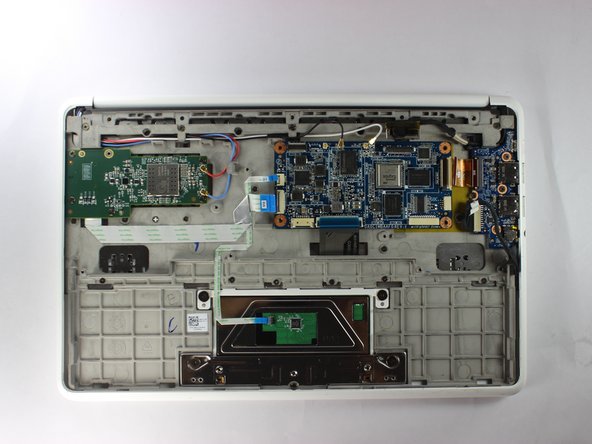
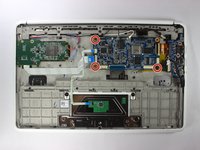
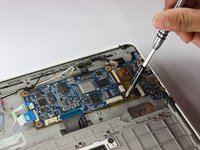
  13. HP Chromebook CB2L Motherboard Replacement: adım 13, 3 resimden 1. HP Chromebook CB2L Motherboard Replacement: adım 13, 3 resimden 2. HP Chromebook CB2L Motherboard Replacement: adım 13, 3 resimden 3.
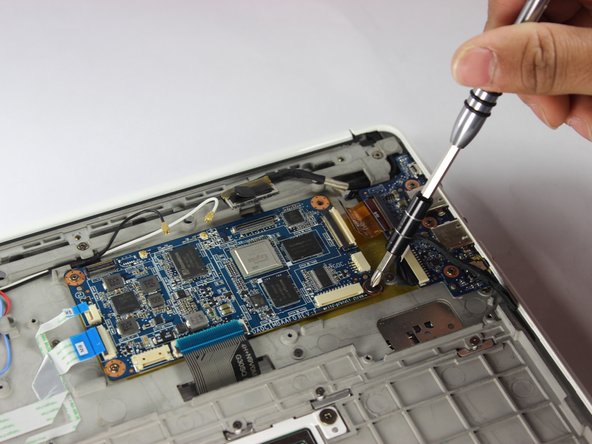
    • Remove the three 1.2mm screws using the Phillips #1 screwdriver.

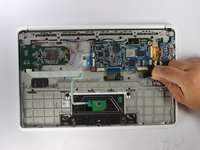
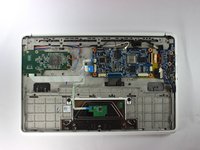
  14. HP Chromebook CB2L Motherboard Replacement: adım 14, 1 resimden 1.
    • Using the plastic opening tool lift the motherboard out of the back panel.

Sonuç

To reassemble your device, follow these instructions in reverse order.

Gregory Hinkson

Üyelik tarihi: 02/13/17

352 İtibar

3 adet Kılavuz yazıldı

Ekip

USF Tampa, Team S2-G6, Lacy Spring 2017 USF Tampa, Team S2-G6, Lacy Spring 2017 üyesi

USFT-LACY-S17S2G6

3 Üyeler

4 adet Kılavuz yazıldı

0Kılavuz Yorumları

Yorum Ekle

İstatistikleri Görüntüle:

Son 24 Saat: 2

Son 7 gün: 7

Son 30 gün: 27

Her zaman: 914