Giriş
This guide will walk you through the process of removing a space bar key.
Neye ihtiyacın var
-
-
-
Place a plastic opening tool, under the edge of the space bar and gently pry up to release the spacebar.
-
-
-
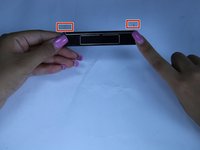
observe the long metal rod attached to the bottom of the space bar
-
unhook the ends of the metal rod from the keyboard, completely removing the space bar key
-

 FixBot'a Sor



To reassemble your device, follow these instructions in reverse order.
İptal et: Bu kılavuzu tamamlamadım.
Bir başkası bu kılavuzu tamamladı.

Ekip

Texas Tech, Team S13-G4, Bennett Spring 2017 Texas Tech, Team S13-G4, Bennett Spring 2017 üyesi
TTU-BENNETT-S17S13G4
5 Üyeler
5 adet Kılavuz yazıldı
