Ana içeriğe geç
Onarım Topluluğuna Katılın - Hesap Oluşturun

HP Pavilion 15-n232nr RAM Replacement

Neye ihtiyacın var

    1. HP Pavilion 15-n232nr RAM Replacement, Battery: adım 1, 2 resimden 1. HP Pavilion 15-n232nr RAM Replacement, Battery: adım 1, 2 resimden 2.
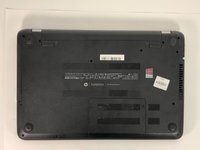
      • Flip the laptop over.

      FixBot'a Sor

      Yorum Ekle

    2. HP Pavilion 15-n232nr RAM Replacement: adım 2, 3 resimden 1. HP Pavilion 15-n232nr RAM Replacement: adım 2, 3 resimden 2. HP Pavilion 15-n232nr RAM Replacement: adım 2, 3 resimden 3.
      • Slide the battery locks towards the center of the laptop. The battery will detach automatically.

      • Remove the battery by sliding it away from the laptop housing.

      FixBot'a Sor

      Yorum Ekle

    1. HP Pavilion 15-n232nr RAM Replacement, RAM: adım 3, 2 resimden 1. HP Pavilion 15-n232nr RAM Replacement, RAM: adım 3, 2 resimden 2.
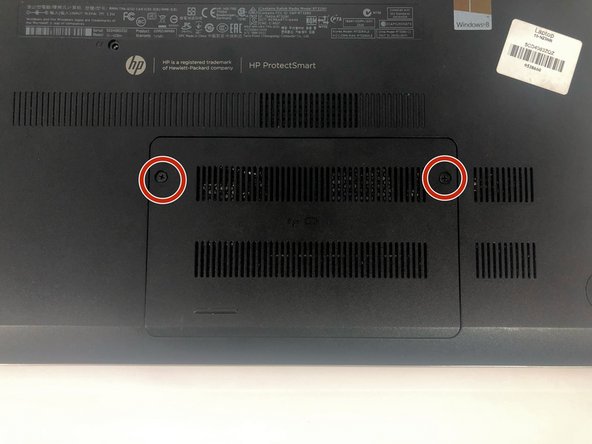
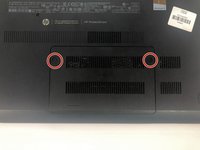
      • Loosen the two 6 mm Phillips #1 screws on the back panel.

      • These screws do not detach from back panel.

      FixBot'a Sor

      Yorum Ekle

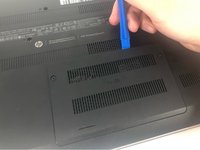
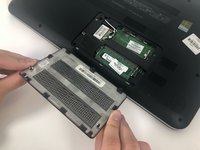
    2. HP Pavilion 15-n232nr RAM Replacement: adım 4, 2 resimden 1. HP Pavilion 15-n232nr RAM Replacement: adım 4, 2 resimden 2.
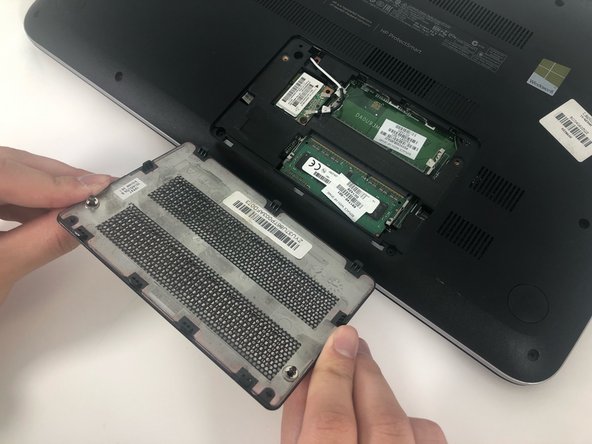
      • Use the iFixit opening tool to remove the back panel.

      FixBot'a Sor

      Yorum Ekle

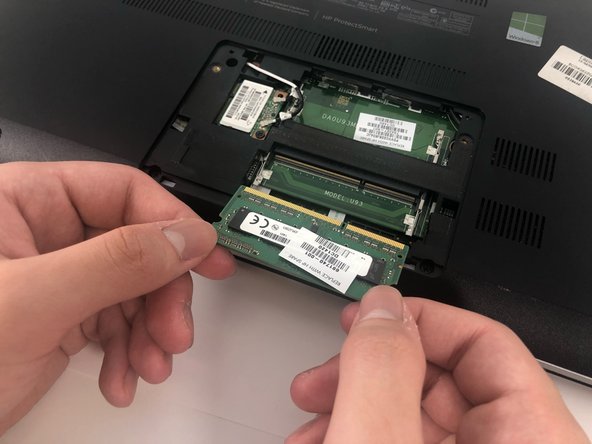
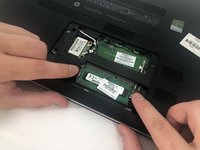
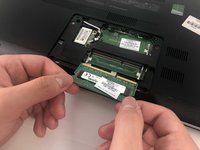
    3. HP Pavilion 15-n232nr RAM Replacement: adım 5, 2 resimden 1. HP Pavilion 15-n232nr RAM Replacement: adım 5, 2 resimden 2.
      • Release the clips securing the RAM by slightly bending them until the RAM is free.

      FixBot'a Sor

      Yorum Ekle

Sonuç

To reassemble your device, follow these instructions in reverse order.

İptal et: Bu kılavuzu tamamlamadım.

2 farklı kişi bu kılavuzu tamamladı.

0Kılavuz Yorumları

Yorum Ekle

İstatistikleri Görüntüle:

Son 24 Saat: 0

Son 7 gün: 7

Son 30 gün: 30

Her zaman: 555