Giriş
If the keyboard on your laptop is malfunctioning, has numerous missing keys, or is broken, it will need to be replaced. Once a replacement is purchased, follow this guide to effectively replace it.
Neye ihtiyacın var
-
-
-
Open your laptop. Beneath the screen, here is a large plastic piece that contains slots for a speaker, the power button, and numerous indicator lights.
-
To remove this, pry it open with a spudger tool gently. It should pop out of place.
 FixBot'a Sor
-
-
-
-
Remove the three 6mm screws using a Phillips #1 screwdriver.
-
Once the screws are removed, the keyboard is free from the base of the laptop.
-
-


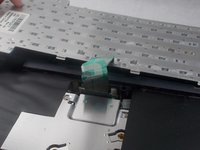
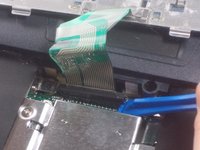
To reassemble your device, follow these instructions in reverse order.
İptal et: Bu kılavuzu tamamlamadım.
Bir başkası bu kılavuzu tamamladı.

Ekip

UMass Dartmouth, Team S3-G8, Peak Spring 2018 UMass Dartmouth, Team S3-G8, Peak Spring 2018 üyesi
UMASSD-PEAK-S18S3G8
3 Üyeler
55 adet Kılavuz yazıldı
