Giriş
Are you having trouble loading certain pages or experiencing the blue screen of death (BSoD)? If so, the random access memory (RAM) modules may be faulty and needs to be replaced. Follow the instructions in this guide to remove and replace the RAM in your HP Pavilion dv4-4141us laptop.
Neye ihtiyacın var
-
-
-
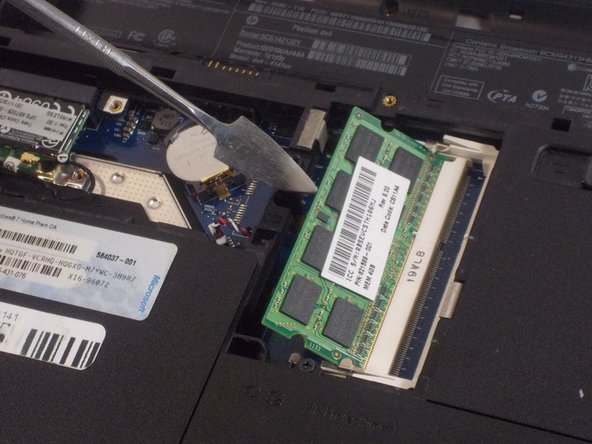
Lift up the back panel using a spudger and remove it from the device.
 FixBot'a Sor
-
-
-


Sonuç
To reassemble your device, follow these instructions in reverse order.

Ekip

UMass Dartmouth, Team 2-3, Sinclaire Fall 2021 UMass Dartmouth, Team 2-3, Sinclaire Fall 2021 üyesi
UMASSD-SINCLAIRE-F21S2G3
3 Üyeler
28 adet Kılavuz yazıldı
