Ana içeriğe geç
Onarım Topluluğuna Katılın - Hesap Oluşturun

HTC Droid Incredible 4G LTE Display Assembly Replacement

Görüntüleme: 1,6 B

İstatistikleri görüntüle:

Son 24 Saat:
3
Son 7 Gün:
20
Son 30 Gün:
83
Her zaman:
1.634
Yorumlar: 5

5 comments on steps.

Tamamlandı: 5

5 kişi bu kılavuzu "tamamlandı" olarak işaretledi. Sıradaki sen olacak mısın?

Sık Kullanılanlar: 3

3 kişi bu kılavuzu favorilerine ekledi (ve abone oldu). Sıradaki sen olacak mısın?

Gerekli Süre: Tahmin yok
Zorluk: Orta
Eksik Adımlar

Hata! Bu kılavuzda şu anda bir veya daha fazla önemli adım eksik.

HTC Droid Incredible 4G LTE Display Assembly Replacement

With this phone, the LCD and digitizer are removed together. These can then be separated by heating. If there is a discrepancy with the way images appear on your screen you may have a broken LCD. However, if you are unable to utilize the touchscreen interface then you may have a broken digitizer.

Neye ihtiyacın var

Aletler

    1. HTC Droid Incredible 4G LTE Display Assembly Replacement, Battery: adım 1, 1 resimden 1.
      • Use the plastic opening tool to pry off back cover by inserting opening tool in the space indicated and pushing down on the handle of the tool.

      FixBot'a Sor

      Yorum Ekle

    2. HTC Droid Incredible 4G LTE Display Assembly Replacement: adım 2, 1 resimden 1.
      • Remove the battery after taking off the cover.

      FixBot'a Sor

      Yorum Ekle

    1. HTC Droid Incredible 4G LTE Display Assembly Replacement, Midframe: adım 3, 1 resimden 1.
      • Remove eight 4mm and one 5mm Torx screws.

      FixBot'a Sor

      Yorum Ekle

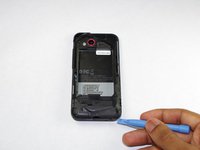
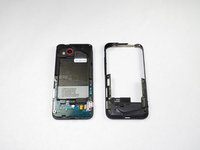
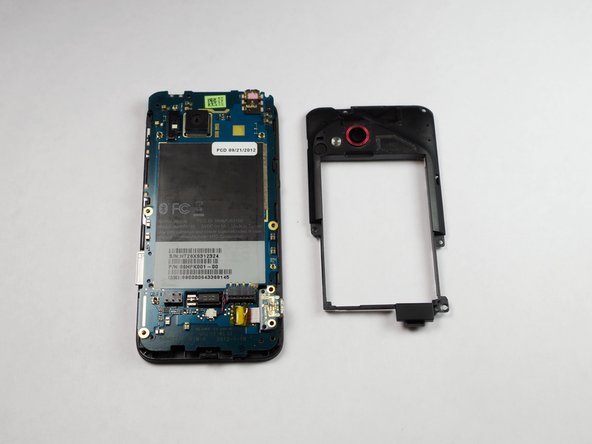
    2. HTC Droid Incredible 4G LTE Display Assembly Replacement: adım 4, 2 resimden 1. HTC Droid Incredible 4G LTE Display Assembly Replacement: adım 4, 2 resimden 2.
      • Use a prying tool to pry off the midframe.

      FixBot'a Sor

      Yorum Ekle

    1. HTC Droid Incredible 4G LTE Display Assembly Replacement, Micro USB Port: adım 5, 1 resimden 1.
      • Remove the 4mm Torx screw holding the charging port to the phone.

      FixBot'a Sor

      Yorum Ekle

    2. HTC Droid Incredible 4G LTE Display Assembly Replacement: adım 6, 1 resimden 1.
      • Remove the silver bracket holding the charging port in place.

      FixBot'a Sor

      Yorum Ekle

    3. HTC Droid Incredible 4G LTE Display Assembly Replacement: adım 7, 1 resimden 1.
      • Use a prying tool to remove the charging port as shown.

      FixBot'a Sor

      Yorum Ekle

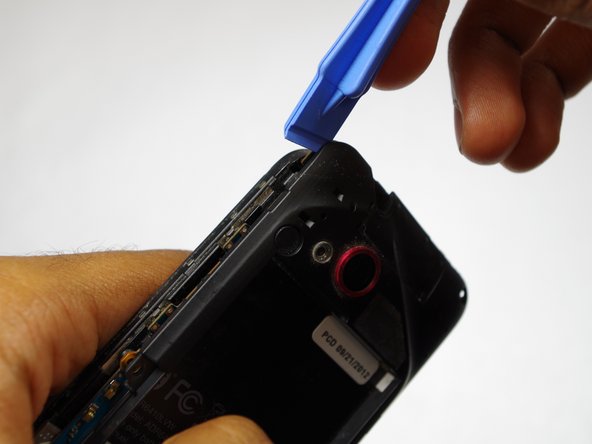
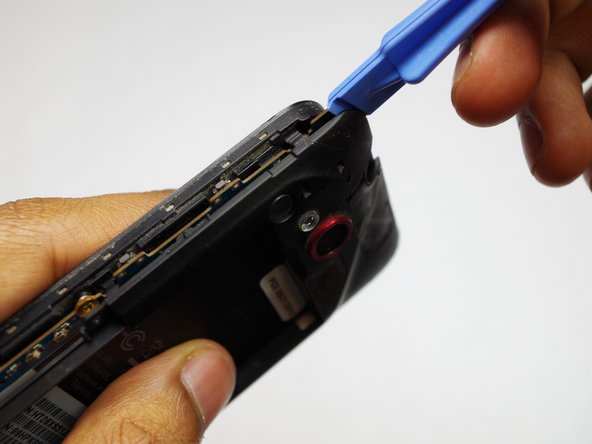
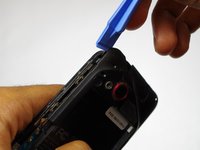
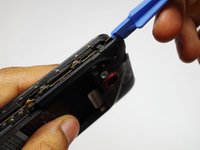
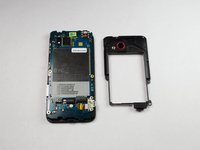
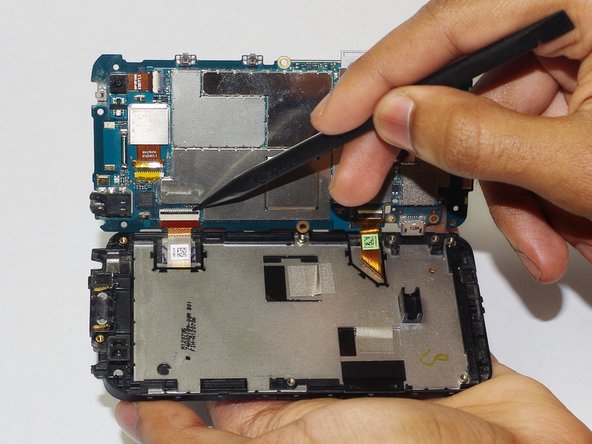
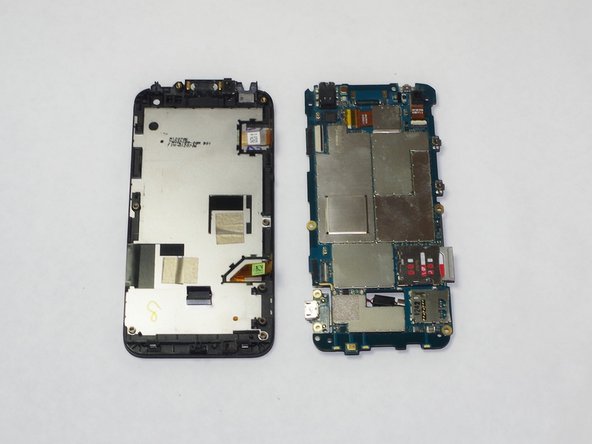
    1. HTC Droid Incredible 4G LTE Display Assembly Replacement, Display Assembly: adım 8, 3 resimden 1. HTC Droid Incredible 4G LTE Display Assembly Replacement, Display Assembly: adım 8, 3 resimden 2. HTC Droid Incredible 4G LTE Display Assembly Replacement, Display Assembly: adım 8, 3 resimden 3.
      • Pry off and remove the back cover

      FixBot'a Sor

      Yorum Ekle

    2. HTC Droid Incredible 4G LTE Display Assembly Replacement: adım 9, 1 resimden 1.
      • Remove the 4mm Torx screw.

      FixBot'a Sor

      Yorum Ekle

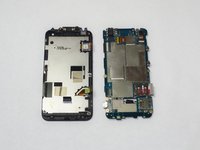
    3. HTC Droid Incredible 4G LTE Display Assembly Replacement: adım 10, 3 resimden 1. HTC Droid Incredible 4G LTE Display Assembly Replacement: adım 10, 3 resimden 2. HTC Droid Incredible 4G LTE Display Assembly Replacement: adım 10, 3 resimden 3.
      • Remove tabs holding the motherboard to the phone.

      FixBot'a Sor

      Yorum Ekle

Sonuç

To reassemble your device, follow these instructions in reverse order.

İptal et: Bu kılavuzu tamamlamadım.

5 farklı kişi bu kılavuzu tamamladı.

Yazar

ile

Tevin

Üyelik tarihi: 09/24/14

666 İtibar

4 adet Kılavuz yazıldı

Ekip

USF Tampa, Team 15-1, Remmell Fall 2014 USF Tampa, Team 15-1, Remmell Fall 2014 üyesi

USFT-REMMELL-F14S15G1

4 Üyeler

48 adet Kılavuz yazıldı

0Kılavuz Yorumları

Yorum Ekle

İstatistikleri Görüntüle:

Son 24 Saat: 3

Son 7 gün: 20

Son 30 gün: 83

Her zaman: 1,634