Giriş
This guide describes how to replace the Battery on an HTC Evo 3D. This guide may be necessary for batteries that do not hold a charge, die quickly, get very hot, form buldges, and more. This replacement may be completed without the need for any special tools. All you will need is a working HTC Evo 3D and the proper replacement battery.
-
-
-
Remove the battery cover by carefully lifting the battery cover from the bottom of the phone.
 FixBot'a Sor
-
-
-
-
Remove the battery by pulling up on the lower indenture in the battery compartment.
-
-


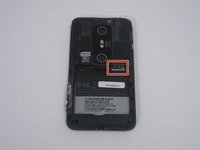
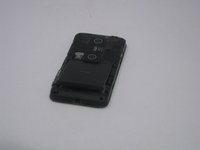
To reassemble your device, follow these instructions in reverse order.
İptal et: Bu kılavuzu tamamlamadım.
2 farklı kişi bu kılavuzu tamamladı.

Ekip

USF Tampa, Team 14-20, Meier Fall 2015 USF Tampa, Team 14-20, Meier Fall 2015 üyesi
USFT-MEIER-F15S14G20
5 Üyeler
35 adet Kılavuz yazıldı
