Bu çeviri bir makine tarafından oluşturulmuştur ve henüz bir kişi tarafından incelenmemiştir. Bu dili konuşuyor musunuz? İnceleme için.
Giriş
Bu makale, cihazınızdaki bozuk veya yanıt vermeyen HTC EXCA100 klavyeyi nasıl değiştireceğinizi anlatacaktır. Bu kılavuz hasarlı klavyeyi onarmayacak, sadece nasıl değiştirileceğine dair bir yol haritası sunacaktır; bu nedenle yeni bir klavye satın almanız gerekmektedir. 2 tornavida en önemli araçtır ve aşağıda özel türleri listelenmiştir; bunlar olmadan değişimi TAMAMLAYAMAZSINIZ. Verilen talimatlar, cihazın kısmen nasıl söküleceğini, klavyenin nasıl doğru şekilde değiştirileceğini ve ardından nasıl yeniden birleştirileceğini kapsar. Talimatlara doğru şekilde uyulmaması durumunda cihazınıza kalıcı olarak zarar verme tehlikesi vardır.
Bu sayfa şunları içerir:
- 6 parçadan oluşan adım adım talimatlar
- Değişim için gerekli araçların listesi
- Talimatları takip etmeyi kolaylaştıracak birden fazla fotoğraf
Neye ihtiyacın var
-
-
-
Lastik vida kapaklarını çıkarın. Gerekirse, onları yerinden ayırmaya yardımcı olması için ince bir nesne kullanın. Telefonun üst kısmında iki tane bulunmalıdır. Halihazırda çıkarılmışlarsa bu adımı atlayın.
-
Kamera lensinin yanındaki metal kapağı ayırın.
 FixBot'a Sor
-
-
-
Batarya kapağını çıkarın.
-
Bataryayı alt kısmından tutarak kaldırın ve telefondan çıkarın.
-
-
-
Üst kısımdaki kauçuk tıpaları çıkardıktan sonra altı adet vida görünecektir. Bunları T6 tornavida kullanarak çıkarın.
-
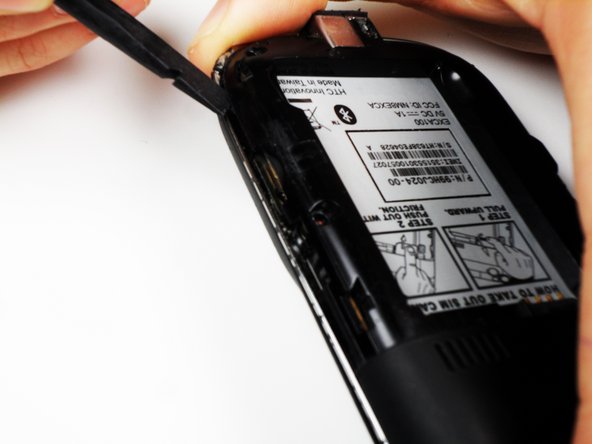
Ardından, parlak metal kenarın altındaki kasayı gevşetmek için plastik kanırtma aparatını kullanın. Tamamen gevşeyene kadar telefonun çevresini dolaşın.
-
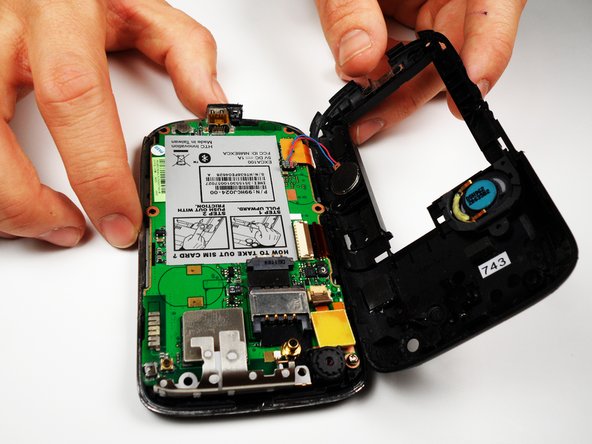
Kasayı gevşettikten sonra çıkarın.
-
-
-
-
Anakart üzerindeki kalan son vidayı çıkarın.
-
Kasanın arkasını anakarta bağlayan kablolamayı yerinden ayırın.
-
-
-
Telefonun sol tarafında üç adet bakır renkli klips bulunur.
-
Alt klipsi yerinden çıkarın, ortadakini anakartın içinden geçirin ve üsttekini nazikçe dışarı çekin.
-
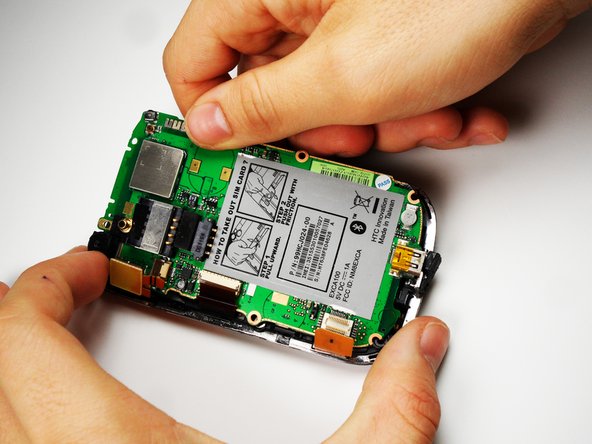
Ardından anakartı telefondan dışarı kaldırabilirsiniz.
-
Bunu, SIM kart talimatlarının sağ tarafını kaldırarak açılı bir şekilde yapın.
-
-
-
-
-
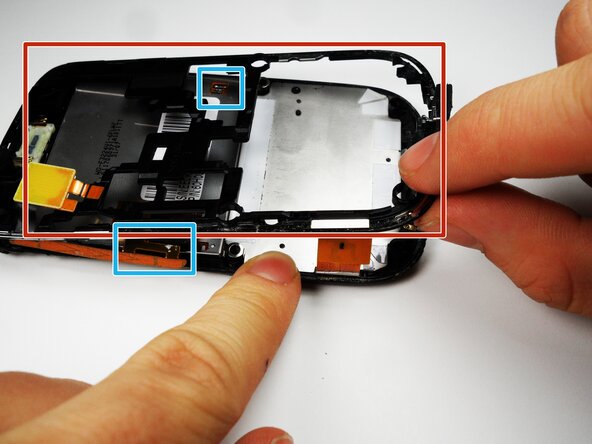
Alt çerçeveye takılı bakır klipsleri kaydırarak çıkarın
-
Metal çerçeveyi dikkatlice çıkarın.
-
-
-
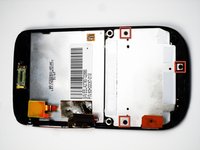
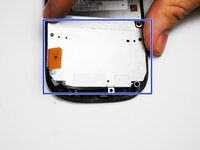
3 adet vidayı sökmek için Phillips 00 yıldız tornavida kullanın.
-
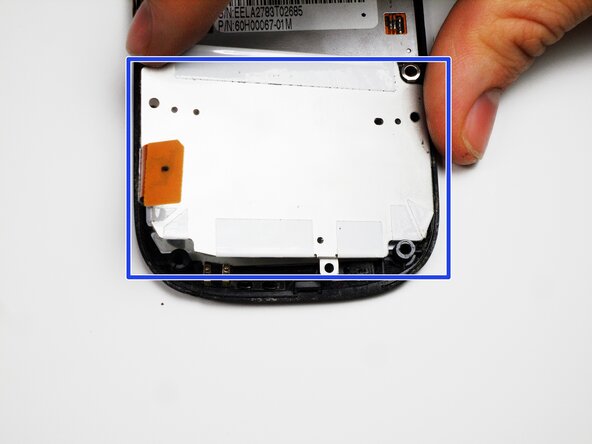
Vidalar çıkarıldıktan sonra klavyenin metal arka panelini çıkarın.
-
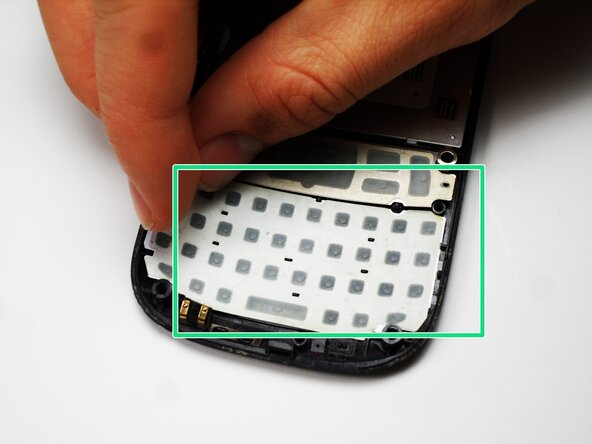
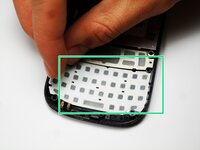
Klavyeyi soyarak yerinden çıkarın ve yenisiyle değiştirin.
-
-


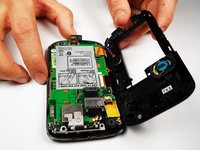

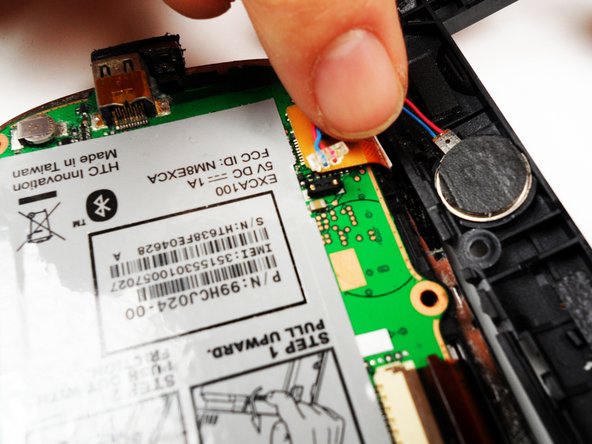



Cihazınızı yeniden birleştirmek için bu talimatları ters sırayla uygulayın.

Ekip

Cal Poly, Team 25-27, Garner Spring 2011 Cal Poly, Team 25-27, Garner Spring 2011 üyesi
CPSU-GARNER-S11S25G27
4 Üyeler
60 adet Kılavuz yazıldı
