Ana içeriğe geç
Onarım Topluluğuna Katılın - Hesap Oluşturun

HTC Maple 100 Battery Replacement

    1. HTC Maple 100 Battery Replacement, Battery: adım 1, 1 resimden 1.
      • First remove the back cover of your phone to expose the battery.

      FixBot'a Sor

      Yorum Ekle

    2. HTC Maple 100 Battery Replacement: adım 2, 1 resimden 1.
      • Turn the phone over.

      • Push forward on the battery with your thumb.

      FixBot'a Sor

      Yorum Ekle

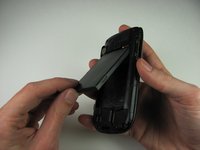
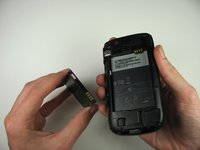
    3. HTC Maple 100 Battery Replacement: adım 3, 2 resimden 1. HTC Maple 100 Battery Replacement: adım 3, 2 resimden 2.
      • Take the battery out by lifting it upwards.

      • When reassembling, make sure that the battery contacts match up.

      FixBot'a Sor

      Yorum Ekle

Sonuç

To reassemble your device, follow these instructions in reverse order.

İptal et: Bu kılavuzu tamamlamadım.

Andrew Van Meter

Üyelik tarihi: 10/06/11

24 İtibar

3 adet Kılavuz yazıldı

Ekip

Cal Poly, Team 20-29, Maness Fall 2011 Cal Poly, Team 20-29, Maness Fall 2011 üyesi

CPSU-MANESS-F11S20G29

4 Üyeler

81 adet Kılavuz yazıldı

0Kılavuz Yorumları

Yorum Ekle

İstatistikleri Görüntüle:

Son 24 Saat: 4

Son 7 gün: 11

Son 30 gün: 36

Her zaman: 1,548