Ana içeriğe geç

Heyday Round Bluetooth Speaker Motherboard Replacement

Neye ihtiyacın var

  1. Heyday Round Bluetooth Speaker Motherboard Replacement, Heyday Round Bluetooth Speaker: adım 1, 2 resimden 1. Heyday Round Bluetooth Speaker Motherboard Replacement, Heyday Round Bluetooth Speaker: adım 1, 2 resimden 2.
    • Use a metal spudger to pry the fabric-covered top off of the speaker.

  2. Heyday Round Bluetooth Speaker Motherboard Replacement: adım 2, 1 resimden 1.
    • Use a Phillips #0 screwdriver to remove the twelve screws around the perimeter of the inner plastic shell.

  3. Heyday Round Bluetooth Speaker Motherboard Replacement: adım 3, 1 resimden 1.
    • Remove the inner shell from the back case.

    • Don't yank or pull the shell case off the bottom case. There are cables connecting the two and they could be damaged if pulled.

  4. Heyday Round Bluetooth Speaker Motherboard Replacement: adım 4, 1 resimden 1.
    • Once the hardware is opened by the screwdriver, both sides of the motherboard will be exposed and ready for any needed repairs.

  5. Heyday Round Bluetooth Speaker Motherboard Replacement, Motherboard: adım 5, 1 resimden 1.
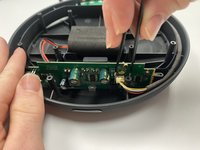
    • Use a Phillips #0 screwdriver to remove the two screws holding the motherboard in place.

  6. Heyday Round Bluetooth Speaker Motherboard Replacement: adım 6, 2 resimden 1. Heyday Round Bluetooth Speaker Motherboard Replacement: adım 6, 2 resimden 2.
    Bu adımda kullanılan alet:
    Tweezers
    $4.99
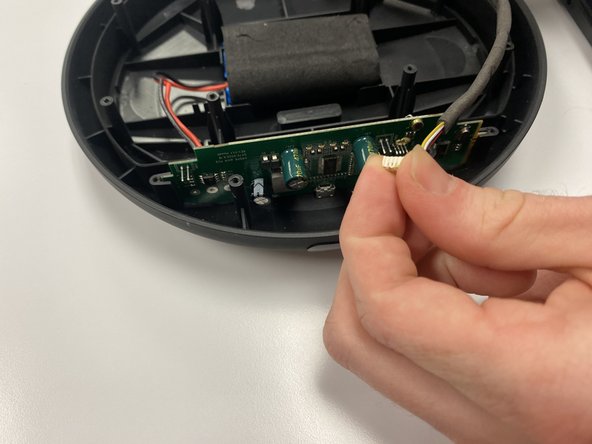
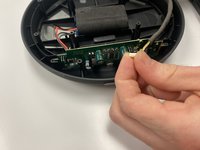
    • Use a pair of tweezers to disconnect the yellow wire from the motherboard by pinching the input and pulling away from the motherboard.

  7. Heyday Round Bluetooth Speaker Motherboard Replacement: adım 7, 1 resimden 1.
    • Carefully remove the motherboard by sliding it upwards.

Sonuç

To reassemble your device, follow these instructions in reverse order.

Bir başkası bu kılavuzu tamamladı.

1Rehber Yorum

I have a Harman kardon onyx studio 5 speaker and it stop working, so I open it and discover the motherboard bent.I don't know where else to get it. Kindly help me out. My email is johnsonajen@gmail.com thanks🙏

Ajen Johnson - Yanıt

Yorum Ekle

İstatistikleri Görüntüle:

Son 24 Saat: 1

Son 7 gün: 3

Son 30 gün: 19

Her zaman: 674