Ana içeriğe geç
Onarım Topluluğuna Katılın - Hesap Oluşturun

Hoover Power Path Pro Advanced Power Switch Replacement

Neye ihtiyacın var

  1. Hoover Power Path Pro Advanced Power Switch Replacement, Power Switch: adım 1, 1 resimden 1.
    • Remove the lower brushroll from the bottom of the cleaner.

    FixBot'a Sor

    Yorum Ekle

  2. Hoover Power Path Pro Advanced Power Switch Replacement: adım 2, 1 resimden 1.
    • Use a long #2 Philips head to remove the 8 numbered screws on the bottom of the cleaner (They will also be indicated on the bottom of the vacuum).

    FixBot'a Sor

    Yorum Ekle

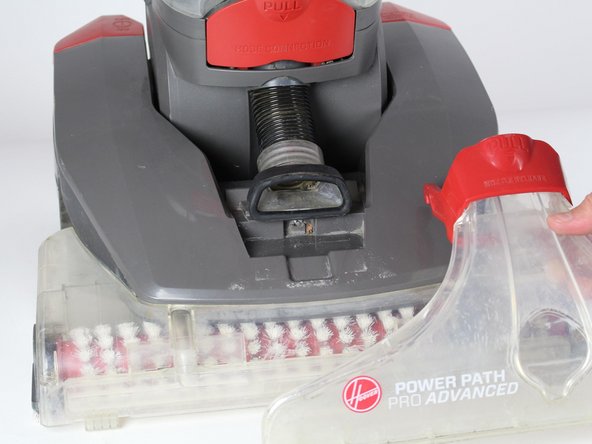
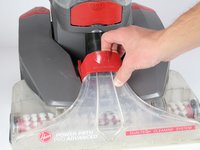
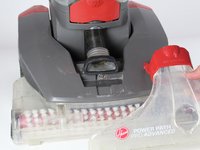
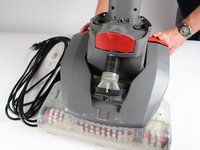
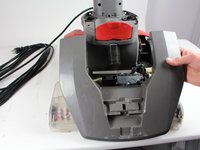
  3. Hoover Power Path Pro Advanced Power Switch Replacement: adım 3, 2 resimden 1. Hoover Power Path Pro Advanced Power Switch Replacement: adım 3, 2 resimden 2.
    • Pull the red handle to remove the front suction unit from the cleaner.

    FixBot'a Sor

    Yorum Ekle

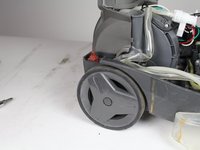
  4. Hoover Power Path Pro Advanced Power Switch Replacement: adım 4, 1 resimden 1.
    • Unscrew the hose by using a Phillips #2 to detach it from the top cover of the cleaner.

    FixBot'a Sor

    Yorum Ekle

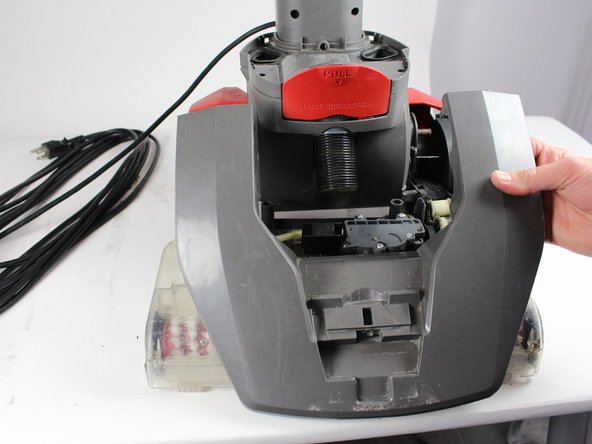
  5. Hoover Power Path Pro Advanced Power Switch Replacement: adım 5, 2 resimden 1. Hoover Power Path Pro Advanced Power Switch Replacement: adım 5, 2 resimden 2.
    • Push down on the handle release button. Lift the edge of top cover connected to this button.

    • Repeat the above step for the "On/Off" button.

    • Pull entire top cover off.

    • Caution: when pulling the handle release button, make sure the top of the cleaner does not fall.

    FixBot'a Sor

    Yorum Ekle

  6. Hoover Power Path Pro Advanced Power Switch Replacement: adım 6, 1 resimden 1.
    • Remove the "On/Off" cap by pulling it upwards with caution.

    FixBot'a Sor

    Yorum Ekle

  7. Hoover Power Path Pro Advanced Power Switch Replacement: adım 7, 1 resimden 1.
    • Use a long #2 Philips head to remove the two screws from the arched grey piece.

    FixBot'a Sor

    Yorum Ekle

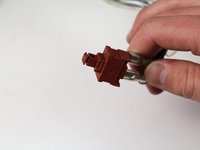
  8. Hoover Power Path Pro Advanced Power Switch Replacement: adım 8, 2 resimden 1. Hoover Power Path Pro Advanced Power Switch Replacement: adım 8, 2 resimden 2.
    • Pull out the red power the red power switch.

    FixBot'a Sor

    Yorum Ekle

Sonuç

To reassemble your device, follow these instructions in reverse order.

İptal et: Bu kılavuzu tamamlamadım.

4 farklı kişi bu kılavuzu tamamladı.

Ekip

Cal Poly, Team S16-G5, Banghart Winter 2018 Cal Poly, Team S16-G5, Banghart Winter 2018 üyesi

CPSU-BANGHART-W18S16G5

5 Üyeler

15 adet Kılavuz yazıldı

3Kılavuz Yorumları

What is the part number?

martahayner - Yanıt Paylaş

Thanks so much!!

debmccrimm - Yanıt Paylaş

you have to test the switch, mine tested ok which led me to the fuse between the motor and switch. It was bad, parts warehouse part # 440004065 does the trick.

frank - Yanıt Paylaş

Yorum Ekle

İstatistikleri Görüntüle:

Son 24 Saat: 0

Son 7 gün: 4

Son 30 gün: 39

Her zaman: 4,310