Ana içeriğe geç
Onarım Topluluğuna Katılın - Hesap Oluşturun

Hover-1 Horizon Wheel Wires Replacement

Neye ihtiyacın var

    1. Hover-1 Horizon Wheel Wires Replacement, Base Plate: adım 1, 2 resimden 1. Hover-1 Horizon Wheel Wires Replacement, Base Plate: adım 1, 2 resimden 2.
      • Remove the six 12mm Phillips #2 screws holding the base plate.

      FixBot'a Sor

      Yorum Ekle

    2. Hover-1 Horizon Wheel Wires Replacement: adım 2, 2 resimden 1. Hover-1 Horizon Wheel Wires Replacement: adım 2, 2 resimden 2.
      • Remove the two 11mm Phillips #1 screws that hold the base plate to the body.

      FixBot'a Sor

      Yorum Ekle

    3. Hover-1 Horizon Wheel Wires Replacement: adım 3, 3 resimden 1. Hover-1 Horizon Wheel Wires Replacement: adım 3, 3 resimden 2. Hover-1 Horizon Wheel Wires Replacement: adım 3, 3 resimden 3.
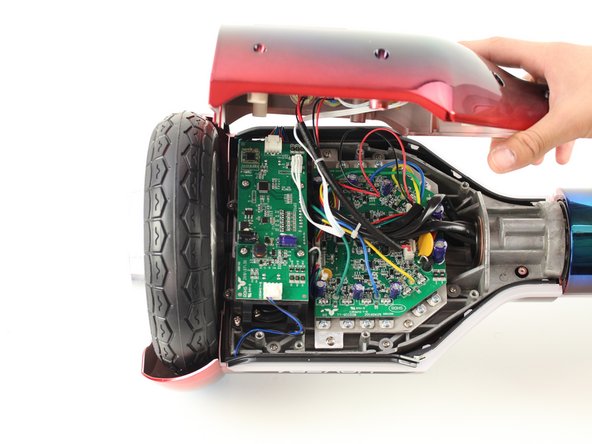
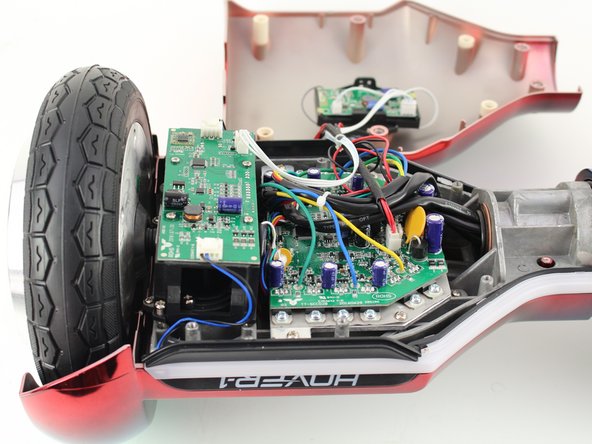
      • Remove the base plate by lifting it up.

      • The base plate is connected to the body with wires. The wires are long enough to set the base plate to the side.

      FixBot'a Sor

      Yorum Ekle

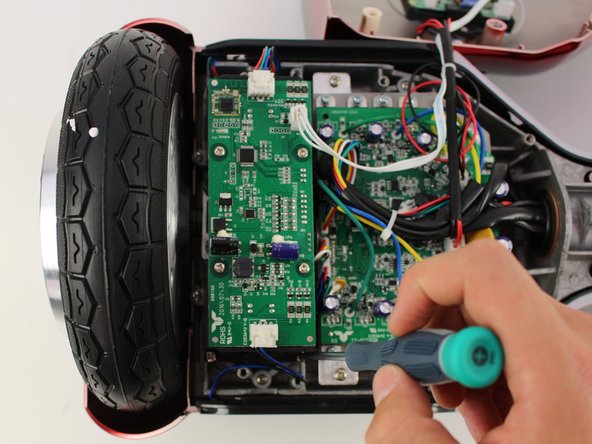
    1. Hover-1 Horizon Wheel Wires Replacement, Left Gyroscope Sensor Board: adım 4, 3 resimden 1. Hover-1 Horizon Wheel Wires Replacement, Left Gyroscope Sensor Board: adım 4, 3 resimden 2. Hover-1 Horizon Wheel Wires Replacement, Left Gyroscope Sensor Board: adım 4, 3 resimden 3.
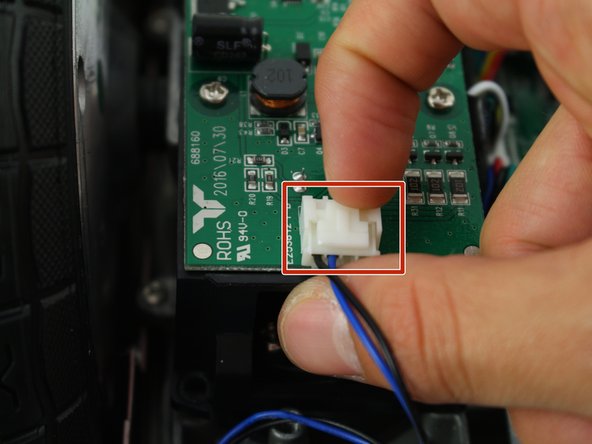
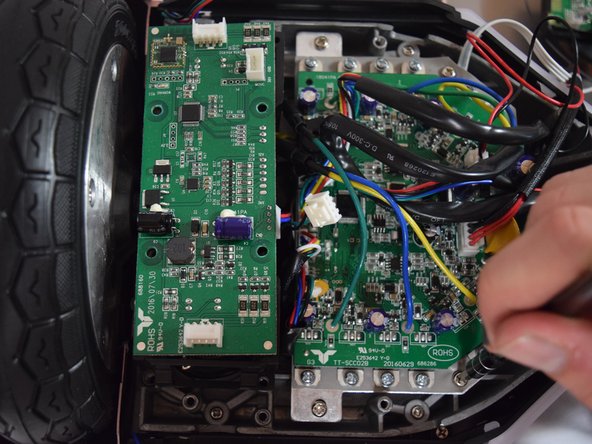
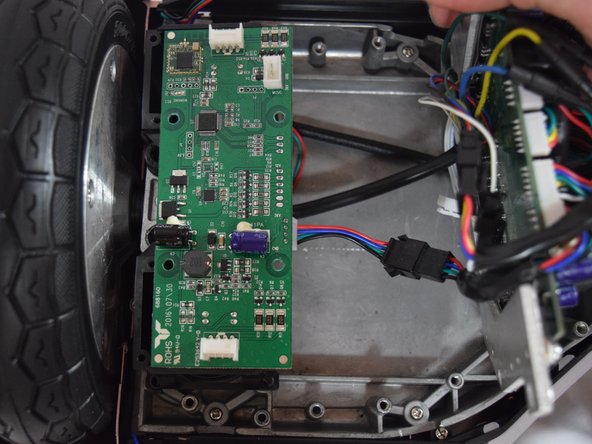
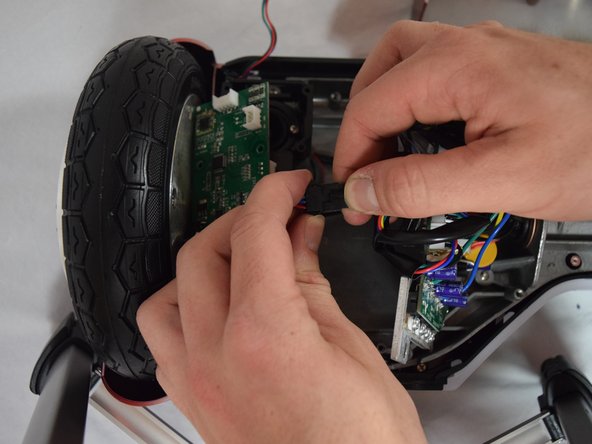
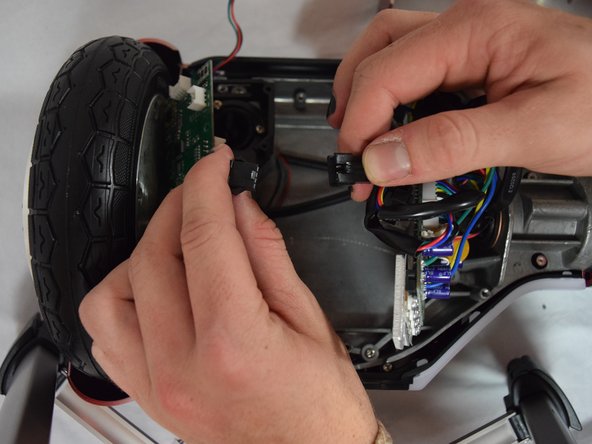
      • Remove the two connectors on either side of the board by lifting the tab and pulling out.

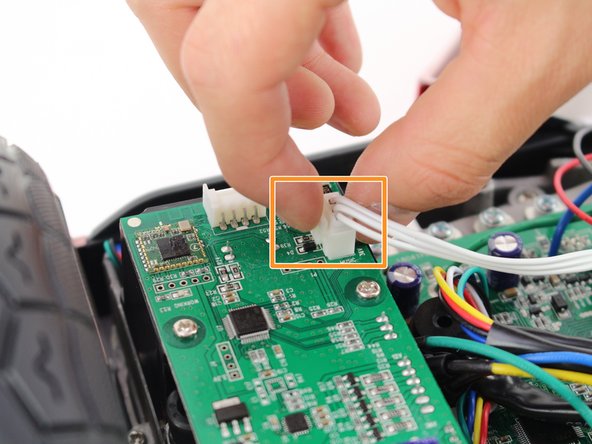
      • Remove the connector in the middle of the board by squeezing the tab and pulling up.

      FixBot'a Sor

      Yorum Ekle

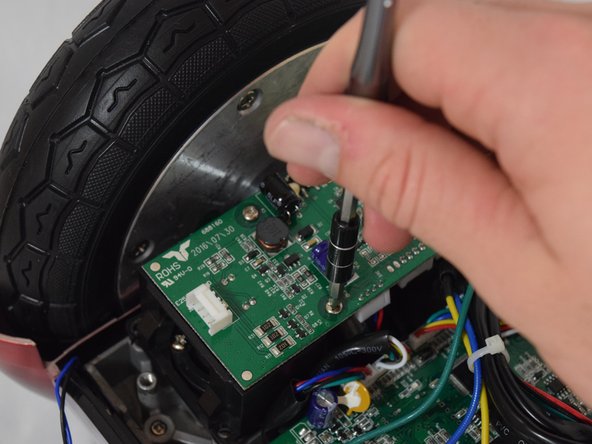
    2. Hover-1 Horizon Wheel Wires Replacement: adım 5, 2 resimden 1. Hover-1 Horizon Wheel Wires Replacement: adım 5, 2 resimden 2.
      • Remove the four 11mm Phillips #1 screws that hold the cover on.

      FixBot'a Sor

      Yorum Ekle

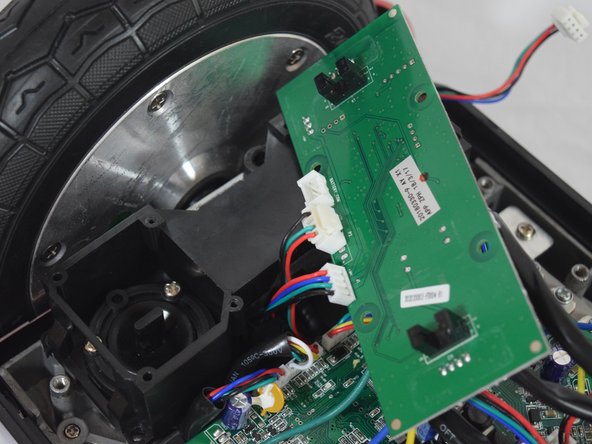
    3. Hover-1 Horizon Wheel Wires Replacement: adım 6, 3 resimden 1. Hover-1 Horizon Wheel Wires Replacement: adım 6, 3 resimden 2. Hover-1 Horizon Wheel Wires Replacement: adım 6, 3 resimden 3.
      • Remove the four 11mm Phillips #1 screws that attach the gyroscope board to the mount.

      • Lift the board to reveal the connections on the bottom.

      FixBot'a Sor

      Yorum Ekle

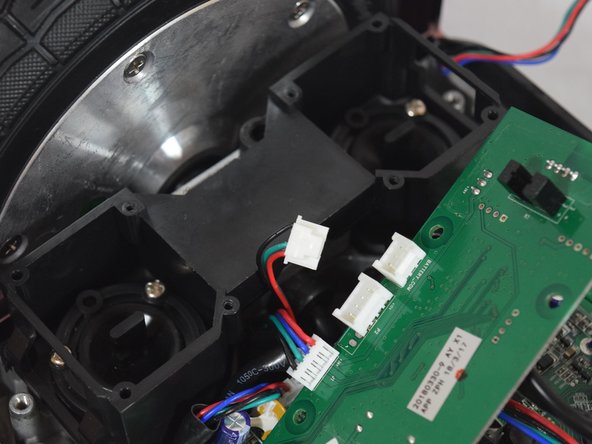
    4. Hover-1 Horizon Wheel Wires Replacement: adım 7, 2 resimden 1. Hover-1 Horizon Wheel Wires Replacement: adım 7, 2 resimden 2.
      • Remove the middle connector by squeezing the top of the tab and pulling up.

      FixBot'a Sor

      Yorum Ekle

    5. Hover-1 Horizon Wheel Wires Replacement: adım 8, 3 resimden 1. Hover-1 Horizon Wheel Wires Replacement: adım 8, 3 resimden 2. Hover-1 Horizon Wheel Wires Replacement: adım 8, 3 resimden 3.
      • Remove the four 12mm Phillips #2 screws that hold the motherboard to the base.

      • Pull the motherboard away from the gyroscope by grabbing it with two hands and pulling it to the right .

      FixBot'a Sor

      Yorum Ekle

    6. Hover-1 Horizon Wheel Wires Replacement: adım 9, 3 resimden 1. Hover-1 Horizon Wheel Wires Replacement: adım 9, 3 resimden 2. Hover-1 Horizon Wheel Wires Replacement: adım 9, 3 resimden 3.
      • Unclip the black connector by squeezing both sides and pulling them apart.

      FixBot'a Sor

      Yorum Ekle

    1. Hover-1 Horizon Wheel Wires Replacement, Wheel Wires: adım 10, 2 resimden 1. Hover-1 Horizon Wheel Wires Replacement, Wheel Wires: adım 10, 2 resimden 2.
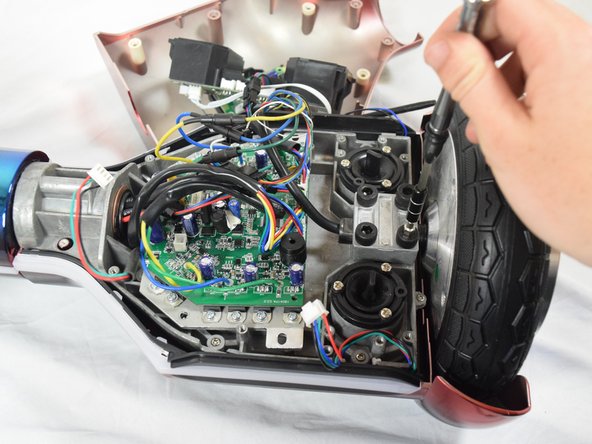
      • Remove the four 30mm Hex #6 screws.

      FixBot'a Sor

      Yorum Ekle

    2. Hover-1 Horizon Wheel Wires Replacement: adım 11, 3 resimden 1. Hover-1 Horizon Wheel Wires Replacement: adım 11, 3 resimden 2. Hover-1 Horizon Wheel Wires Replacement: adım 11, 3 resimden 3.
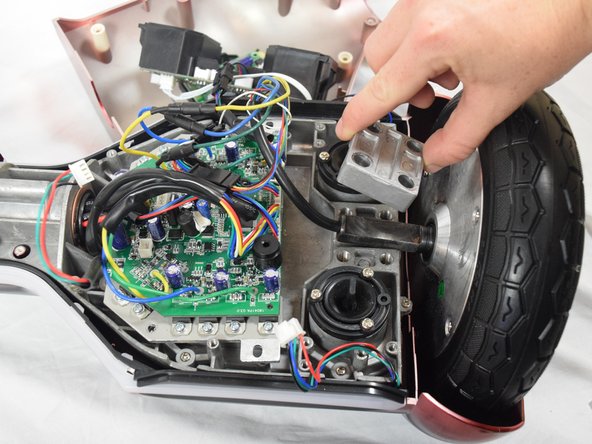
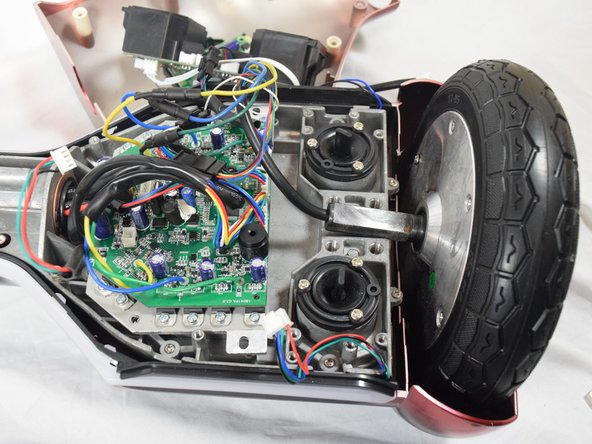
      • Remove the metal square by lifting it up and setting it to the side.

      FixBot'a Sor

      Yorum Ekle

    3. Hover-1 Horizon Wheel Wires Replacement: adım 12, 1 resimden 1.
      • Check that all the clips are secured properly.

      FixBot'a Sor

      Yorum Ekle

    4. Hover-1 Horizon Wheel Wires Replacement: adım 13, 3 resimden 1. Hover-1 Horizon Wheel Wires Replacement: adım 13, 3 resimden 2. Hover-1 Horizon Wheel Wires Replacement: adım 13, 3 resimden 3.
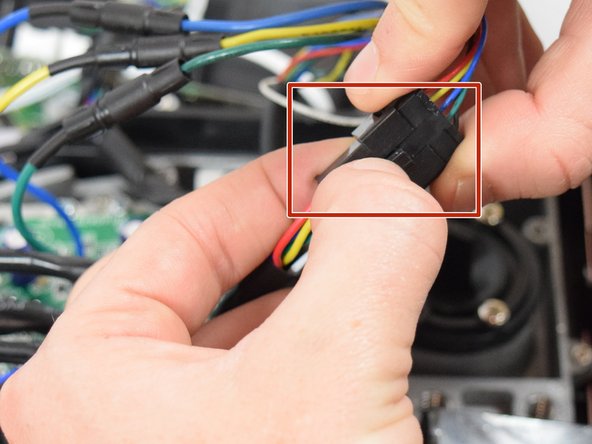
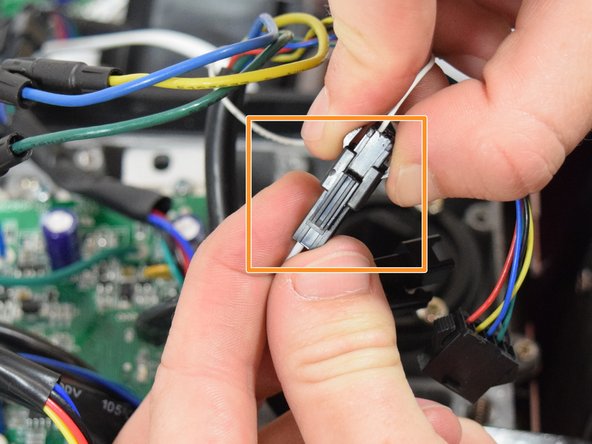
      • Remove the clip by squeezing the latch that holds the clips together while pulling apart.

      • Check motion of the wheel after the clip is disconnected. If the wheel is still stuck, reconnect the clip and disconnect the next one.

      • Remove the clip by squeezing the tab while pulling the clip apart.

      • Check motion of the wheel after the clip is disconnected. If the wheel is still stuck, reconnect the clip and disconnect the next one.

      FixBot'a Sor

      Yorum Ekle

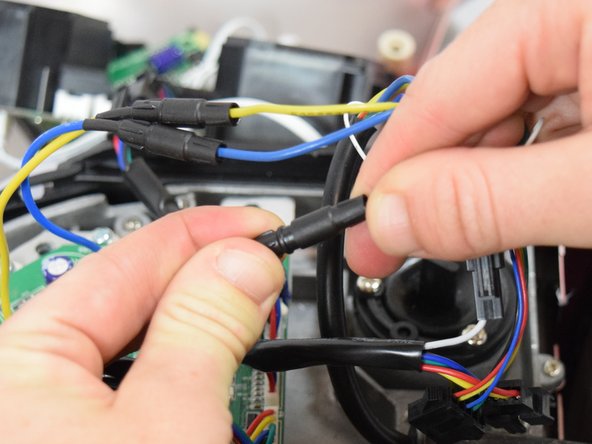
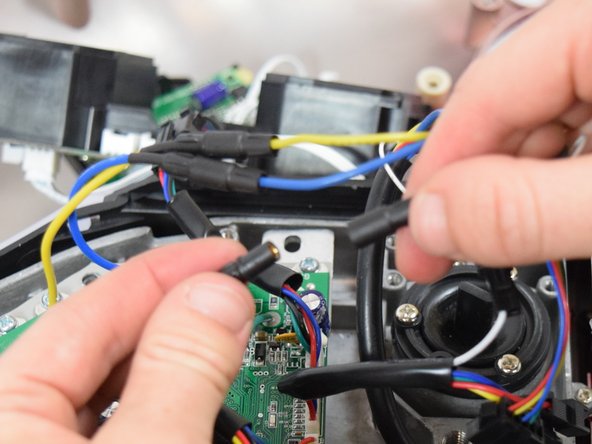
    5. Hover-1 Horizon Wheel Wires Replacement: adım 14, 3 resimden 1. Hover-1 Horizon Wheel Wires Replacement: adım 14, 3 resimden 2. Hover-1 Horizon Wheel Wires Replacement: adım 14, 3 resimden 3.
      • Disconnect the remaining three clips by pulling them apart.

      • After each clip is disconnected, check to see if the motion of the wheel has improved. If the wheel is still stuck, reconnect the clip and unclip the next one.

      FixBot'a Sor

      Yorum Ekle

Sonuç

To reassemble your device, follow these instructions in reverse order.

İptal et: Bu kılavuzu tamamlamadım.

Jenny Dyer

Üyelik tarihi: 10/08/18

235 İtibar

2 adet Kılavuz yazıldı

Ekip

Cal Poly, Team S13-G6, White Fall 2018 Cal Poly, Team S13-G6, White Fall 2018 üyesi

CPSU-WHITE-F18S13G6

4 Üyeler

48 adet Kılavuz yazıldı

0Kılavuz Yorumları

Yorum Ekle

İstatistikleri Görüntüle:

Son 24 Saat: 0

Son 7 gün: 6

Son 30 gün: 23

Her zaman: 1,532