Giriş
Use this guide to re-apply thermal paste to your phone.
The processor in your phone might be small, but it generates a lot of heat. Thermal paste helps transfer this heat from the processor to another part of the phone where the heat can dissipate over a large surface (usually the frame or a cover). When you disassemble your phone, you can often find the goopy opaque thermal paste above or below the motherboard.
Your phone will usually work without thermal paste. However, it will overheat faster and may slow down to keep itself cool. Reusing thermal paste is better than nothing, but should only be done if you don't have access to thermal paste for the moment. Apply new thermal paste to keep your phone working safely and at full capacity.
Neye ihtiyacın var
-
-
-
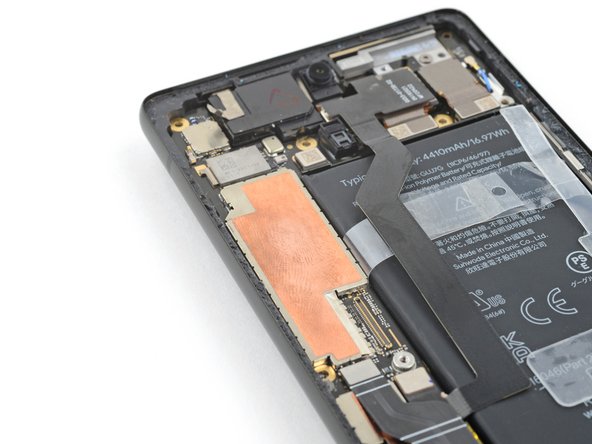
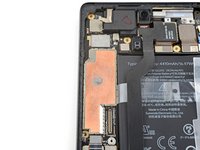
Look for existing thermal paste above or below the motherboard.
 FixBot'a Sor
-
-
-
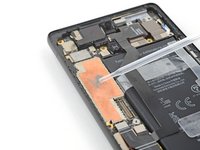
Use the flat end of a spudger to scrape away large pieces of old thermal paste from your phone's motherboard.
-
-
-
Scrape away large pieces of thermal paste from the frame or cover.
-
-
-
-
Apply a few drops of highly-concentrated isopropyl alcohol (over 90%) to any remaining thermal paste residue.
-
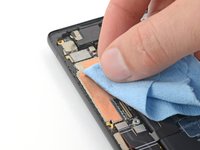
Wipe away the residue using a coffee filter or lint-free cloth.
-
-
-
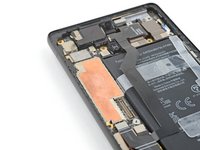
Clean the cover or frame using isopropyl alcohol and a coffee filter or lint-free cloth.
-
-
-
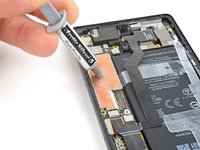
Apply a small bead of thermal paste to the motherboard in the same location as the old thermal paste.
-
-





For other general electronics skills guides, click here.
İptal et: Bu kılavuzu tamamlamadım.
29 farklı kişi bu kılavuzu tamamladı.

Ekip

5Kılavuz Yorumları
Will applying thermal paste on smartphones be obsolete in the near future? I have a hint that my smartphone that is already 4 years old, now needs to renew its thermal paste because it overheats easily even while using lighter apps like the Calculator.
do i need to apply just cooling film because my moto g6 plus had a film which got teared while replacing battery
