Ana içeriğe geç
Onarım Topluluğuna Katılın - Hesap Oluşturun

How to Remove scratches from a CD

Neye ihtiyacın var

  1. How to Remove scratches from a CD, How to Remove scratches from a CD: adım 1, 1 resimden 1.
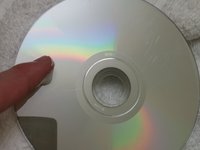
    • Identify any scratches.

    • Some scratches may be too deep to be removed. In this case, this method may not work.

    FixBot'a Sor

    Yorum Ekle

  2. How to Remove scratches from a CD: adım 2, 2 resimden 1. How to Remove scratches from a CD: adım 2, 2 resimden 2.
    • Take the CD to the sink.

    • Wash with lukewarm water to remove any dust or dirt.

    FixBot'a Sor

    Yorum Ekle

  3. How to Remove scratches from a CD: adım 3, 1 resimden 1.
    • Let the CD air dry, or dry with towel.

    • Use a non-linen towel or your CD will need to be washed again.

    FixBot'a Sor

    Yorum Ekle

  4. How to Remove scratches from a CD: adım 4, 3 resimden 1. How to Remove scratches from a CD: adım 4, 3 resimden 2. How to Remove scratches from a CD: adım 4, 3 resimden 3.
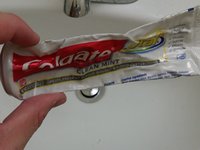
    • Take the toothpaste, and apply it to your index finger.

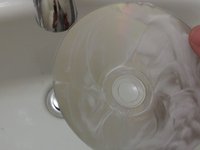
    • Rinse the toothpaste in lukewarm water and apply to the CD.

    • Rub toothpaste in a circular motion from the center to the outer edge.

    • Add multiple layers of toothpaste to cover all of the scratches.

    • Use a white toothpaste, not a gel. Gels containing little beads may cause more damage to the CD.

    FixBot'a Sor

    Yorum Ekle

  5. How to Remove scratches from a CD: adım 5, 1 resimden 1.
    • Let the CD sit for 2 to 3 minutes.

    FixBot'a Sor

    Yorum Ekle

  6. How to Remove scratches from a CD: adım 6, 1 resimden 1.
    • Rinse off the toothpaste with lukewarm water.

    FixBot'a Sor

    Yorum Ekle

  7. How to Remove scratches from a CD: adım 7, 1 resimden 1.
    • Let the CD air dry, or dry with a non-linen towel.

    • Use a non-linen towel or your CD will need to be washed again.

    FixBot'a Sor

    Yorum Ekle

  8. How to Remove scratches from a CD: adım 8, 1 resimden 1.
    • Inspect your disk.

    • If your disk still has scratches, repeat the process.

    • You could also try to burn the disk onto another disk if the disk is lagging.

    FixBot'a Sor

    Yorum Ekle

Sonuç

To reassemble your device, follow these instructions in reverse order.

İptal et: Bu kılavuzu tamamlamadım.

52 farklı kişi bu kılavuzu tamamladı.

Nick Jones

Üyelik tarihi: 09/29/15

1.677 İtibar

1 Kılavuz yazıldı

Ekip

Cal Poly, Team 14-4, Green Fall 2015 Cal Poly, Team 14-4, Green Fall 2015 üyesi

CPSU-GREEN-F15S14G4

5 Üyeler

17 adet Kılavuz yazıldı

5Kılavuz Yorumları

Works great!

Paul Johnson - Yanıt Paylaş

thank youuuuuuuuu

aboabdo.2007 - Yanıt Paylaş

Funziona anche con i DVD di film e videogiochi questo procedimento? Oppure è solo specifico per i CD?

Francesco Pepe - Yanıt Paylaş

It did not work for me

Leisy Madrigal - Yanıt Paylaş

Me Funciono muy bien, gracias!

Esteban Montero - Yanıt Paylaş

Yorum Ekle

İstatistikleri Görüntüle:

Son 24 Saat: 61

Son 7 gün: 431

Son 30 gün: 1,716

Her zaman: 95,058