Ana içeriğe geç
Onarım Topluluğuna Katılın - Hesap Oluşturun

How to Reset / Restore Windows Tablet

Videoya Genel Bakış

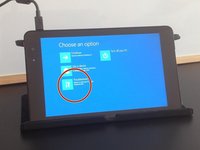
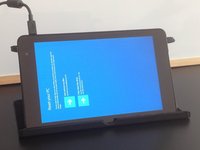
    1. How to Reset / Restore Windows Tablet, How to Reset / Restore Windows Tablet: adım 1, 3 resimden 1. How to Reset / Restore Windows Tablet, How to Reset / Restore Windows Tablet: adım 1, 3 resimden 2. How to Reset / Restore Windows Tablet, How to Reset / Restore Windows Tablet: adım 1, 3 resimden 3.
      • Connect the charger.

      • Select "Ease of Access".

      • Open "On-Screen Keyboard".

      FixBot'a Sor

      Yorum Ekle

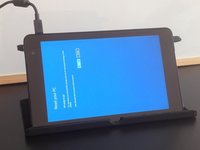
    2. How to Reset / Restore Windows Tablet: adım 2, 3 resimden 1. How to Reset / Restore Windows Tablet: adım 2, 3 resimden 2. How to Reset / Restore Windows Tablet: adım 2, 3 resimden 3.
      • Tab the Shift key.

      • Reset the tablet.

      • After the reset the tablet will start in Troubleshooting mode.

      FixBot'a Sor

      Yorum Ekle

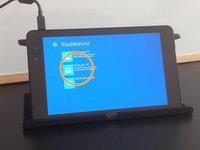
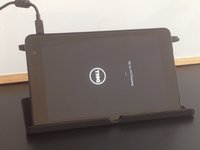
    3. How to Reset / Restore Windows Tablet: adım 3, 3 resimden 1. How to Reset / Restore Windows Tablet: adım 3, 3 resimden 2. How to Reset / Restore Windows Tablet: adım 3, 3 resimden 3.
      • Select:

      • Troubleshoot

      • Reset your PC

      FixBot'a Sor

      Yorum Ekle

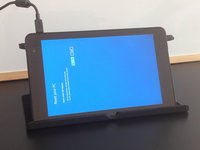
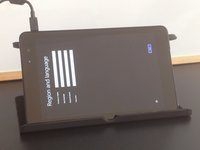
    4. How to Reset / Restore Windows Tablet: adım 4, 3 resimden 1. How to Reset / Restore Windows Tablet: adım 4, 3 resimden 2. How to Reset / Restore Windows Tablet: adım 4, 3 resimden 3.
      • Follow instructions on the screen to reset your tablet.

      FixBot'a Sor

      Yorum Ekle

    5. How to Reset / Restore Windows Tablet: adım 5, 3 resimden 1. How to Reset / Restore Windows Tablet: adım 5, 3 resimden 2. How to Reset / Restore Windows Tablet: adım 5, 3 resimden 3.
      • This will reset and restore your tablet to its factory settings.

      • That's all.

      • .

      • .

      • .

      • .

      • Did you do it successfully?

      FixBot'a Sor

      Yorum Ekle

Sonuç

To reassemble your device, follow these instructions in reverse order.

İptal et: Bu kılavuzu tamamlamadım.

43 farklı kişi bu kılavuzu tamamladı.

ZFix

Üyelik tarihi: 12/09/13

197.378 İtibar

330 adet Kılavuz yazıldı

Ekip

Master Techs Master Techs üyesi

Community

334 Üyeler

4.144 adet Kılavuz yazıldı

28Kılavuz Yorumları

thankz for help

Rjames Tabuzo - Yanıt Paylaş

Hi, did you know how to fix Windows tablet stuck in boot? It said that “no bootable device found “. Tablet brand and model : Vulcan Journey.

It started after I erase/format the tablet because I forgot the password.

Thanks

Adriane Clark - Yanıt Paylaş

Im using a Dell and i erased like you say now im stock on boot loop.

Any solution ?

Thanks

Hjcs - Yanıt Paylaş

Hello. I have a MPMan with Win 10 installed and the touchscreen does not work anymore.

I'm going to install win 8.1 on it .... win 8.1 was out of production. thank you very much

mircea_pricop - Yanıt Paylaş

while i am reset final step erase everything touch not in work how to fix?

SantoshKumar subramaniyan - Yanıt Paylaş

Yorum Ekle

İstatistikleri Görüntüle:

Son 24 Saat: 7

Son 7 gün: 104

Son 30 gün: 502

Her zaman: 202,851