Bu çeviri bir makine tarafından oluşturulmuştur ve henüz bir kişi tarafından incelenmemiştir. Bu dili konuşuyor musunuz? İnceleme için.

Anti-Clamp Nasıl Kullanılır

Alex Diaz-Kokaisl ve 7 diğer katkıda bulunanlar
En son 14 Ağu 2026 tarihinde güncellendi
Görüntüleme: 68 B
İstatistikleri görüntüle:
- Son 24 Saat:
- 43
- Son 7 Gün:
- 276
- Son 30 Gün:
- 1.207
- Her zaman:
- 68.257
Yorumlar: 13
2 comments on steps, 11 guide comments.
Go to guide commentsTamamlandı: 129 130
129 kişi bu kılavuzu "tamamlandı" olarak işaretledi. Sıradaki sen olacak mısın?
130 kişi bu kılavuzu "tamamlandı" olarak işaretledi. Siz de dahil - harika iş!
Sık Kullanılanlar: 16 17
16 kişi bu kılavuzu favorilerine ekledi (ve abone oldu). Sıradaki sen olacak mısın?
Siz de dahil olmak üzere 17 kişi bu kılavuzu favorilerine ekledi (ve abone oldu)!
Öne Çıkan Kılavuzlar
Bu kılavuz, iFixit kadrosu tarafından acayip havalı bulundu.
Giriş
1. adıma git ↓Bir cihazı açmak üzere Anti-Clamp kullanmak için bu talimatları izleyin.
Neye ihtiyacın var
Aletler


-
-
-
Cihazınızda kırık cam varsa veya yüzeyi kaygansa, ürünle birlikte gelen bant pedini uygulamak için bu kılavuzu takip edin.
-
Cihazınız hem ekranından hem de arka kapağından açılabiliyorsa, ürünle birlikte gelen bant şeritlerini uygulamak için bu kılavuzu takip edin.
 FixBot'a Sor
-
-
Bu adımda kullanılan alet:Clampy - Anti-Clamp$24.95
-
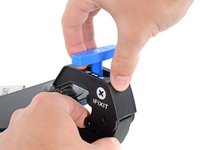
Anti-Clamp'in Anti-Clamp kollarını ayırmak için mavi kolu geriye doğru çekin.
-
-
-
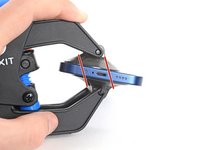
Anti-Clamp'i başlangıç kenarınızı kapatmayacak şekilde yana çevirin. Hangi kenardan başlayacağınızı öğrenmek için orijinal kılavuzunuza bakın.
-
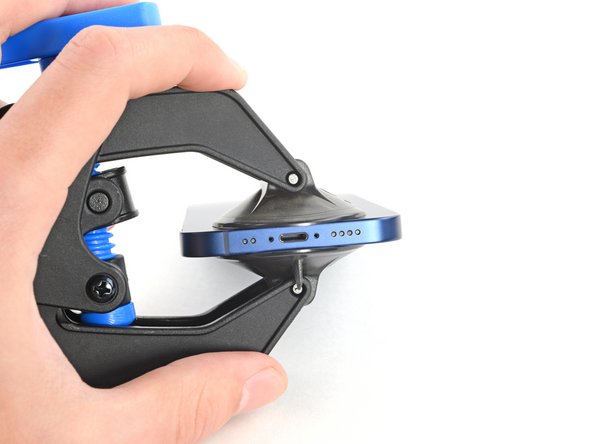
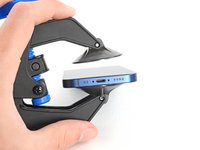
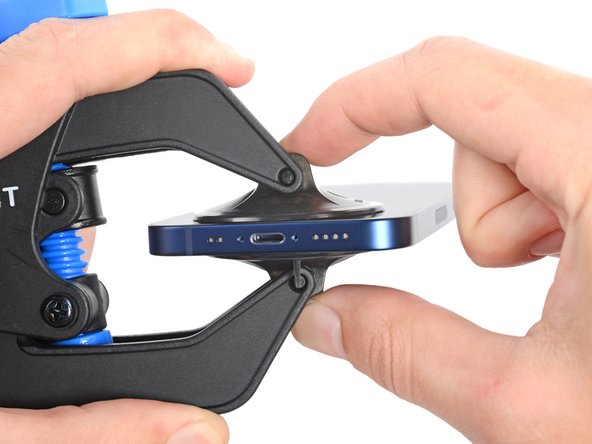
Vantuzları, cihazın başlangıç kenarına yakın düz bir alanın üzerine ortalayın.
-
-
-
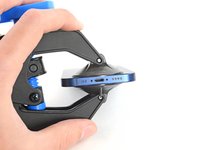
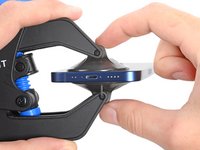
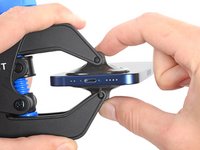
Vantuzları cihazın üzerine sabitlemek için birbirine doğru sıkıştırın.
-
-
-
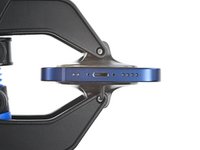
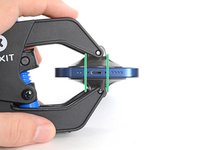
Anti-Clamp'in düzgün çalışması için vantuzların birbirleriyle hizalanması gerekir.
-
Hatalı hizalama, vantuzların erken ayrılmasına neden olabilir. Vantuzları çekme tırnaklarını kullanarak cihazdan ayırın ve tekrar ortalayın.
-
-
-
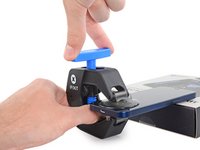
Cihazınızı bir desteğin üzerine yerleştirin; böylece Anti-Clamp, tutulmasına gerek kalmadan dik durabilir.
-
-
-
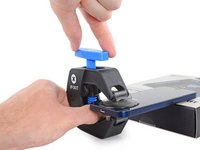
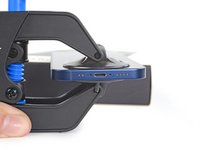
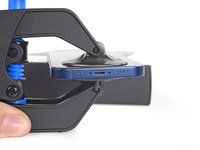
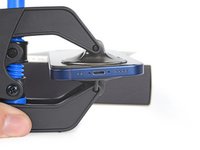
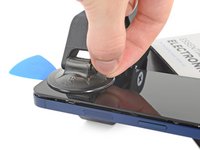
Vantuz sapını saat yönünde tam bir tur (360 derece) veya vantuzlar esnemeye başlayana kadar çevirin.
-
-
-
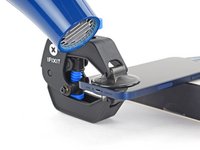
Daha küçük cihazlar için, cihazınızı ısıtmak amacıyla bir ısıtılmış iOpener ürününü Anti-Clamp kollarının arasından geçirin.
-
Daha büyük cihazlar veya iPhone 12 ve daha yeni modeller için, yapıştırıcıyı başlangıç kenarınız boyunca yumuşatmak amacıyla bir saç kurutma makinesi ya da bir ısı tabancası kullanın.
-
-
-
-
Yapışkanın gevşemesi ve bir boşluk oluşması için bir dakika bekleyin.
-
Birkaç ısıtma turundan sonra cihaz açılma belirtisi göstermezse, düğmeyi çeyrek tur çevirin.
-
-
-
Açma penasını Anti-Clamp tarafından oluşturulan boşluğa yerleştirin.
-
-
-
Kolları serbest bırakmak için mavi kolu kilit açma simgesine doğru geriye çekin.
-
Vantuzları, çekme tırnaklarını kullanarak cihazdan ayırın.
-
Anti-Clamp'i çıkarın ve cihazınızı düz bir yüzeye yerleştirin.
-
-
-
Orijinal kılavuzunuza dönün ve cihazı vantuz ile açtığınız adımları atlayarak sökme işlemine devam edin.
-
-





















İptal et: Bu kılavuzu tamamlamadım.
129 farklı kişi bu kılavuzu tamamladı.

Ekip

11Kılavuz Yorumları
Very clear step-by-step guide. The next time I do a battery replacement I intend to use one of these.
Engaging the Opening Mode the first time takes a bit of a push, don't be afraid, keep pushing until you hear a click. Seems to be easier to engage after the first time.
Hi Ed,
Thanks for the helpful feedback! I've implemented your note into the guide step.
I used mine to open a Samsung Galaxy Tab A7 tablet. Very frustrating, seemed like you needed three hands to put it in place (though later I found a better procedure). The OEM case glue was quite powerful (used a heating pad to get the tablet Very hot). The Anti-Clamp had difficulty holding to the back of the case and kept losing its grip. I didn't try the packing tape trick, just now noticed it. I mainly used the top suction cup just by itself.
The replacement battery had a very long battery cable and didn't lay flat, which caused a bright spot on the display where the cable "kink" was. So time to remove the case again. This time I stuck each suction cup individually, screen side first, the case - firmly pressing each cup flat after placement. No need to "fight" the Anti-Clamp to get it in place, plus I think I got a better hold with the cups. The B-7000 glue I used was much easier to break loose than the OEM case glue.
To loosen the suction cups I slid an opening pick under the edge of the cup.
