Giriş
We will check if our HDD is working fine.
-
-
Hold down the SELECT (middle) button and the MENU button to restart your iPod.
-
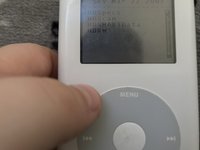
Then hold down the select (middle) button and the previous track button.
-
-
-
Scroll your click wheel to IO (select with select)
-
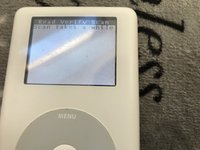
Then Hard Drive
-
-
-
-
If you get a message "11ror!" your HDD is toast. RIP HDD ;(
-
Else, your HDD is fine!
-



To restart your iPod hold down the select (middle) button and the menu button.
İptal et: Bu kılavuzu tamamlamadım.
22 farklı kişi bu kılavuzu tamamladı.


6Kılavuz Yorumları
After holding down select and previous track buttons in Step 1, my iPod always shows a warning sign with www.apple.com/support/ipod Is there a way to get around this?
Dead hard drive then.
If it's a red x then yes, your hard drive is dead.
To be completely honest reading this guide I did a really bad job of being professional. Sorry for the cringe guys.
I am able to get to the scanner, but my iPod boot loops before its able to finish. What would that mean?
I've just ordered an iFlash for my iPod Classic and wondered if the hard drive in my iPod was getting bad, but this helped out a ton! I may even keep using my iPod until the drive dies. The menu is really useful and confirmed that I don't need to replace the battery either! Thanks a bunch for this guide!
