Ana içeriğe geç

How to clean the CONDOR L130I3E fan

Videoya Genel Bakış

  1. How to clean the CONDOR L130I3E fan, How to clean the CONDOR L130I3E fan: adım 1, 3 resimden 1. How to clean the CONDOR L130I3E fan, How to clean the CONDOR L130I3E fan: adım 1, 3 resimden 2. How to clean the CONDOR L130I3E fan, How to clean the CONDOR L130I3E fan: adım 1, 3 resimden 3.
    • First of all, make sure your device is switched off and unplugged.

    • Remove the battery by pulling the two screws in the direction indicated by the pins.

    • Pull the battery up.

  2. How to clean the CONDOR L130I3E fan: adım 2, 3 resimden 1. How to clean the CONDOR L130I3E fan: adım 2, 3 resimden 2. How to clean the CONDOR L130I3E fan: adım 2, 3 resimden 3.
    • To remove the hard drive, unplug its screws in this cover.

    • Pull the hard drive in the direction indicated to remove it.

    • Then we remove the hard drive from its place with ease.

  3. How to clean the CONDOR L130I3E fan: adım 3, 3 resimden 1. How to clean the CONDOR L130I3E fan: adım 3, 3 resimden 2. How to clean the CONDOR L130I3E fan: adım 3, 3 resimden 3.
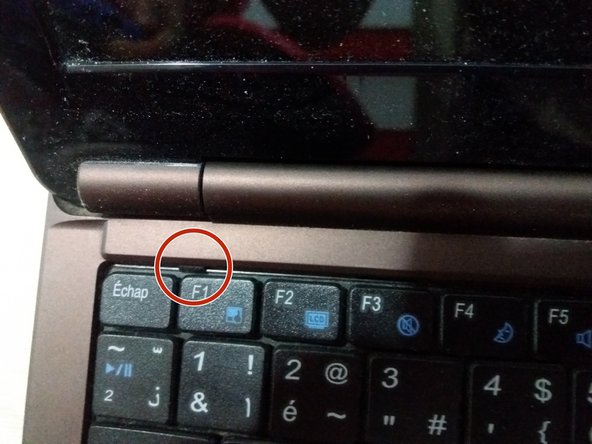
    • To access the motherboard, you must first remove the keyboard because underneath it screws should be removed to separate the base of the chassis from the top of the keyboard.

    • With a flat screwdriver we remove the keyboard by pressing the red-pointed component and pushing the keyboard up to release it.

  4. How to clean the CONDOR L130I3E fan: adım 4, 2 resimden 1. How to clean the CONDOR L130I3E fan: adım 4, 2 resimden 2.
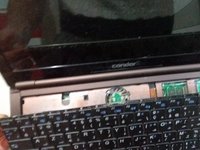
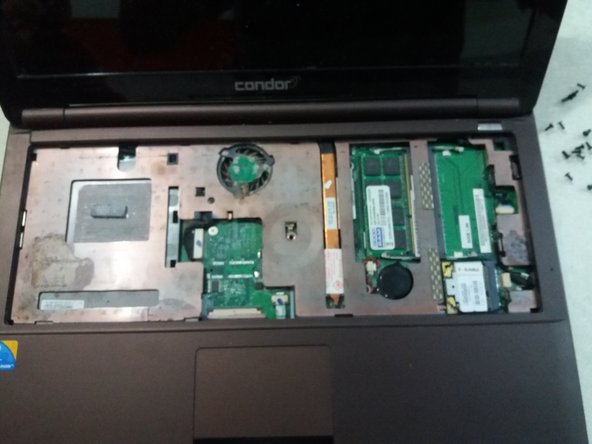
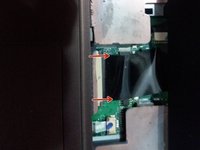
    • Remove the keyboard connector from the motherboard

    • Keyboard is now removed successfully

  5. How to clean the CONDOR L130I3E fan: adım 5, 3 resimden 1. How to clean the CONDOR L130I3E fan: adım 5, 3 resimden 2. How to clean the CONDOR L130I3E fan: adım 5, 3 resimden 3.
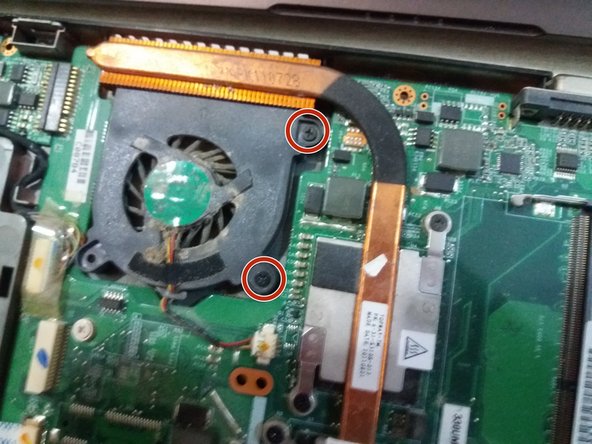
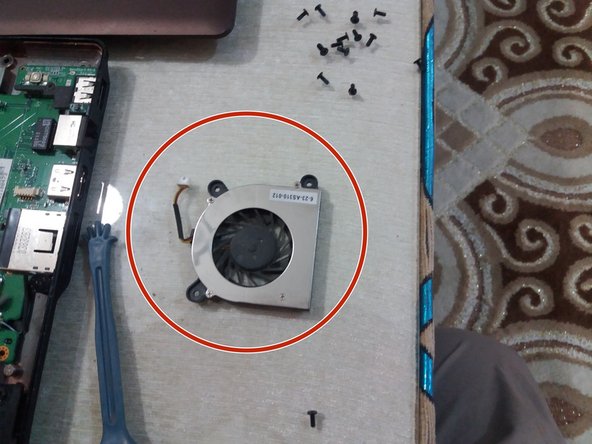
    • Remove the top cover and remove the processor cooling fan.

    • Unscrew the screws indicated in red to remove the cooling fan.

    • Remove the fan.

  6. How to clean the CONDOR L130I3E fan: adım 6, 1 resimden 1.
    • We now clean and remove the dust and sediments that hinder fan function and increase processor heat.

Sonuç

To reassemble your device, follow these instructions in reverse order.

7 farklı kişi bu kılavuzu tamamladı.

Bu çevirmenlere özel teşekkürler:

fr en

100%

Bu çevirmenler dünyayı onarmamıza yardım ediyor! Katkıda bulunmak ister misiniz?
Çeviriye Başlayın ›

AMOUR nasreddine

Üyelik tarihi: 11/20/17

1.179 İtibar

8 adet Kılavuz yazıldı

0Kılavuz Yorumları

Yorum Ekle

İstatistikleri Görüntüle:

Son 24 Saat: 1

Son 7 gün: 4

Son 30 gün: 12

Her zaman: 1,195