Ana içeriğe geç
Onarım Topluluğuna Katılın - Hesap Oluşturun

IQ America VD-8810L Buttons Replacement

Neye ihtiyacın var

    1. IQ America VD-8810L Buttons Replacement, Buttons: adım 1, 2 resimden 1. IQ America VD-8810L Buttons Replacement, Buttons: adım 1, 2 resimden 2.
      • Remove the battery cover by pushing downwards and sliding the cover away from the device.

      FixBot'a Sor

      Yorum Ekle

    2. IQ America VD-8810L Buttons Replacement: adım 2, 1 resimden 1.
      • Use a TA20 screwdriver to remove the screw in the center of the battery slot.

      FixBot'a Sor

      Yorum Ekle

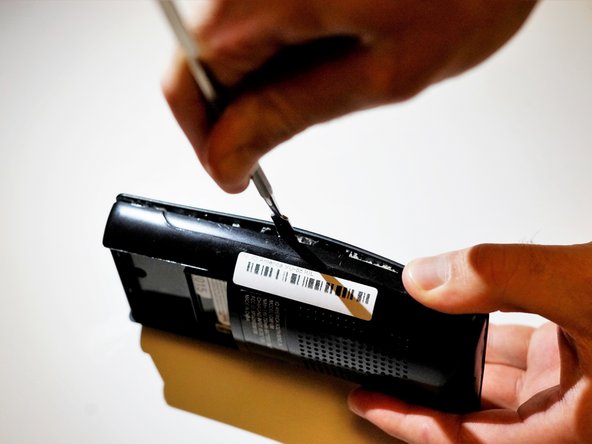
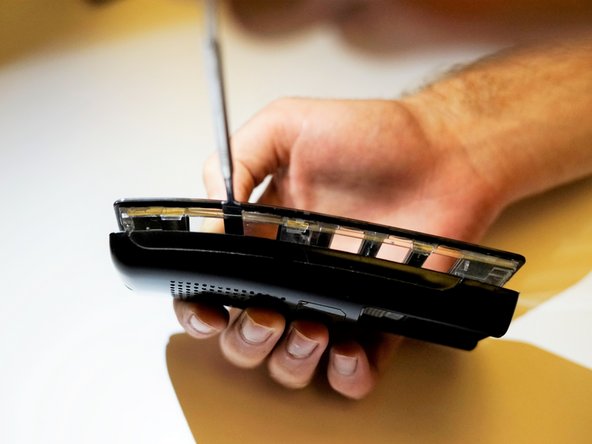
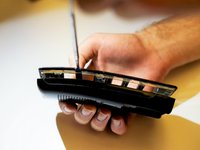
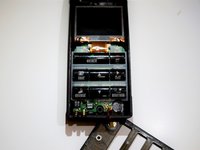
    3. IQ America VD-8810L Buttons Replacement: adım 3, 3 resimden 1. IQ America VD-8810L Buttons Replacement: adım 3, 3 resimden 2. IQ America VD-8810L Buttons Replacement: adım 3, 3 resimden 3.
      • Carefully wedge the flat metal spudger between the two sides of the remote until they separate. An intermediate amount of force will be needed to separate the pieces.

      FixBot'a Sor

      Yorum Ekle

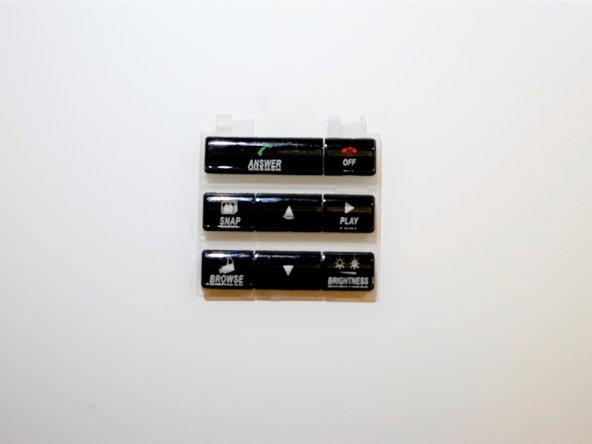
    4. IQ America VD-8810L Buttons Replacement: adım 4, 2 resimden 1. IQ America VD-8810L Buttons Replacement: adım 4, 2 resimden 2.
      • Remove the buttons.

      FixBot'a Sor

      Yorum Ekle

Sonuç

To reassemble your device, follow these instructions in reverse order.

İptal et: Bu kılavuzu tamamlamadım.

Jackey Lau

Üyelik tarihi: 10/17/17

301 İtibar

3 adet Kılavuz yazıldı

Ekip

UC Santa Barbara, Team S1-G3, Weedon Fall 2017 UC Santa Barbara, Team S1-G3, Weedon Fall 2017 üyesi

UCSB-WEEDON-F17S1G3

5 Üyeler

19 adet Kılavuz yazıldı

0Kılavuz Yorumları

Yorum Ekle

İstatistikleri Görüntüle:

Son 24 Saat: 1

Son 7 gün: 6

Son 30 gün: 22

Her zaman: 357