Giriş
If your Infocus IN3104 has high temperature, you most likely have a clogged or defective filter. The filter is designed to prevent any dust or debris from entering the device. When it is clogged or damaged, it may result in high device temperature. Dust can also create static electricity if the power cord is connected. Remove any power sources before you start.
Neye ihtiyacın var
-
-
-
Turn the projector so that the lens is facing you.
-
Use a Phillips #1 screwdriver to remove the 6 mm screw that secures top cover.
-
Remove the service cover.
 FixBot'a Sor
-
-
-
-
Use a Phillips #1 screwdriver to remove the seven 6 mm screws.
-
Use a Phillips #1 screwdriver to remove the two 5 mm screws.
-
Remove the top cover.
-
-
-
-
-
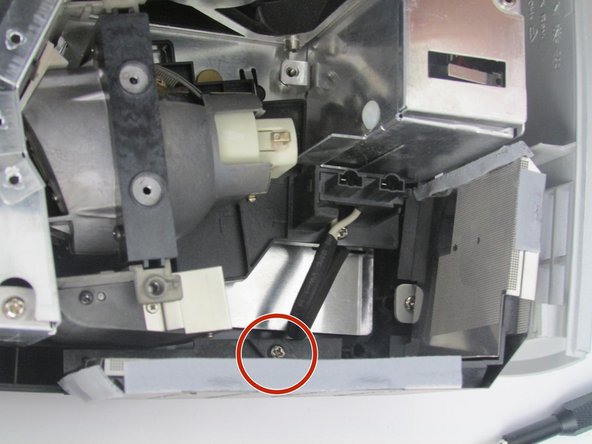
Use a Phillips # 1 screw driver to remove the 6 mm screw that secures the filter.
-
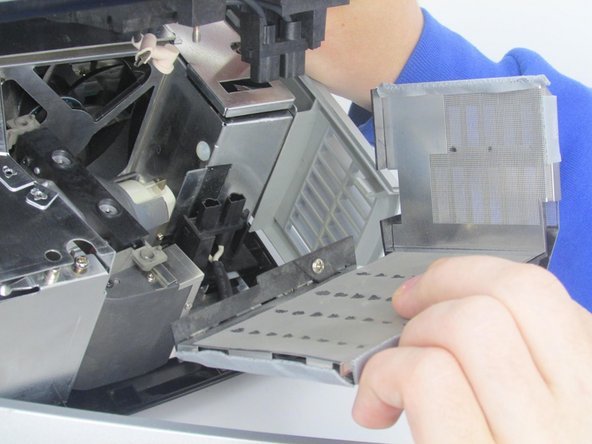
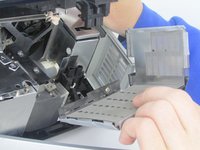
Once the screw is removed, remove the filter by pulling it straight out.
-
-


To reassemble your device, follow these instructions in reverse order.

Ekip

Embry-Riddle Aeronautical University, Team S5-G5, Watkins Spring 2020 Embry-Riddle Aeronautical University, Team S5-G5, Watkins Spring 2020 üyesi
ERAU-WATKINS-S20S5G5
4 Üyeler
14 adet Kılavuz yazıldı
