Ana içeriğe geç
Onarım Topluluğuna Katılın - Hesap Oluşturun

Inspiron 545s RAM Replacement

Neye ihtiyacın var

  1. Inspiron 545s RAM Replacement, Screws: adım 1, 3 resimden 1. Inspiron 545s RAM Replacement, Screws: adım 1, 3 resimden 2. Inspiron 545s RAM Replacement, Screws: adım 1, 3 resimden 3.
    • Unscrew the two Phillips #2 screws holding in the side panel.

  2. Inspiron 545s RAM Replacement, Lift panel away: adım 2, 3 resimden 1. Inspiron 545s RAM Replacement, Lift panel away: adım 2, 3 resimden 2. Inspiron 545s RAM Replacement, Lift panel away: adım 2, 3 resimden 3.
    • Pull side panel off.

  3. Inspiron 545s RAM Replacement, RAM: adım 3, 1 resimden 1.
    • Locate RAM.

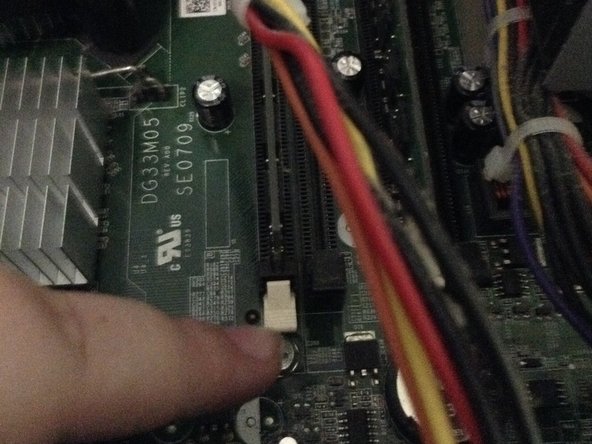
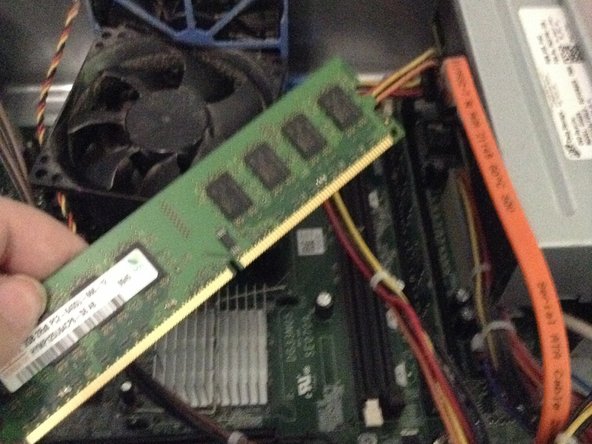
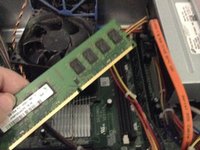
  4. Inspiron 545s RAM Replacement, Remove RAM: adım 4, 3 resimden 1. Inspiron 545s RAM Replacement, Remove RAM: adım 4, 3 resimden 2. Inspiron 545s RAM Replacement, Remove RAM: adım 4, 3 resimden 3.
    • Pull tabs on both sides and lift RAM out.

    • There is another tab not shown in the picture.

Sonuç

To reassemble your device, follow these instructions in reverse order.

3 farklı kişi bu kılavuzu tamamladı.

guardian10

Üyelik tarihi: 03/10/22

10.610 İtibar

15 adet Kılavuz yazıldı

Ekip

Kid fixers Kid fixers üyesi

Community

206 Üyeler

289 adet Kılavuz yazıldı

0Kılavuz Yorumları

Yorum Ekle

İstatistikleri Görüntüle:

Son 24 Saat: 2

Son 7 gün: 6

Son 30 gün: 25

Her zaman: 641