Bu çeviri bir makine tarafından oluşturulmuştur ve henüz bir kişi tarafından incelenmemiştir. Bu dili konuşuyor musunuz? İnceleme için.

JBL Charge Tuş Membranı Değişimi

Jake Bertholf ve 6 diğer katkıda bulunanlar
En son 8 Ağu 2026 tarihinde güncellendi
Görüntüleme: 11 B
İstatistikleri görüntüle:
- Son 24 Saat:
- 1
- Son 7 Gün:
- 23
- Son 30 Gün:
- 112
- Her zaman:
- 10.890
Yorumlar: 8
6 comments on steps, 2 guide comments.
Go to guide commentsTamamlandı: 4 5
4 kişi bu kılavuzu "tamamlandı" olarak işaretledi. Sıradaki sen olacak mısın?
5 kişi bu kılavuzu "tamamlandı" olarak işaretledi. Siz de dahil - harika iş!
Sık Kullanılanlar: 1 2
1 kişi bu kılavuzu favorilerine ekledi (ve abone oldu). Sıradaki sen olacak mısın?
Siz de dahil olmak üzere 2 kişi bu kılavuzu favorilerine ekledi (ve abone oldu)!
Yanlış Araçlar
Resimlerde ve/veya metinde doğru araçları kullanarak bu kılavuzun daha iyi hale gelmesine yardımcı olun.
Giriş
1. adıma git ↓Bu kılavuz, düzgün çalışmayan tuşları onarmanıza yardımcı olmak için hazırlanmıştır.
Neye ihtiyacın var
Aletler
-
-
Spudger4.9
-


-
-
-
Hoparlörü sökmeye başlamadan önce cihazın kapalı olduğundan emin olun.
-
Bir jimmy veya metal plastik kanırtma aparatı kullanarak hoparlörün trimini çıkarın.
 FixBot'a Sor
-
-
-
Batarya kapağındaki beş adet 6 mm vidayı PH1 tornavidayla çıkarın.
-
Batarya kapağını çıkarın ve bir kenara koyun.
-
-
-
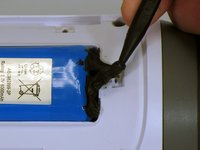
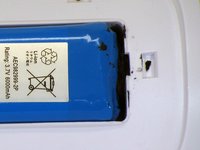
Bataryayı pil yuvasının içinde tutan sıvı elektrikli bandı dikkatlice çıkarmak için bir plastik kanırtma aparatı kullanın.
-
-
-
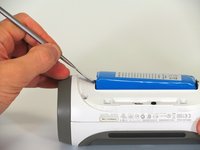
Bataryayı cihazdan dışarı kaldırmak için bir plastik kanırtma aparatı kullanın.
-
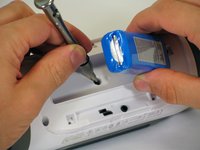
Bataryanın kablolama bağlantısı olmayan ucunu kaldırın ve bataryanın altındaki 16 mm PH2 vidayı sökün.
-
-
-
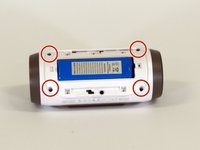
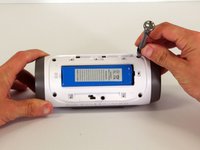
Beyaz plastik muhafazadaki dört adet 16 mm vidayı PH2 tornavida kullanarak çıkarın.
-
-
-
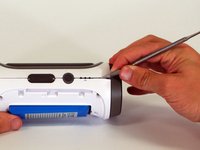
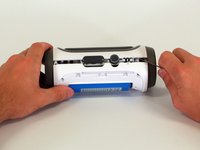
Cihazın dış kasası ile yan kısmının birleştiği bir köşeden başlayarak, arka kasayı hoparlörden ve birleşim yerini bir arada tutan yapıştırıcıdan ayırmak için sivri uçlu bir metal plastik kanırtma aparatı kullanın.
-
Arka kasayı hoparlörün geri kalanından ayırmak için metal plastik kanırtma aparatını birleşim yeri boyunca kaydırın.
-
-
-
Arka kapak açıldığında, anakart üzerindeki üç beyaz konnektörü ayırın.
-
Üst kapağı çıkarın.
-
-
-
-
-
Anakartın köşesindeki 9 mm Yıldız vidayı çıkarın.
-
-
-
Anakartın köşesini cihazdan yukarı kaldırarak anakartı kasadan çıkarın.
-
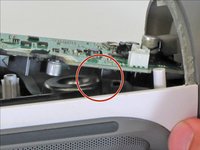
Anakart yerinden oynamıyorsa, anakartın alt kısmındaki kare bileşenin hoparlörün kenarına takılmadığından emin olun.
-
-
-
-
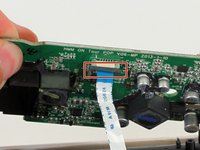
Ribbon kabloyu yerinde tutan siyah klipsi aşağı doğru çekin.
-
Mavi tırnağı kullanarak ribbon kabloyu konnektörden çekip çıkarın.
-
Anakartı cihazdan çıkarın.
-
-
-
-
-
Cihazın üst kısmındaki düğmeleri bulun. Bu düğme membranının kenarı boyunca bulunan beyaz bant parçasını soyun.
-
-
-
Düğme membranını nazikçe çekerek çıkarın. Fazla dirençle karşılaşmamanız gerekir.
-
-










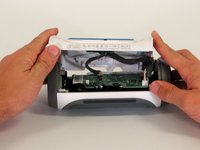
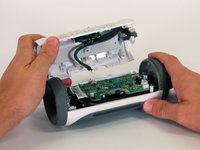


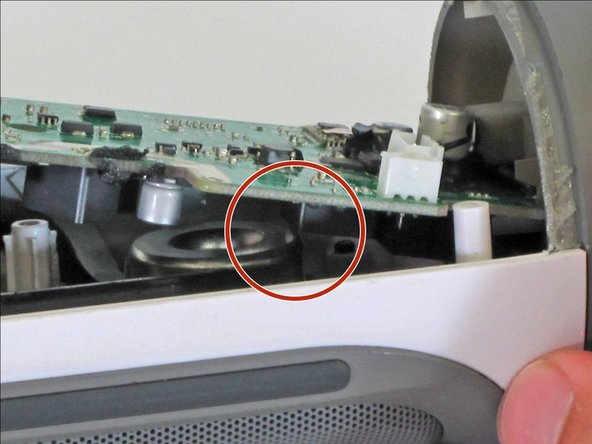
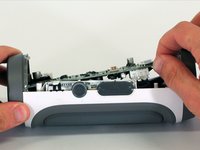


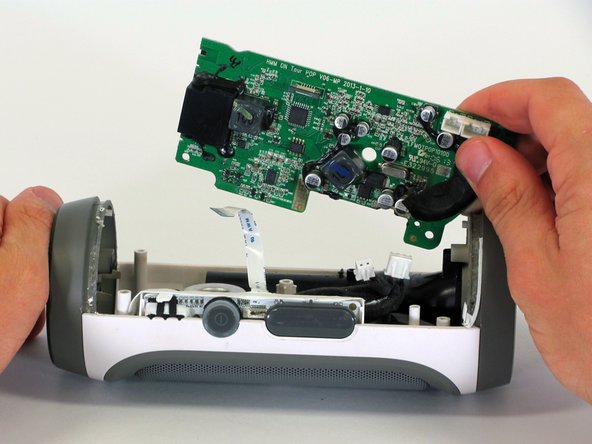
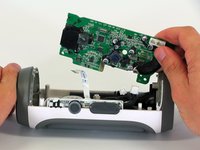


Cihazınızı tekrar toplamak için bu talimatları ters sırayla uygulayın.
İptal et: Bu kılavuzu tamamlamadım.
4 farklı kişi bu kılavuzu tamamladı.

Ekip

Cal Poly, Team 12-1, Lancaster Spring 2015 Cal Poly, Team 12-1, Lancaster Spring 2015 üyesi
CPSU-LANCASTER-S15S12G1
5 Üyeler
96 adet Kılavuz yazıldı
2Kılavuz Yorumları
conseguiste el boton de repuesto?
Por favor, disculpe mis errores:
"No puedo encontrar un nuevo reemplazo. Compra uno roto. Utilice el botón de la que se rompe."
