Bu çeviri bir makine tarafından oluşturulmuştur ve henüz bir kişi tarafından incelenmemiştir. Bu dili konuşuyor musunuz? İnceleme için.

JBL Charge Anakart Değişimi

Jake Bertholf ve 6 diğer katkıda bulunanlar
En son 8 Ağu 2026 tarihinde güncellendi
Görüntüleme: 33 B
İstatistikleri görüntüle:
- Son 24 Saat:
- 6
- Son 7 Gün:
- 40
- Son 30 Gün:
- 146
- Her zaman:
- 32.508
Yorumlar: 22
6 comments on steps, 16 guide comments.
Go to guide commentsTamamlandı: 8 9
8 kişi bu kılavuzu "tamamlandı" olarak işaretledi. Sıradaki sen olacak mısın?
9 kişi bu kılavuzu "tamamlandı" olarak işaretledi. Siz de dahil - harika iş!
Sık Kullanılanlar: 1 2
1 kişi bu kılavuzu favorilerine ekledi (ve abone oldu). Sıradaki sen olacak mısın?
Siz de dahil olmak üzere 2 kişi bu kılavuzu favorilerine ekledi (ve abone oldu)!
Yanlış Araçlar
Resimlerde ve/veya metinde doğru araçları kullanarak bu kılavuzun daha iyi hale gelmesine yardımcı olun.
Giriş
1. adıma git ↓Anakartı çıkarmak, çoğu dahili bileşene erişmenizi sağlayacaktır.
Neye ihtiyacın var
Aletler
-
-
Spudger4.9
-


-
-
-
Hoparlörü sökmeye başlamadan önce cihazın kapalı olduğundan emin olun.
-
Bir jimmy veya metal plastik kanırtma aparatı kullanarak hoparlörün trimini çıkarın.
 FixBot'a Sor
-
-
-
Batarya kapağındaki beş adet 6 mm vidayı PH1 tornavidayla çıkarın.
-
Batarya kapağını çıkarın ve bir kenara koyun.
-
-
-
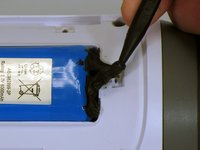
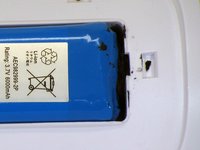
Bataryayı pil yuvasının içinde tutan sıvı elektrikli bandı dikkatlice çıkarmak için bir plastik kanırtma aparatı kullanın.
-
-
-
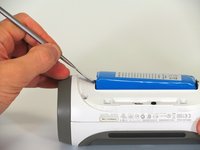
Bataryayı cihazdan dışarı kaldırmak için bir plastik kanırtma aparatı kullanın.
-
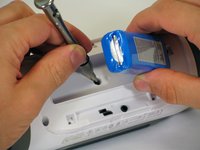
Bataryanın kablolama bağlantısı olmayan ucunu kaldırın ve bataryanın altındaki 16 mm PH2 vidayı sökün.
-
-
-
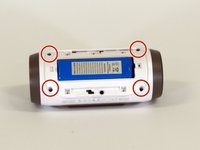
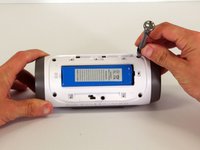
Beyaz plastik muhafazadaki dört adet 16 mm vidayı PH2 tornavida kullanarak çıkarın.
-
-
-
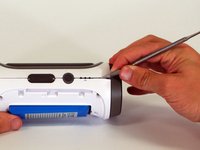
Cihazın dış kasası ile yan kısmının birleştiği bir köşeden başlayarak, arka kasayı hoparlörden ve birleşim yerini bir arada tutan yapıştırıcıdan ayırmak için sivri uçlu bir metal plastik kanırtma aparatı kullanın.
-
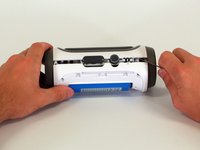
Arka kasayı hoparlörün geri kalanından ayırmak için metal plastik kanırtma aparatını birleşim yeri boyunca kaydırın.
-
-
-
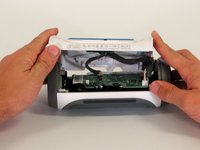
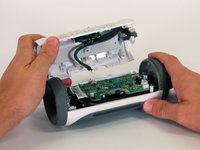
Arka kapak açıldığında, anakart üzerindeki üç beyaz konnektörü ayırın.
-
Üst kapağı çıkarın.
-
-
-
-
-
Anakartın köşesindeki 9 mm Yıldız vidayı çıkarın.
-
-
-
-
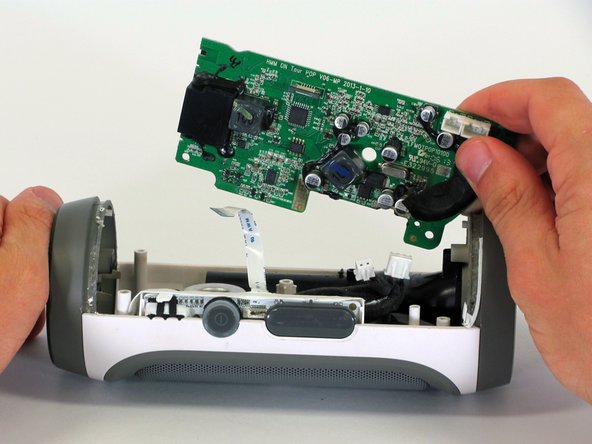
Anakartın köşesini cihazdan yukarı kaldırarak anakartı kasadan çıkarın.
-
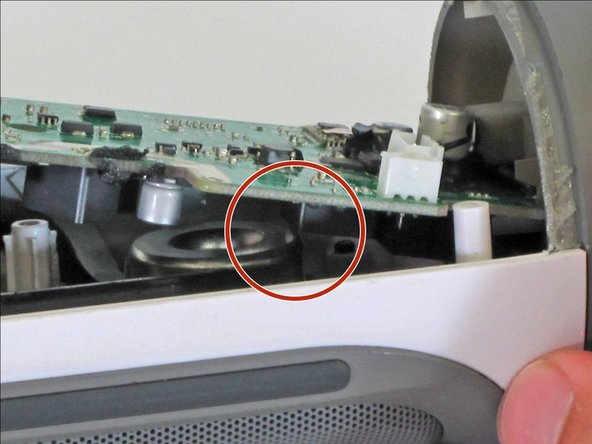
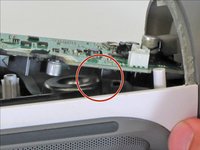
Anakart yerinden oynamıyorsa, anakartın alt kısmındaki kare bileşenin hoparlörün kenarına takılmadığından emin olun.
-
-
-
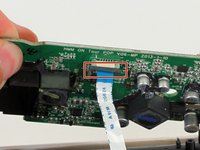
Ribbon kabloyu yerinde tutan siyah klipsi aşağı doğru çekin.
-
Mavi tırnağı kullanarak ribbon kabloyu konnektörden çekip çıkarın.
-
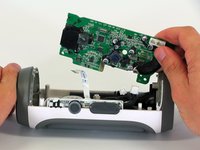
Anakartı cihazdan çıkarın.
-
-












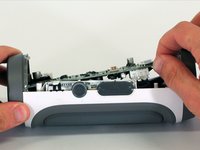


Cihazınızı tekrar toplamak için bu talimatları ters sırayla uygulayın.
İptal et: Bu kılavuzu tamamlamadım.
8 farklı kişi bu kılavuzu tamamladı.

Ekip

Cal Poly, Team 12-1, Lancaster Spring 2015 Cal Poly, Team 12-1, Lancaster Spring 2015 üyesi
CPSU-LANCASTER-S15S12G1
5 Üyeler
96 adet Kılavuz yazıldı
16Kılavuz Yorumları
Hello I have 3 jbl speakers I bought that work only if plugged to the wall and aux cable... other than that it doesn't work at all .. Bluetooth or even the buttons don't function
had same issue. fixed it by reconnecting the cable that conncts LEDs/ buttons
i have the same problem
hello can i ask if how many pins in the flex for power button i accidentally damage when i fixed it
