Ana içeriğe geç
Onarım Topluluğuna Katılın - Hesap Oluşturun

JBL Tune 600btnc Battery Replacement

  1. JBL Tune 600btnc Battery Replacement, Remove left hand ear cup: adım 1, 1 resimden 1.
    • This can be done by prying at the base of the ear cup and moving around in a circle.

  2. JBL Tune 600btnc Battery Replacement, Remove the driver.: adım 2, 3 resimden 1. JBL Tune 600btnc Battery Replacement, Remove the driver.: adım 2, 3 resimden 2. JBL Tune 600btnc Battery Replacement, Remove the driver.: adım 2, 3 resimden 3.
    • once the screws are loosened. Pry at the base of the driver to release the plastic tabs.

    • Loosen the three screws. Note the position of the wire feeding the driver.

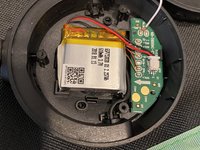
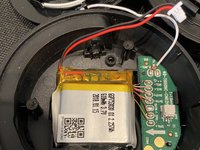
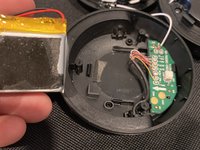
  3. JBL Tune 600btnc Battery Replacement, Remove the battery.: adım 3, 3 resimden 1. JBL Tune 600btnc Battery Replacement, Remove the battery.: adım 3, 3 resimden 2. JBL Tune 600btnc Battery Replacement, Remove the battery.: adım 3, 3 resimden 3.
    • There is a small amount of adhesive on the backside of the battery.

Sonuç

To reassemble your device, follow these instructions in reverse order.

2 farklı kişi bu kılavuzu tamamladı.

Nick Farfaglia

Üyelik tarihi: 08/15/21

160 İtibar

1 Kılavuz yazıldı

2Kılavuz Yorumları

thanks! Where I can get the battery?

Simonas Bisikirskas - Yanıt Paylaş

Use any search engine of your choice.

sonickrnd - Yanıt Paylaş

Yorum Ekle

İstatistikleri Görüntüle:

Son 24 Saat: 8

Son 7 gün: 35

Son 30 gün: 145

Her zaman: 6,193