Bu çeviri bir makine tarafından oluşturulmuştur ve henüz bir kişi tarafından incelenmemiştir. Bu dili konuşuyor musunuz? İnceleme için.
Giriş
İkinci nesil Kindle cihazınızın ekranı çatladıysa, dokunmatik girişe yanıt vermiyorsa veya ekranınız hatalı çalışıyorsa, değişim vakti gelmiş olabilir. Bu kurulum kılavuzuyla Kindle 2 cihazınızın ekranını değiştirin.
Kindle (2. Nesil) LCD ekranları eBay, AliExpress, Amazon vb. sitelerden satın alabilirsiniz.
Neye ihtiyacın var
-
-
-
Ekranını korumak için Kindle'ı yumuşak bir bezin üzerine yüzüstü yerleştirin.
-
Açma aletini gri plastik ile metal kasa arasındaki küçük boşluğa sokun.
-
Gri plastiği metal kasadan ayırmak için açma aletini aşağı doğru bastırarak boşluk boyunca ilerletin.
-
Gri plastik üst kapağı, Kindle'ın metal kasasından uzağa doğru kaydırın.
-
Gri plastik üst kapak, metal arka kapaktan ayrıldıktan sonra onu çıkarın.
 FixBot'a Sor
-
-
-
Metal kasadaki iki adet 4 mm vidayı sökmek için Phillips #00 yıldız tornavida kullanın.
-
-
-
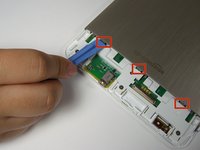
Metal kasayı yerinde tutan üç klipsin her birini serbest bırakmak için plastik açma aletini kullanarak aşağı doğru bastırın ve metal kasaya doğru kaldırarak ayırın.
-
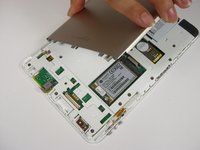
Metal kasayı çıkarın.
-
-
-
Bataryayı yerinde tutan iki adet 3 mm vidayı sökmek için Phillips #00 tornavida kullanın.
-
-
-
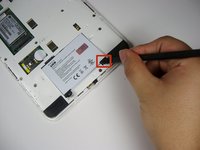
Bataryayı yerinden çıkarmak için plastik kanırtma aparatı ile siyah tırnağın altından yukarı doğru kaldırın.
-
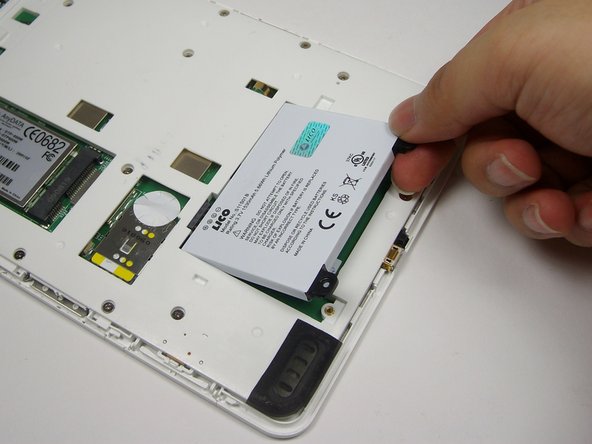
Bataryayı cihazdan dışarı kaldırmak için parmaklarınızı kullanın.
-
-
-
-
-
Kablosuz kart üzerindeki iki adet 2 mm vidayı sökmek için PH00 yıldız tornavida kullanın.
-
-
-
-
Açma aletini kullanarak bağlantının altına yerleştirin ve kablo başlığını nazikçe kanırtarak çıkarın.
-
-
-
Kablosuz ağ kartının sol ucunu parmaklarınızla kaldırın.
-
Kartı yuvasından dışarı çekin.
-
-
-
-
-
Açma aletini kullanarak kıvrımın her iki tarafını birbirinden uzağa doğru itin. Bu işlem, kabloyu tutan kıvrımı açacaktır.
-
Kıvrımın tarafları arasında yeterli açıklık oluştuğunda parmaklarınızı kullanarak kabloyu kıvrımın içinden kaldırıp çıkarın.
-
-
Bu adımda kullanılan alet:Tweezers$4.99
-
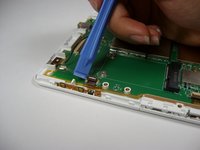
Açma aletini plastik şeridin altına yerleştirin ve kahverengi konnektör kapağını kaldırmak için nazikçe yukarı çekin.
-
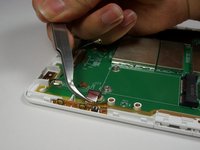
Plastik şeridi cımbız ile hafifçe sıkıştırın ve çıkarmak için konnektörden uzağa doğru çekin.
-
-
-
Önceki konnektörün yaklaşık 8 cm sağındaki diğer kahverengi konnektörü bulun ve plastik şeridi çıkarmak için 10. adımı tekrarlayın.
-
-
-
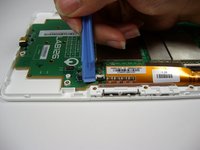
Cihazı 180 derece döndürün ve cihazın sol tarafındaki daha küçük kahverengi konnektörü bulun.
-
10. adımı tekrarlayın.
-
-
-
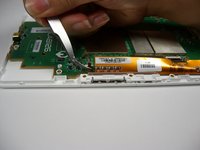
Parmağınızı son plastik şeridin üzerine bastırın.
-
Son şeridi çıkarmak için parmağınızı konnektörden uzağa doğru kaydırın.
-
-
-
LAB126 logosunun etrafındaki anakartta bulunan dört adet 4 mm vidayı, Yıldız #00 tornavidayla çıkarın.
-
-
-
-
Anakartı çevirerek ekranın yukarı bakmasını sağlayın.
-
Anakartın üst kısmına takılı olan ekranın tepesindeki plastik başlık çubuğunu parmaklarınızla nazikçe çekerek çıkarın.
-
-
-
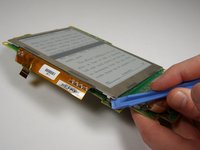
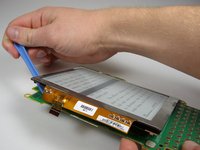
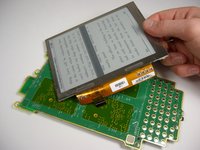
Ekranı anakarttan ayırmak için cihazın her dört kenarının altından açma aletiyle dikkatlice kanırtarak girin.
-
-




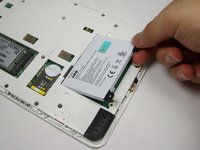


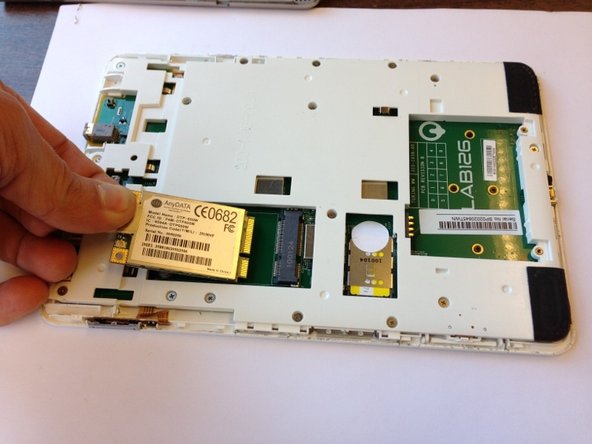


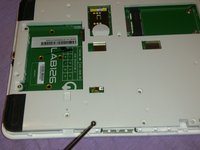
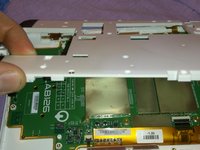


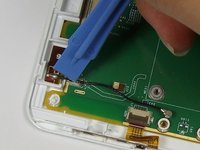
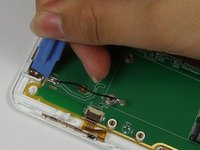
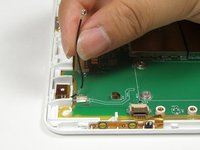

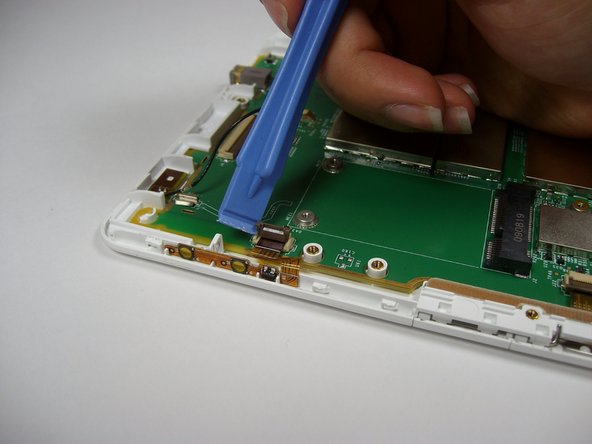
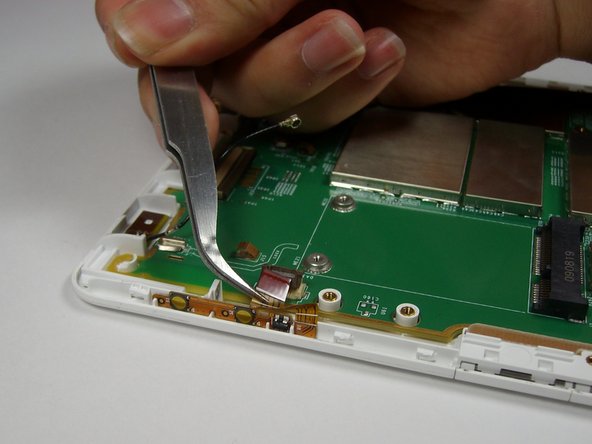





Cihazınızı tekrar toplamak için bu talimatları ters sırayla uygulayın.
İptal et: Bu kılavuzu tamamlamadım.
25 farklı kişi bu kılavuzu tamamladı.

Ekip

Cal Poly, Team 12-32, Amido Spring 2013 Cal Poly, Team 12-32, Amido Spring 2013 üyesi
CPSU-AMIDO-S13S12G32
4 Üyeler
72 adet Kılavuz yazıldı
7Kılavuz Yorumları
Great guide!
My replacement screen came with a spudger like the one shown, but it was pretty mangled by the time I got the back off. I had much better luck with another spudger shaped like a guitar pick.
Yeah, the step to remove the inner plastic protector is missing. It is pretty obvious that it needs to happen, but it would be good to include in the guide.
The ribbon for the screen needs to be pushed in further than the other ribbons, and took a bit of wiggling. FYI for others attempting this!
I followed this guide, but the screen is still on the "Amazon Kindle" screen that was on the replacement when it came in the mail. I opened it to ensure the ribbons are all in place. It's fully charged (green light) and the computer can see it as a hard drive. Calibre can also see all the books are still in place. Any ideas what connection I need to recheck to get the replacement screen working? I'd love to get my old Kindle 2 back in business!
Answering my own question in case it helps anyone. It turns out the ribbon for the screen (the last one removed in Step 14) wasn't far enough in the connector. I was trying it with the line about even with the "39" on the board, which wasn't far enough. After the eBay seller kindly gave me some tips, I was able to manhandle the ribbon closer to the connector, and now the screen works great!
In order to be pre-prepared, (I'm pretty sure the double-sided tape holding the screen to the motherboard will need replacement after years of service) is the tape of the fairly thick foam variety or the much thinner plastic ribbon style?
