Giriş
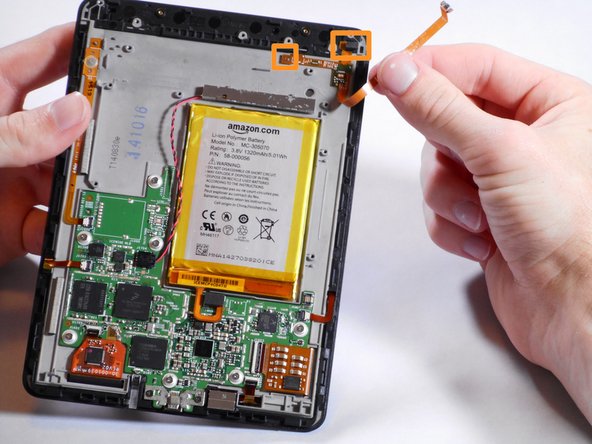
The ambient light sensor is what lets you read in less-than-ideal lighting situations. It is attached to the motherboard near the battery and again at the top where it actually can get light from outside of the device.
Neye ihtiyacın var
-
-
-
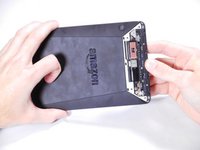
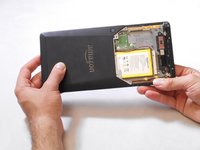
Insert a plastic opening tool between the plastic panel shown on the device.
-
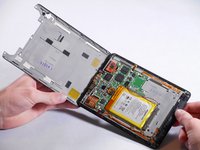
Use the tool to pry the plastic away from the device.
 FixBot'a Sor
-
-
-
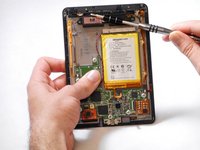
Use an aluminum driver attached with a Phillips head size #00 to remove the four 3mm screws shown in the picture. For reassembly, note that the top two and bottom two screws are different sizes.
-
-
-
-
Remove the magnetic component with the magnetic head of the aluminum driver.
-
-
-
-
-
Use an aluminum driver with Phillips head #00 to remove the four 3 mm screws shown in the picture.
-
Use the same driver to remove the two 2.5 mm screws.
-
-
Bu adımda kullanılan alet:Tweezers$4.99
-
Using the tweezers, undo the attached clip.
-
Remove the three 3 mm screws holding down the rest of the antenna with an aluminum driver and the Phillips #00 head.
-
You should now be able to simply take the WiFi bar off of the device.
-
-
-
-
Bu adımda kullanılan alet:Tweezers$4.99
-
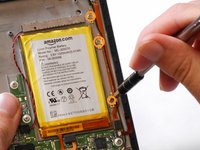
Gently remove the connector to the motherboard using tweezers.
-
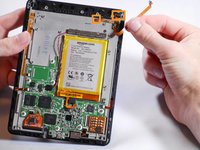
Continue to carefully pull the rest of the connector from the adhesive connecting it to the Voyage.
-
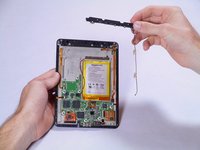
Detach sensor from the top using fingers
-
-




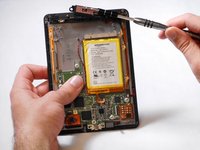


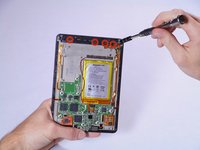
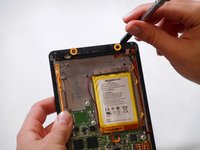


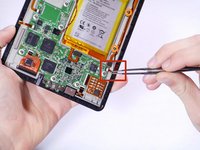


To reassemble your device, follow these instructions in reverse order.
İptal et: Bu kılavuzu tamamlamadım.
Bir başkası bu kılavuzu tamamladı.

Ekip

Cal Poly, Team 19-12, Maness Winter 2015 Cal Poly, Team 19-12, Maness Winter 2015 üyesi
CPSU-MANESS-W15S19G12
5 Üyeler
14 adet Kılavuz yazıldı
