Ana içeriğe geç
Onarım Topluluğuna Katılın - Hesap Oluşturun

KitchenAid KSB5CR Fan Replacement

Neye ihtiyacın var

  1. KitchenAid KSB5CR Fan Replacement, Removing the Back Panel Part 1: adım 1, 3 resimden 1. KitchenAid KSB5CR Fan Replacement, Removing the Back Panel Part 1: adım 1, 3 resimden 2. KitchenAid KSB5CR Fan Replacement, Removing the Back Panel Part 1: adım 1, 3 resimden 3.
    • Remove the glass container and place the blender upside down on a solid surface.

    • Remove the four rubber feet using the needle nose pliers.

    • Remove the four #7.5 Phillips 25mm screws that were located underneath the rubber feet using the Phillips #2 screwdriver.

    FixBot'a Sor

    Yorum Ekle

  2. KitchenAid KSB5CR Fan Replacement, Removing the Back Panel Part 2: adım 2, 1 resimden 1.
    • Lift the back panel up, sliding it along the power cord.

    FixBot'a Sor

    Yorum Ekle

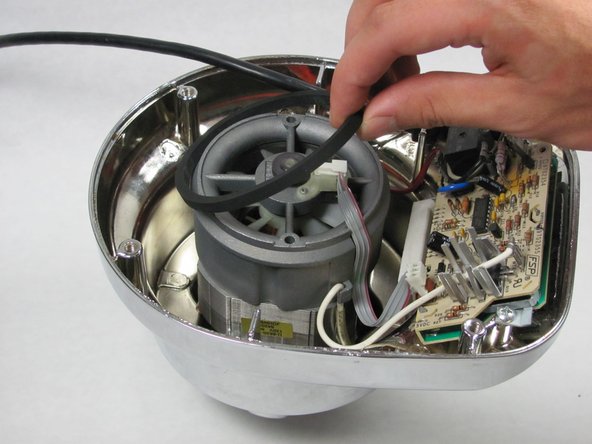
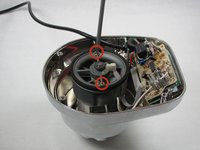
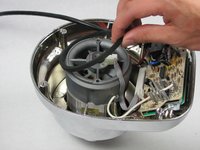
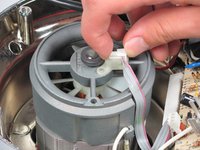
  3. KitchenAid KSB5CR Fan Replacement, Removing the Fan Chassis Part 1: adım 3, 3 resimden 1. KitchenAid KSB5CR Fan Replacement, Removing the Fan Chassis Part 1: adım 3, 3 resimden 2. KitchenAid KSB5CR Fan Replacement, Removing the Fan Chassis Part 1: adım 3, 3 resimden 3.
    • Remove the two #5 Phillips 95 mm machine screws using the Phillips #2 screwdriver.

    • Remove the rubber O-ring by lifting it up.

    • Remove the ribbon cable from the chassis by lifting it up.

    FixBot'a Sor

    Yorum Ekle

  4. KitchenAid KSB5CR Fan Replacement, Removing the Fan Chassis Part 2: adım 4, 3 resimden 1. KitchenAid KSB5CR Fan Replacement, Removing the Fan Chassis Part 2: adım 4, 3 resimden 2. KitchenAid KSB5CR Fan Replacement, Removing the Fan Chassis Part 2: adım 4, 3 resimden 3.
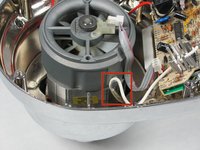
    • Unhook the white wire that is looped around the peg by pulling it out of the clip.

    • Repeat this process with the red wire on the other side of the chassis.

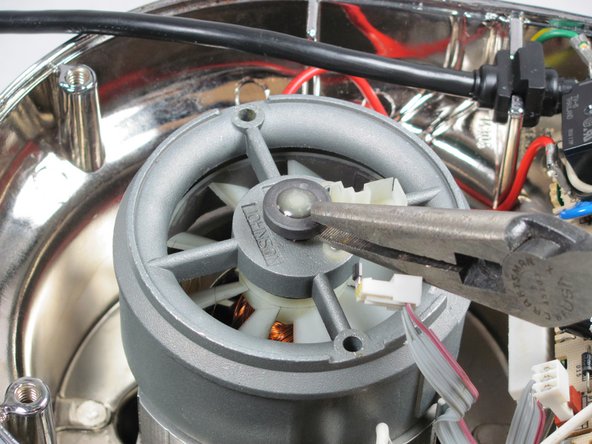
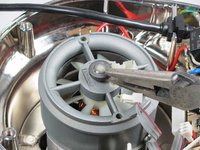
    • Remove the end cap using the 8" needle nose pliers.

    • Pull up the fan chassis.

    FixBot'a Sor

    Yorum Ekle

  5. KitchenAid KSB5CR Fan Replacement, Removing the Fan: adım 5, 1 resimden 1.
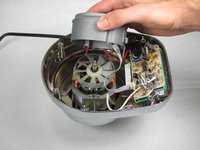
    • Remove the fan by lifting it upwards.

    • This step is difficult and requires force. Use of both hands is recommended.

    FixBot'a Sor

    Yorum Ekle

Sonuç

To reassemble your device, follow these instructions in reverse order.

İptal et: Bu kılavuzu tamamlamadım.

Bir başkası bu kılavuzu tamamladı.

Cameron Geehr

Üyelik tarihi: 09/28/14

745 İtibar

6 adet Kılavuz yazıldı

Ekip

Cal Poly, Team 12-5, Forte Fall 2014 Cal Poly, Team 12-5, Forte Fall 2014 üyesi

CPSU-FORTE-F14S12G5

5 Üyeler

6 adet Kılavuz yazıldı

3Kılavuz Yorumları

Hi,

Do you know if it is possible to convert Kitchenaid Artisan stand mixer to 240v, has anyone looked inside or know if i should change something.

Ancient warrior - Yanıt Paylaş

Does raplacing the fan mean that the fan itself (when broken) can be ordered? So just the white plastic round part. If so, could someone please give me a reference number? Would be highly appreciated.

Hugo, the Netherlands.

Hugo - Yanıt Paylaş

my blender turn on all the numbers light at the same time and is not working at all. do you know what the problem could be?

patricia - Yanıt Paylaş

Yorum Ekle

İstatistikleri Görüntüle:

Son 24 Saat: 1

Son 7 gün: 5

Son 30 gün: 27

Her zaman: 2,676