Ana içeriğe geç
Onarım Topluluğuna Katılın - Hesap Oluşturun

LG Chocolate 3 Side Buttons Replacement

Neye ihtiyacın var

  1. LG Chocolate 3 Side Buttons Replacement, Battery: adım 1, 1 resimden 1.
    • Turn the phone off before starting the replacement process.

    • Place the phone face down.

    • Press your finger down on the indentation and slide the back plate off.

    FixBot'a Sor

    Yorum Ekle

  2. LG Chocolate 3 Side Buttons Replacement: adım 2, 3 resimden 1. LG Chocolate 3 Side Buttons Replacement: adım 2, 3 resimden 2. LG Chocolate 3 Side Buttons Replacement: adım 2, 3 resimden 3.
    • Using your index finger lift and remove the battery from the phone.

    FixBot'a Sor

    Yorum Ekle

  3. LG Chocolate 3 Side Buttons Replacement, Rear Case: adım 3, 1 resimden 1.
    • Use the pointed end of the spudger to pull out the plastic inserts that are located on the left and right-hand corners.

    • If needed, use the tip of a push pin instead of the spudger to remove the plastic inserts.

    FixBot'a Sor

    Yorum Ekle

  4. LG Chocolate 3 Side Buttons Replacement: adım 4, 1 resimden 1.
    Bu adımda kullanılan alet:
    Tweezers
    $4.99
    • Using a Phillips #00 screwdriver, remove the six 3mm long screws found along the edges of the phone.

    • If needed, use tweezers to remove loose screws from the recessed holes.

    • Screws are small, therefore, they should be placed in a secure location to prevent misplacement.

    FixBot'a Sor

    Yorum Ekle

  5. LG Chocolate 3 Side Buttons Replacement: adım 5, 2 resimden 1. LG Chocolate 3 Side Buttons Replacement: adım 5, 2 resimden 2.
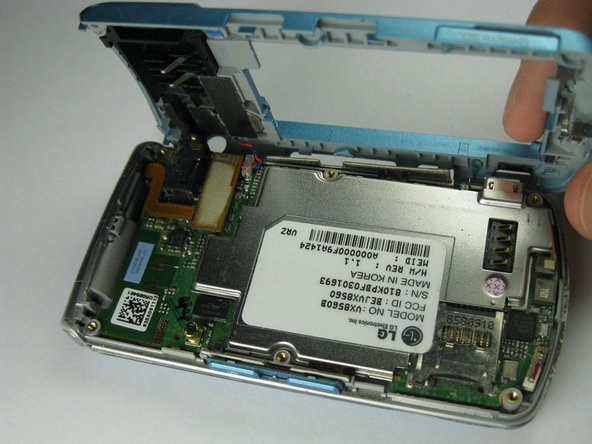
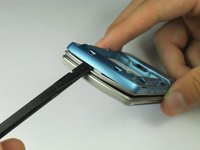
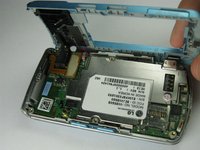
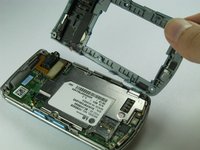
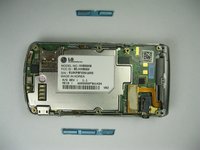
    • Pull the rear case up using the spudger.

    • The rear case is connected to the right side of the phone via red and blue cables, be careful not to pull these cables out.

    • The volume control buttons on the side might fall out of their sockets. Carefully replace them with a pair of tweezers before you reassemble the rear case.

    FixBot'a Sor

    Yorum Ekle

  6. LG Chocolate 3 Side Buttons Replacement: adım 6, 1 resimden 1.
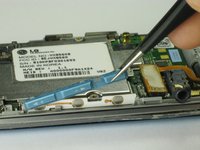
    • Use tweezers to pull the clear end of the red and blue speaker cables away from motherboard.

    FixBot'a Sor

    Yorum Ekle

  7. LG Chocolate 3 Side Buttons Replacement: adım 7, 2 resimden 1. LG Chocolate 3 Side Buttons Replacement: adım 7, 2 resimden 2.
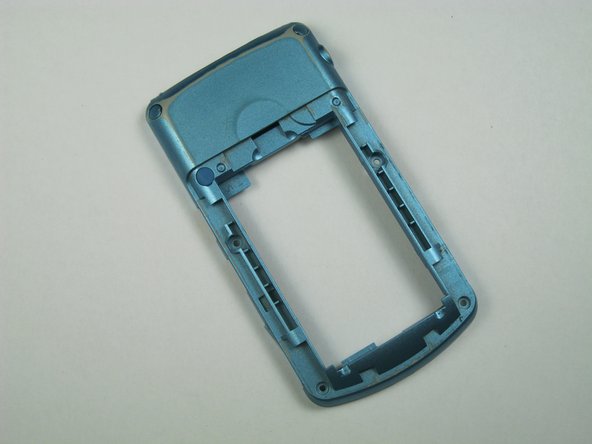
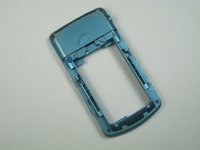
    • Carefully remove the rear case from the phone.

    FixBot'a Sor

    Yorum Ekle

  8. LG Chocolate 3 Side Buttons Replacement, Side Buttons: adım 8, 1 resimden 1.
    Bu adımda kullanılan alet:
    Tweezers
    $4.99
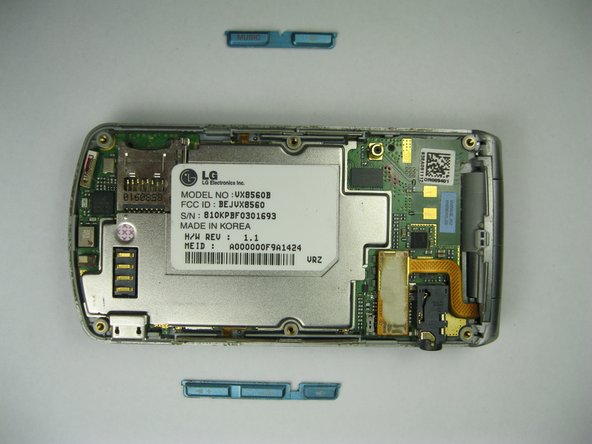
    • Use tweezers to remove the music button found on the side of the phone.

    FixBot'a Sor

    Yorum Ekle

  9. LG Chocolate 3 Side Buttons Replacement: adım 9, 2 resimden 1. LG Chocolate 3 Side Buttons Replacement: adım 9, 2 resimden 2.
    • Use tweezers to remove the volume control buttons on the opposite side of the phone.

    FixBot'a Sor

    Yorum Ekle

Sonuç

To reassemble your device, follow these instructions in reverse order.

İptal et: Bu kılavuzu tamamlamadım.

Brenna Yagade

Üyelik tarihi: 04/15/13

40 İtibar

6 adet Kılavuz yazıldı

Ekip

Cal Poly, Team 12-35, Amido Spring 2013 Cal Poly, Team 12-35, Amido Spring 2013 üyesi

CPSU-AMIDO-S13S12G35

5 Üyeler

12 adet Kılavuz yazıldı

0Kılavuz Yorumları

Yorum Ekle

İstatistikleri Görüntüle:

Son 24 Saat: 1

Son 7 gün: 13

Son 30 gün: 38

Her zaman: 480