Ana içeriğe geç
Onarım Topluluğuna Katılın - Hesap Oluşturun

LG Cosmos 2 QWERTY Keyboard Replacement

Neye ihtiyacın var

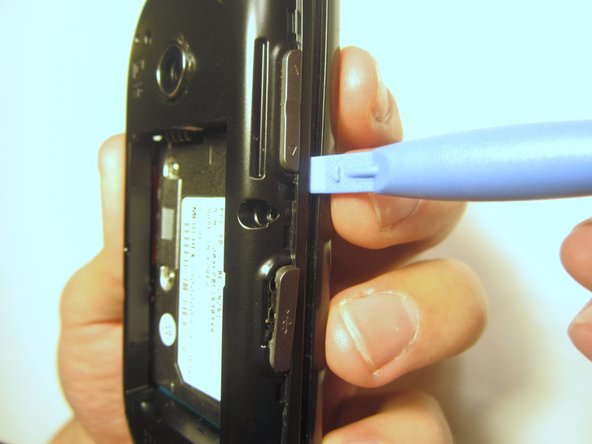
  1. LG Cosmos 2 QWERTY Keyboard Replacement, Battery: adım 1, 3 resimden 1. LG Cosmos 2 QWERTY Keyboard Replacement, Battery: adım 1, 3 resimden 2. LG Cosmos 2 QWERTY Keyboard Replacement, Battery: adım 1, 3 resimden 3.
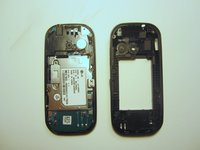
    • Insert the plastic opener into the slot at the top of the device.

    • Apply gentle pressure with the plastic tool to pop the back case off.

    FixBot'a Sor

    Yorum Ekle

  2. LG Cosmos 2 QWERTY Keyboard Replacement: adım 2, 3 resimden 1. LG Cosmos 2 QWERTY Keyboard Replacement: adım 2, 3 resimden 2. LG Cosmos 2 QWERTY Keyboard Replacement: adım 2, 3 resimden 3.
    • Use the plastic opener to lift, and remove, the device battery.

    FixBot'a Sor

    Yorum Ekle

  3. LG Cosmos 2 QWERTY Keyboard Replacement, Rear Case: adım 3, 1 resimden 1.
    • Use a screwdriver and corresponding bit to remove the six 2mm screws that are located along the edge of the rear case. Set the screws aside.

    FixBot'a Sor

    Yorum Ekle

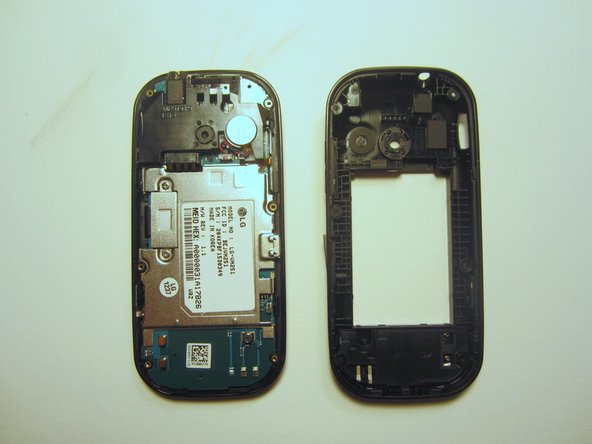
  4. LG Cosmos 2 QWERTY Keyboard Replacement: adım 4, 3 resimden 1. LG Cosmos 2 QWERTY Keyboard Replacement: adım 4, 3 resimden 2. LG Cosmos 2 QWERTY Keyboard Replacement: adım 4, 3 resimden 3.
    • Use the plastic opener to pry the rear case loose.

    • This can be difficult. You will need to pry around the entire edge of the rear case, not just in one place.

    FixBot'a Sor

    Yorum Ekle

  5. LG Cosmos 2 QWERTY Keyboard Replacement, Motherboard: adım 5, 1 resimden 1.
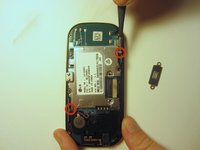
    • Use a screwdriver and corresponding bit to remove the two 3mm screws that attach the motherboard to the front case. Set the screws aside

    FixBot'a Sor

    Yorum Ekle

  6. LG Cosmos 2 QWERTY Keyboard Replacement: adım 6, 1 resimden 1.
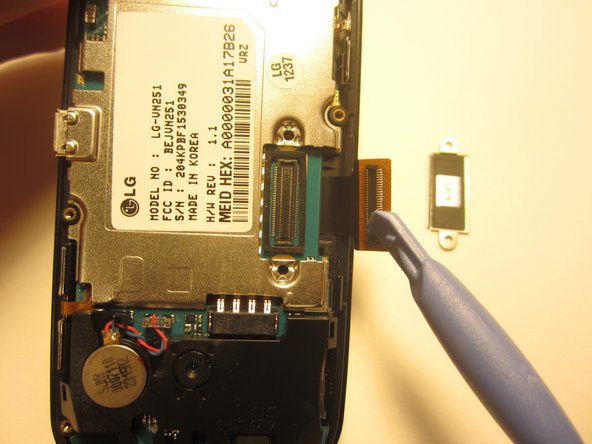
    • Rotate the phone 180 degrees and use the plastic opener to lift the metal piece that covers the ribbon cable.

    FixBot'a Sor

    Yorum Ekle

  7. LG Cosmos 2 QWERTY Keyboard Replacement: adım 7, 2 resimden 1. LG Cosmos 2 QWERTY Keyboard Replacement: adım 7, 2 resimden 2.
    • Use the plastic opener to disconnect the ribbon cable.

    FixBot'a Sor

    Yorum Ekle

  8. LG Cosmos 2 QWERTY Keyboard Replacement: adım 8, 2 resimden 1. LG Cosmos 2 QWERTY Keyboard Replacement: adım 8, 2 resimden 2.
    Bu adımda kullanılan alet:
    Tweezers
    $4.99
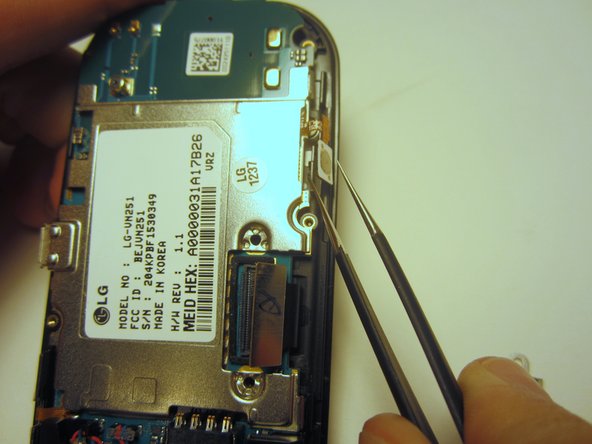
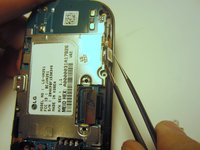
    • Use tweezers to disconnect the two cables that attach the motherboard to the case.

    • Note: Pull on the cables gently to prevent damage for future use.

    FixBot'a Sor

    Yorum Ekle

  9. LG Cosmos 2 QWERTY Keyboard Replacement: adım 9, 1 resimden 1.
    • Remove the motherboard from the front case.

    FixBot'a Sor

    Yorum Ekle

  10. LG Cosmos 2 QWERTY Keyboard Replacement, QWERTY Keyboard: adım 10, 1 resimden 1.
    • Flip the front case over. If the keyboard doesn't fall out, push it through the front case.

    FixBot'a Sor

    Yorum Ekle

Sonuç

To reassemble your device, follow these instructions in reverse order.

İptal et: Bu kılavuzu tamamlamadım.

Bir başkası bu kılavuzu tamamladı.

Nick White

Üyelik tarihi: 10/18/13

866 İtibar

8 adet Kılavuz yazıldı

Ekip

Clemson, Team 13-1, Benson Fall 2013 Clemson, Team 13-1, Benson Fall 2013 üyesi

CLEM-BENSON-F13S13G1

3 Üyeler

18 adet Kılavuz yazıldı

0Kılavuz Yorumları

Yorum Ekle

İstatistikleri Görüntüle:

Son 24 Saat: 1

Son 7 gün: 9

Son 30 gün: 36

Her zaman: 824