Ana içeriğe geç
Onarım Topluluğuna Katılın - Hesap Oluşturun

LG Incite Touch Screen Replacement

Neye ihtiyacın var

    1. LG Incite Touch Screen Replacement, Battery: adım 1, 1 resimden 1.
      • Hold the phone camera-side up and locate the rear cover.

      FixBot'a Sor

      Yorum Ekle

    2. LG Incite Touch Screen Replacement: adım 2, 1 resimden 1.
      • Place a thumb below the camera, apply a little pressure, and slide the cover toward the bottom of the phone.

      FixBot'a Sor

      Yorum Ekle

    3. LG Incite Touch Screen Replacement: adım 3, 1 resimden 1.
      • Place the plastic opening tool in the small slot below and to the left of the battery.

      • Pry the battery upward to remove it.

      FixBot'a Sor

      Yorum Ekle

    1. LG Incite Touch Screen Replacement, Back Panel: adım 4, 1 resimden 1.
      • Using the #00 Philips screw driver, unscrew the four 4.5mm screws located around the battery compartment.

      FixBot'a Sor

      Yorum Ekle

    2. LG Incite Touch Screen Replacement: adım 5, 1 resimden 1.
      • Wedge the plastic opening tool between the screen and the body of the device, using care to avoid damaging internal components.

      • Gently move the tool around the perimeter of the screen to separate it from the body.

      • You should not completely separate the screen from the device in this step.

      FixBot'a Sor

      Yorum Ekle

    3. LG Incite Touch Screen Replacement: adım 6, 1 resimden 1.
      • Flip the device over so the battery compartment faces up.

      • Press the scroll wheel, located in the upper-left corner, into the device to avoid damage.

      • Gently insert the plastic opening tool into the seam between the frame and front cover to separate the back panel from the device.

      • The volume, lock, and camera buttons are loose, so be careful not to misplace them.

      FixBot'a Sor

      Yorum Ekle

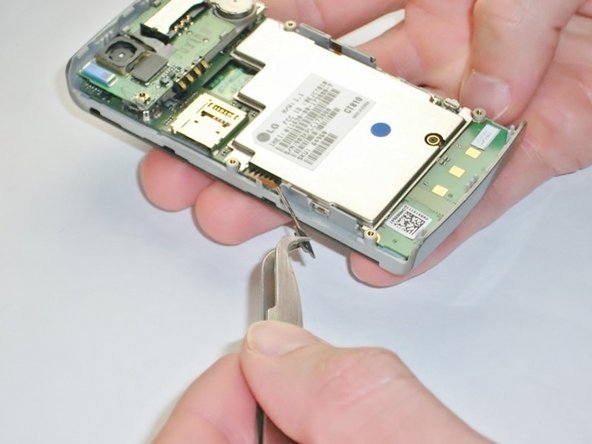
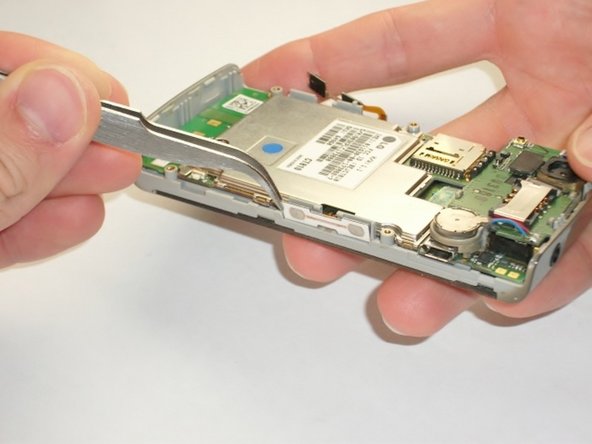
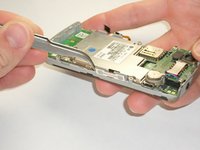
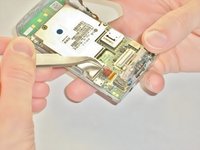
    1. LG Incite Touch Screen Replacement, Motherboard: adım 7, 3 resimden 1. LG Incite Touch Screen Replacement, Motherboard: adım 7, 3 resimden 2. LG Incite Touch Screen Replacement, Motherboard: adım 7, 3 resimden 3.
      Bu adımda kullanılan alet:
      Tweezers
      $4.99
      • Use the metal tweezers to gently peel the yellow tab from the left edge of the phone at the two plastic bases.

      • Do not completely remove the tab from the body, it should still be connected to the phone by the orange plastic.

      • Repeat this for the white tab on the opposite side of the phone.

      • This tab also has two plastic bases adhering it to the edge of the phone.

      FixBot'a Sor

      Yorum Ekle

    2. LG Incite Touch Screen Replacement: adım 8, 1 resimden 1.
      • Insert your plastic opening tool underneath the speaker/camera panel, and gently pry it upwards.

      • Do not fully remove the panel! It should still be attached to the motherboard by a red and black wire.

      FixBot'a Sor

      Yorum Ekle

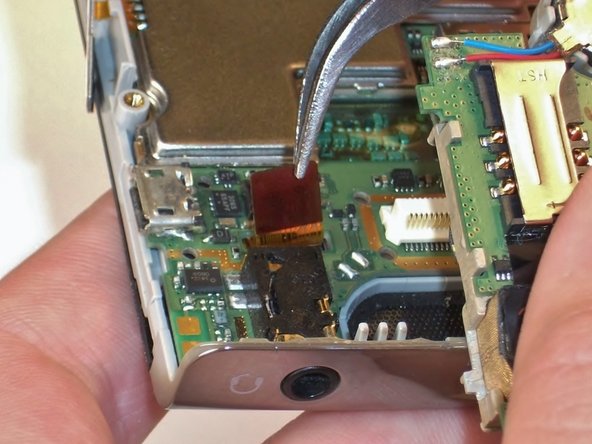
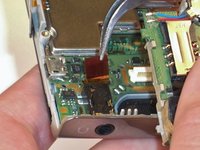
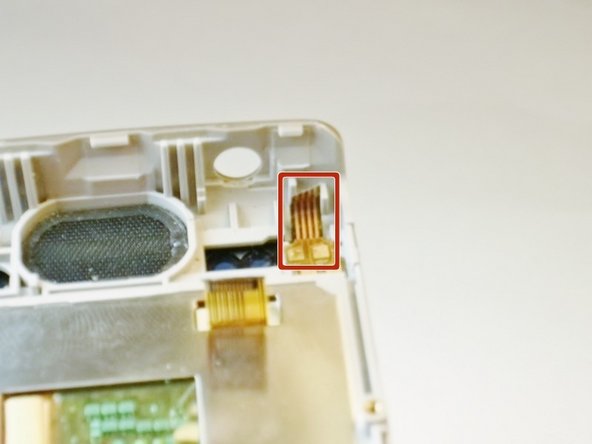
    3. LG Incite Touch Screen Replacement: adım 9, 2 resimden 1. LG Incite Touch Screen Replacement: adım 9, 2 resimden 2.
      • Use the metal tweezers to gently lift the edge of the maroon tab, it should pop up easily.

      • Do not remove the tab completely, it should still be connected to the phone.

      FixBot'a Sor

      Yorum Ekle

    4. LG Incite Touch Screen Replacement: adım 10, 1 resimden 1.
      • Insert the plastic opening tool underneath the motherboard towards the bottom edge of the phone and gently pry it from its case.

      • Lift the motherboard and slide it towards you by hand to free it from the phone.

      • The call and end buttons may fall out when the motherboard is removed! Don't lose the buttons.

      FixBot'a Sor

      Yorum Ekle

    1. LG Incite Touch Screen Replacement, Touch Screen: adım 11, 1 resimden 1.
      Bu adımda kullanılan alet:
      Tweezers
      $4.99
      • Remove the call and end buttons using the metal tweezers.

      FixBot'a Sor

      Yorum Ekle

    2. LG Incite Touch Screen Replacement: adım 12, 1 resimden 1.
      • Wedge the plastic opening tool between the screen and sides of the phone.

      • Slide the tool along the edge to loosen the screen.

      • Repeat for the opposite side.

      • Don't completely remove the screen yet to avoid damaging the screen.

      FixBot'a Sor

      Yorum Ekle

    3. LG Incite Touch Screen Replacement: adım 13, 1 resimden 1.
      • Wedge the plastic opening tool under the screen where the buttons were to loosen it.

      FixBot'a Sor

      Yorum Ekle

    4. LG Incite Touch Screen Replacement: adım 14, 2 resimden 1. LG Incite Touch Screen Replacement: adım 14, 2 resimden 2.
      • Gently peel the touch screen off from the bottom of the phone.

      • Do not damage the yellow tab in the upper right corner of the phone.

      FixBot'a Sor

      Yorum Ekle

Sonuç

To reassemble your device, follow these instructions in reverse order.

İptal et: Bu kılavuzu tamamlamadım.

5 farklı kişi bu kılavuzu tamamladı.

Kimberly Kha

Üyelik tarihi: 04/16/13

163 İtibar

5 adet Kılavuz yazıldı

Ekip

Cal Poly, Team 2-18, Maness Spring 2013 Cal Poly, Team 2-18, Maness Spring 2013 üyesi

CPSU-MANESS-S13S2G18

4 Üyeler

60 adet Kılavuz yazıldı

0Kılavuz Yorumları

Yorum Ekle

İstatistikleri Görüntüle:

Son 24 Saat: 2

Son 7 gün: 8

Son 30 gün: 26

Her zaman: 1,596