Giriş
This guide will walk you through the process of replacing a speaker in an LG Phoenix 2. A speaker replacement may be needed if no sound comes out of the speaker.
The speaker model used in this phone is a KRP621 W1P speaker.
Neye ihtiyacın var
-
-
-
Place a fingernail in the notch at the bottom edge of the phone.
-
Pull on the back cover with one hand while keeping the rest of the phone steady, and run your fingernail along the edge.
 FixBot'a Sor
-
-
-
Place a fingernail in the notch at the bottom edge of the battery.
-
Pull the battery out.
-
-
-
-
-
Locate the SIM card in the top right corner on the back of the phone.
-
Remove the SIM card by pushing it with your thumb from left to right.
-
-
-
-
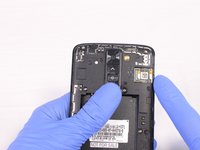
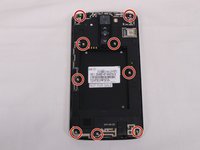
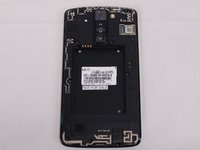
Remove all 9 screws on the back by using a Phillips head #J00 screwdriver.
-
To remove the screws rotate them counterclockwise.
-
-
-
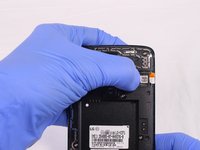
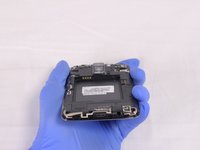
Insert a plastic opening tool in the split at the bottom of the phone (between the bottom shield and the rest of the phone).
-
Pry the bottom shield to separate it from the phone.
-
Once it is loose you should be able to remove it with your hand.
-
-
-
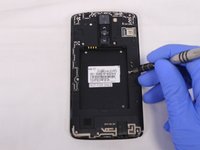
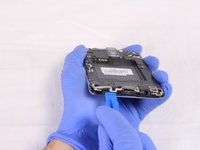
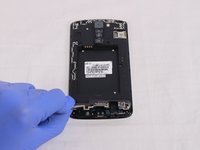
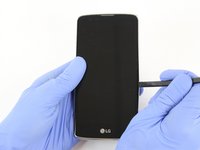
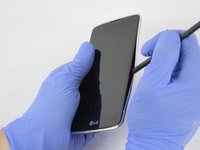
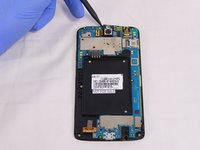
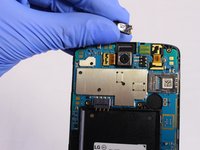
Insert the flat end of the Spudger between the screen and the chromed frame.
-
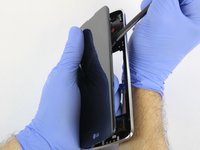
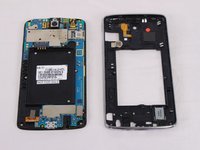
Once inserted, run the Spudger along the frame to separate the front part of the phone from the back shield.
-
-










To reassemble your device, follow these instructions in reverse order.
İptal et: Bu kılavuzu tamamlamadım.
Bir başkası bu kılavuzu tamamladı.

Ekip

USF Tampa, Team S2-G2, Eyestone Spring 2018 USF Tampa, Team S2-G2, Eyestone Spring 2018 üyesi
USFT-EYESTONE-S18S2G2
4 Üyeler
35 adet Kılavuz yazıldı
