Giriş
Before continuing, make sure the device is powered down. Also make sure that the battery and back casing are removed.
Neye ihtiyacın var
-
-
To remove the back, insert thumbnail into MicroUSB port, and pull up to loosen back.
-
Use nail to loosen case on all four sides. Once loose, remove back case.
 FixBot'a Sor
-
-
-
Insert thumbnail into tab below battery.
-
Pull away from phone and remove.
-
-
-
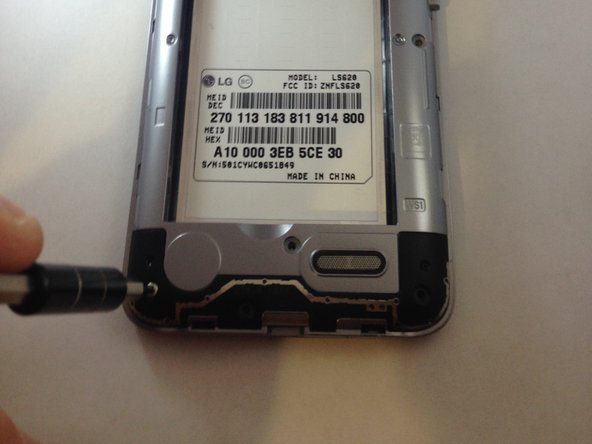
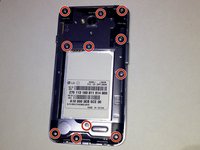
Once the back cover and battery are removed, use the Phillips #J000 screwdriver to remove all 11 screws located around the plastic midframe.
-
-
-
Using the plastic opening tool, carefully pry and separate the plastic midframe from the rest of the phone.
-
-
-
-
Locate the rear facing camera.
-
Using the plastic opening tool, pry apart the cable from where it connects to the phone.
-
-
-
After removing the ribbon cable, the camera should be easy to remove with your fingers. Remove the rear facing camera.
-
-
-
Locate the front facing camera in the top left hand corner of the motherboard. Using the plastic opening tool, separate the ribbon cable from the phone.
-
-
-
After removing this ribbon cable, you will be able to easily remove the front facing camera with your fingers.
-
-
-
Locate where the motherboard connects to the orange sisterboard. Using the plastic opening tool, disconnect the connection between the phone and the orange ribbon cable.
-
-
-
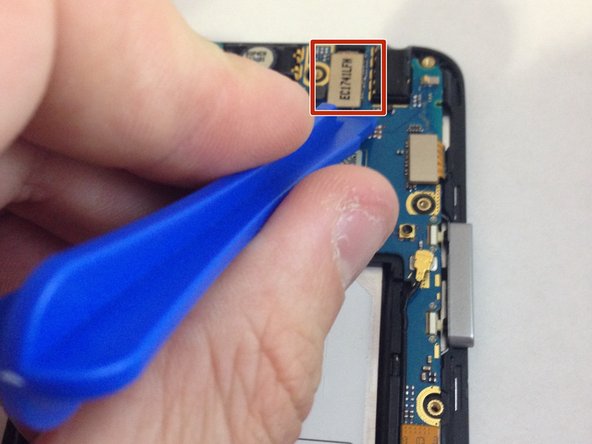
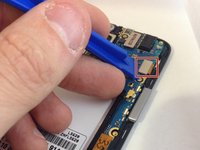
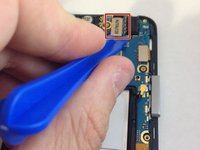
Locate the ribbon cables in the top right corner of the motherboard. Using the plastic opening tool, remove the ribbon cables from phone.
-
-
-
Using the plastic opening tool, disconnect the ribbon cable that connects the antenna to the motherboard.
-
-
-
Using the plastic opening tool, carefully remove the motherboard from the phone.
-






To reassemble your device, follow these instructions in reverse order.
İptal et: Bu kılavuzu tamamlamadım.
4 farklı kişi bu kılavuzu tamamladı.

Ekip

Marist, Team 1-5, Laflen Spring 2016 Marist, Team 1-5, Laflen Spring 2016 üyesi
MARS-LAFLEN-S16S1G5
2 Üyeler
15 adet Kılavuz yazıldı
