Giriş
If the display on the phone is cracked or is unresponsive to touch in areas or the whole phone you may need to replace the display. This will require you to take everything out of the phone as the display itself cannot be removed solely without possible damage to other parts of the phone.
Neye ihtiyacın var
-
-
-
First you need to remove the back case of the phone.
-
Place the phone face down.
-
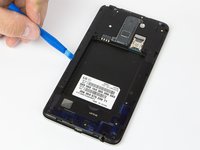
Using the plastic opening tool, insert into the initial gap shown.
-
Slowly guide the tool around the case until the case comes off with ease.
 FixBot'a Sor
-
-
-
Place the back case to the side.
-
Use your finger or the opening tool to remove battery.
-
Remove the battery carefully to not damage the phone or the battery.
-
-
-
-
-
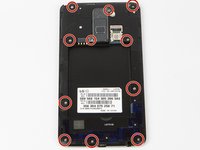
Remove the eleven 4mm Phillips #00 screws.
-
Place screws in safe location.
-
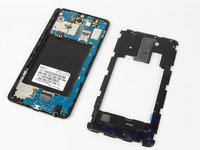
Use Plastic opener tool to remove inner case.
-
Gently remove inner case.
-
-
-
Bu adımda kullanılan alet:Tweezers$4.99
-
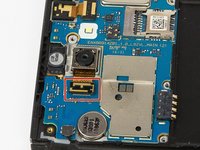
Use your finger or the opener to flip the flex cable shown in red box.
-
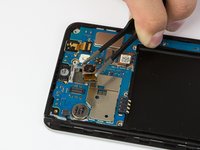
Use the precision tweezers to remove camera carefully.
-
-
-
-
-
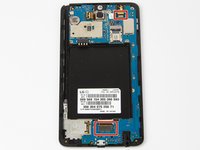
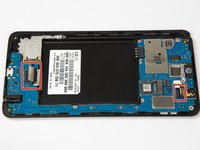
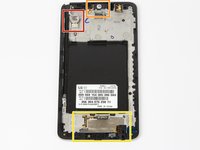
Gently flip the cables(shown in red boxes) using the opener tool.
-
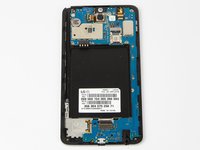
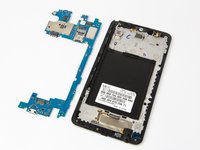
Gently remove the motherboard itself.
-
Place motherboard on a soft surface to not damage it.
-
-
-
-
-
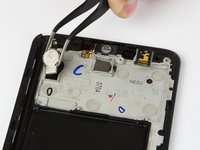
Carefully remove the Vibrator.
-
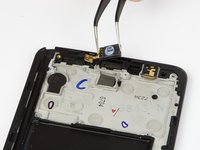
Carefully remove the sensor.
-
Prepare to remove film.
-
-
Bu adımda kullanılan alet:Tweezers$4.99
-
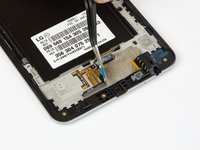
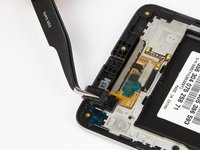
Use the tweezers to peel the film off carefully.
-
Use the tweezers to remove the headphone jack gently.
-
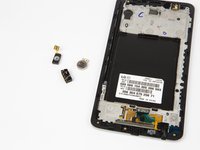
Place all three devices in a safe, known, location.
-
-










To reassemble your device, follow these instructions in reverse order.
İptal et: Bu kılavuzu tamamlamadım.
15 farklı kişi bu kılavuzu tamamladı.

Ekip

USF Tampa, Team S11-G1, Cheng Spring 2018 USF Tampa, Team S11-G1, Cheng Spring 2018 üyesi
USFT-CHENG-S18S11G1
4 Üyeler
35 adet Kılavuz yazıldı
2Kılavuz Yorumları
Hello guys
I just replaced the screen for my LG Stylus 2 plus. I got the display off https://www.injuredgadgets.com/lg-stylus...
But after replacing the screen and turning it on only the back light is functioning. I tried reusing the old display and it worked just fine. Is there any suggestions to why this one is not working or is my new screen just a bust ?
I've got the same problem please help this phone has all my late sons pictures and my daughter's it's a LG Stylo 2
