Giriş
This guide provides instructions for removing the battery on your LG VX8560 cellphone. Batteries are one of the most vital components of equipment on any electronic device; replacement may be necessary to ensure your device remains operational.
If your device is not powering on properly, it may be a sign that the battery is in need of replacement. Follow the instructions below to safely remove and replace your current battery.
-
-
-
-
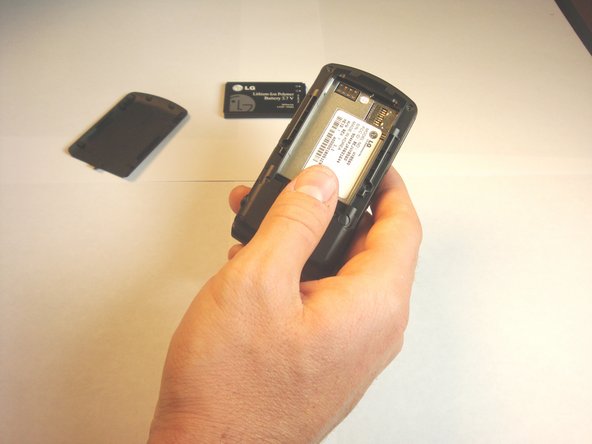
Push the battery cover from the indentation and slide it away from the phone to remove it.
-

 FixBot'a Sor


To reassemble your device, follow these instructions in reverse order.

Ekip

Cal Poly, Team 13-62, Johann Spring 2013 Cal Poly, Team 13-62, Johann Spring 2013 üyesi
CPSU-JOHANN-S13S13G62
4 Üyeler
60 adet Kılavuz yazıldı
