Ana içeriğe geç
Onarım Topluluğuna Katılın - Hesap Oluşturun

LG VX8700 Keypad Replacement

Neye ihtiyacın var

    1. LG VX8700 Keypad Replacement, Battery: adım 1, 2 resimden 1. LG VX8700 Keypad Replacement, Battery: adım 1, 2 resimden 2.
      • Power the phone off.

      • Slide the back cover off using the release latch with your fingers to expose the battery.

      FixBot'a Sor

      Yorum Ekle

    2. LG VX8700 Keypad Replacement: adım 2, 2 resimden 1. LG VX8700 Keypad Replacement: adım 2, 2 resimden 2.
      • Lift one side of the battery using a plastic opening tool or your fingers.

      • Carefully remove the battery and set it aside.

      • When installing the new battery, align the metal pins with those of the phone.

      FixBot'a Sor

      Yorum Ekle

    1. LG VX8700 Keypad Replacement, Keypad: adım 3, 2 resimden 1. LG VX8700 Keypad Replacement, Keypad: adım 3, 2 resimden 2.
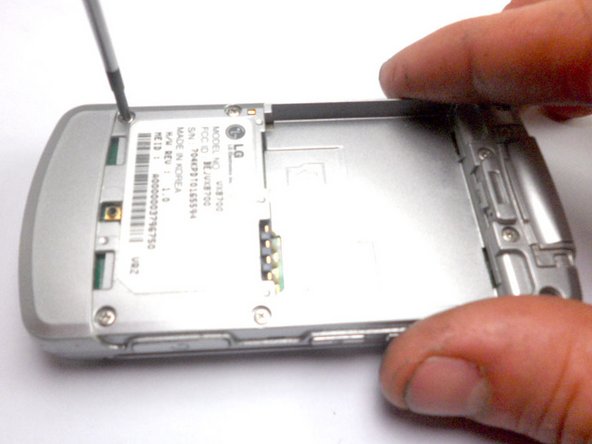
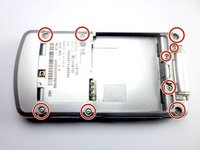
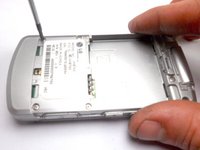
      • Remove the nine 4 mm screws from the back cover with a Phillips #0 screwdriver.

      FixBot'a Sor

      Yorum Ekle

    2. LG VX8700 Keypad Replacement: adım 4, 2 resimden 1. LG VX8700 Keypad Replacement: adım 4, 2 resimden 2.
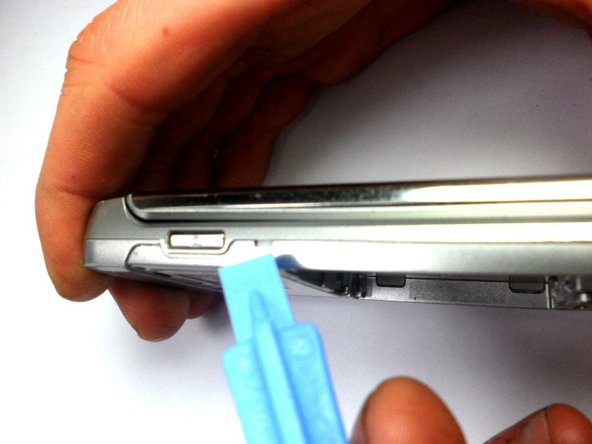
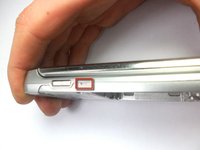
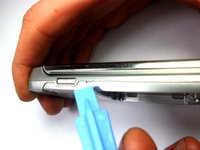
      • Insert the tip of the iFixit opening tool into the small notch on the side of the case.

      • Slide the opening tool along the seam and around the edge of the phone to separate the case.

      FixBot'a Sor

      Yorum Ekle

    3. LG VX8700 Keypad Replacement: adım 5, 1 resimden 1.
      • Separate the two halves of the phone.

      • The back of the phone, which houses the motherboard and keypad, is displayed on the left.

      • The plastic casing is displayed on the right.

      FixBot'a Sor

      Yorum Ekle

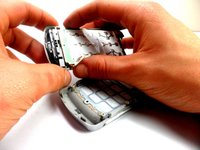
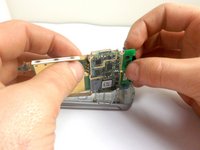
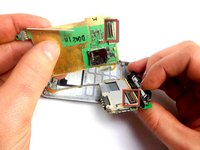
    4. LG VX8700 Keypad Replacement: adım 6, 3 resimden 1. LG VX8700 Keypad Replacement: adım 6, 3 resimden 2. LG VX8700 Keypad Replacement: adım 6, 3 resimden 3.
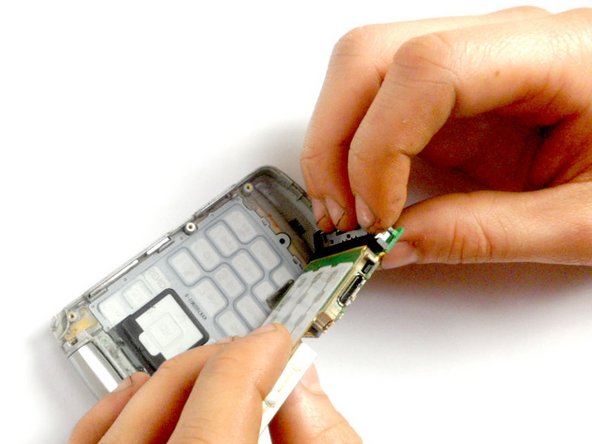
      • Hold the phone casing with one hand and the keypad assembly with the other.

      • Separate the phone casing from the keypad/motherboard.

      FixBot'a Sor

      Yorum Ekle

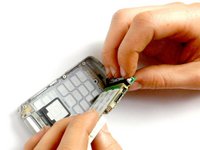
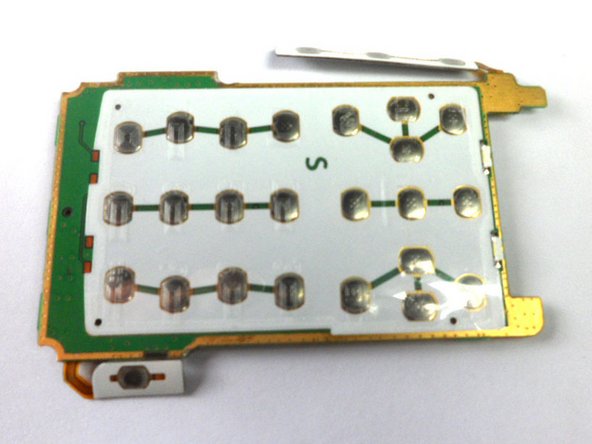
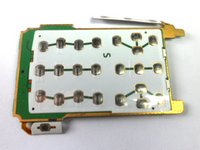
    5. LG VX8700 Keypad Replacement: adım 7, 2 resimden 1. LG VX8700 Keypad Replacement: adım 7, 2 resimden 2.
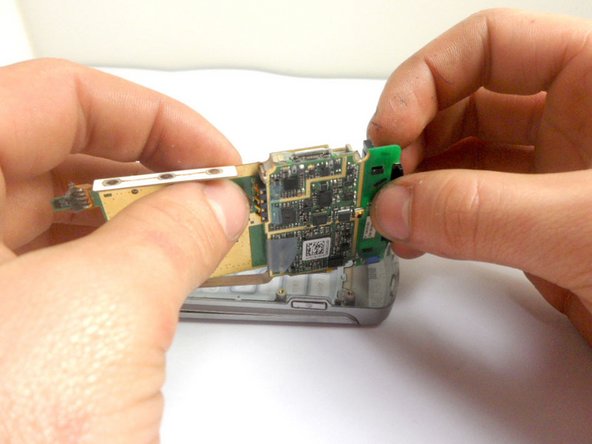
      • Pull the two boards apart to separate the keypad from the motherboard.

      FixBot'a Sor

      Yorum Ekle

Sonuç

To reassemble your device, follow these instructions in reverse order.

İptal et: Bu kılavuzu tamamlamadım.

tnscholz

Üyelik tarihi: 01/20/12

18 İtibar

1 Kılavuz yazıldı

Ekip

Cal Poly, Team 8-16, Maness Winter 2012 Cal Poly, Team 8-16, Maness Winter 2012 üyesi

CPSU-MANESS-W12S8G16

4 Üyeler

70 adet Kılavuz yazıldı

1Rehber Yorum

When I separated the two halves a small brass piece came out and your instructions do not show nor mention what this is or where it goes. Not even a caution about it coming out upon separation of the halves. It appears to belong on one of the screw posts and because it is brass I believe it is supposed to complete a circuit.

gfon - Yanıt Paylaş

Yorum Ekle

İstatistikleri Görüntüle:

Son 24 Saat: 0

Son 7 gün: 5

Son 30 gün: 33

Her zaman: 1,198