Ana içeriğe geç
Onarım Topluluğuna Katılın - Hesap Oluşturun

LG Xenon Microphone Replacement

Neye ihtiyacın var

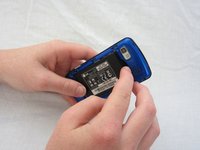
  1. LG Xenon Microphone Replacement, Back Case: adım 1, 1 resimden 1.
    • Turn the phone so the back side is face up.

    FixBot'a Sor

    Yorum Ekle

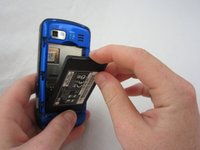
  2. LG Xenon Microphone Replacement: adım 2, 2 resimden 1. LG Xenon Microphone Replacement: adım 2, 2 resimden 2.
    • Use your thumb to press on the small ridge at the bottom of the phone, then push upward to slide off the back casing.

    FixBot'a Sor
    Yorum Ekle

  3. LG Xenon Microphone Replacement, Battery: adım 3, 2 resimden 1. LG Xenon Microphone Replacement, Battery: adım 3, 2 resimden 2.
    • Use your index finger to pull the top of the battery out from the top center divot. Then pull the battery towards yourself to remove it from the compartment.

    FixBot'a Sor
    Yorum Ekle

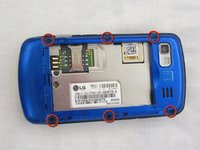
  4. LG Xenon Microphone Replacement, Motherboard: adım 4, 2 resimden 1. LG Xenon Microphone Replacement, Motherboard: adım 4, 2 resimden 2.
    • Use a Phillips #00 screwdriver to remove the six 2.4mm screws, which secure the back panel.

    FixBot'a Sor

    Yorum Ekle

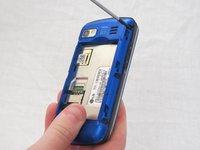
  5. LG Xenon Microphone Replacement: adım 5, 1 resimden 1.
    • Push a spudger or small tool under the inner edge of the back panel and gently pry upward to separate it from the main body.

    FixBot'a Sor

    Yorum Ekle

  6. LG Xenon Microphone Replacement: adım 6, 2 resimden 1. LG Xenon Microphone Replacement: adım 6, 2 resimden 2.
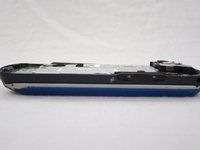
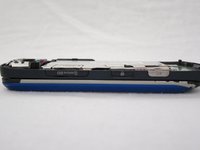
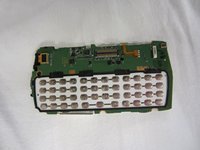
    • Pop off the camera, lock, and volume buttons from the side of the phone using tweezers.

    FixBot'a Sor
    Yorum Ekle

  7. LG Xenon Microphone Replacement: adım 7, 2 resimden 1. LG Xenon Microphone Replacement: adım 7, 2 resimden 2.
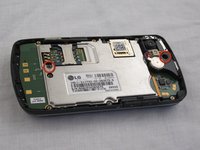
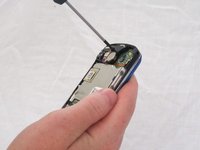
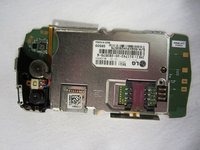
    • Use the Phillips #00 screwdriver to remove the two 3mm screws, which secure the motherboard.

    FixBot'a Sor
    Yorum Ekle

  8. LG Xenon Microphone Replacement: adım 8, 2 resimden 1. LG Xenon Microphone Replacement: adım 8, 2 resimden 2.
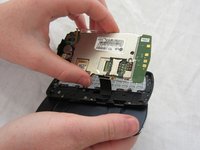
    • Carefully lift and remove the motherboard from the main body.

    • The connector cable will still be attached to the motherboard. Any damage to the connector cable may permanently disable the phone.

    FixBot'a Sor

    Yorum Ekle

  9. LG Xenon Microphone Replacement: adım 9, 2 resimden 1. LG Xenon Microphone Replacement: adım 9, 2 resimden 2.
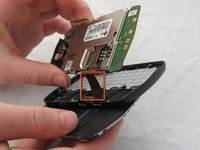
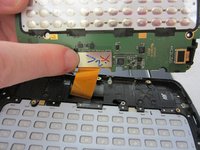
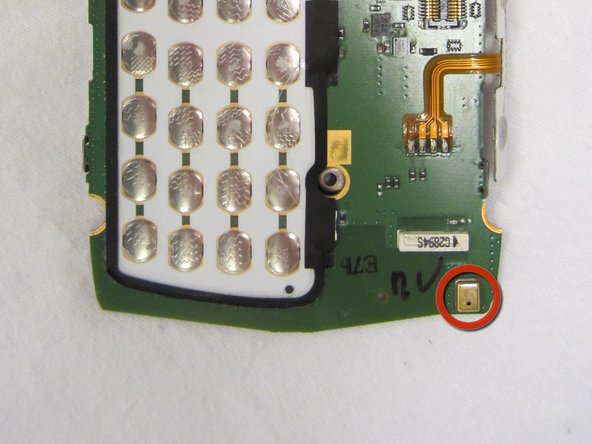
    • Carefully unclip the metal tab to separate the connector cable from the motherboard.

    FixBot'a Sor
    Yorum Ekle

  10. LG Xenon Microphone Replacement: adım 10, 2 resimden 1. LG Xenon Microphone Replacement: adım 10, 2 resimden 2.
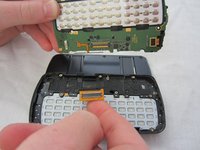
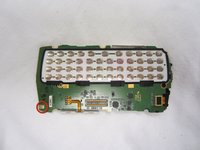
    • Once the connector cable is detached from the motherboard, you have successfully removed the motherboard from the phone.

    FixBot'a Sor
    Yorum Ekle

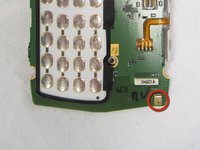
  11. LG Xenon Microphone Replacement, Microphone: adım 11, 2 resimden 1. LG Xenon Microphone Replacement, Microphone: adım 11, 2 resimden 2.
    • The microphone is located on the bottom corner of the motherboard.

    • Take caution when repairing the microphone to not damage the motherboard.

    FixBot'a Sor
    Yorum Ekle

Sonuç

To reassemble your device, follow these instructions in reverse order.

İptal et: Bu kılavuzu tamamlamadım.

Bir başkası bu kılavuzu tamamladı.

Katy Conlin

Üyelik tarihi: 04/17/12

145 İtibar

1 Kılavuz yazıldı

Ekip

Cal Poly, Team 9-41, Regan Spring 2012 Cal Poly, Team 9-41, Regan Spring 2012 üyesi

CPSU-REGAN-S12S9G41

5 Üyeler

19 adet Kılavuz yazıldı

0Kılavuz Yorumları

Yorum Ekle

İstatistikleri Görüntüle:

Son 24 Saat: 3

Son 7 gün: 8

Son 30 gün: 35

Her zaman: 1,391