Ana içeriğe geç
Onarım Topluluğuna Katılın - Hesap Oluşturun

Lenovo G70-80 RAM Replacement

Neye ihtiyacın var

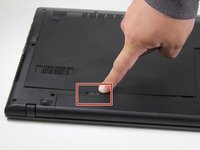
    1. Lenovo G70-80 RAM Replacement, Battery: adım 1, 1 resimden 1.
      • Turn off the computer.

      • Set the computer upside down with the back facing up.

      FixBot'a Sor

      Yorum Ekle

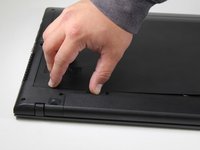
    2. Lenovo G70-80 RAM Replacement: adım 2, 2 resimden 1. Lenovo G70-80 RAM Replacement: adım 2, 2 resimden 2.
      • Located directly below the bottom plate will be two switches near where the battery is located.

      • With the battery facing you, slide the battery switch on the right side of the laptop towards the right.

      • To ensure the switch on the right is unlocked, look for a red indicator next to the switch.

      FixBot'a Sor

      Yorum Ekle

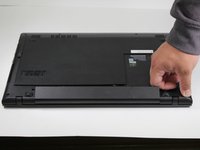
    3. Lenovo G70-80 RAM Replacement: adım 3, 2 resimden 1. Lenovo G70-80 RAM Replacement: adım 3, 2 resimden 2.
      • Slide the left battery release switch to the left.

      • While holding the switch to the left, lift the battery to remove it from the computer.

      FixBot'a Sor

      Yorum Ekle

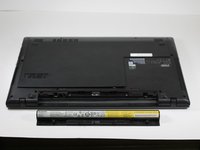
    4. Lenovo G70-80 RAM Replacement: adım 4, 2 resimden 1. Lenovo G70-80 RAM Replacement: adım 4, 2 resimden 2.
      • Remove the battery.

      FixBot'a Sor

      Yorum Ekle

    1. Lenovo G70-80 RAM Replacement, RAM: adım 5, 3 resimden 1. Lenovo G70-80 RAM Replacement, RAM: adım 5, 3 resimden 2. Lenovo G70-80 RAM Replacement, RAM: adım 5, 3 resimden 3.
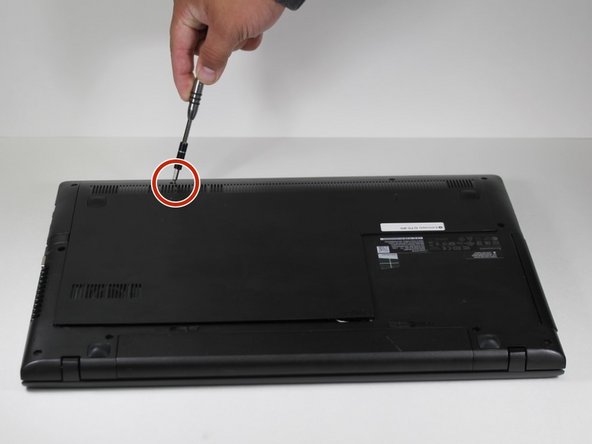
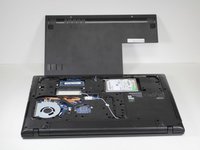
      • Remove the placeholder screws and pull off the backplate.

      FixBot'a Sor

      Yorum Ekle

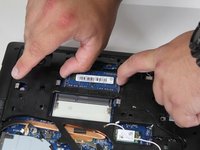
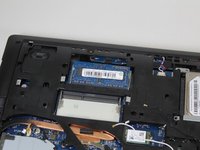
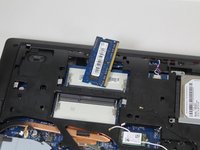
    2. Lenovo G70-80 RAM Replacement: adım 6, 3 resimden 1. Lenovo G70-80 RAM Replacement: adım 6, 3 resimden 2. Lenovo G70-80 RAM Replacement: adım 6, 3 resimden 3.
      • Carefully pull the two metal retaining clips away from the sides of the RAM module.

      • As the clips release, the RAM module should pop up at an angle.

      • Remove the RAM from the device.

      FixBot'a Sor

      Yorum Ekle

Sonuç

To reassemble your device, follow these instructions in reverse order.

İptal et: Bu kılavuzu tamamlamadım.

Bir başkası bu kılavuzu tamamladı.

0Kılavuz Yorumları

Yorum Ekle

İstatistikleri Görüntüle:

Son 24 Saat: 1

Son 7 gün: 4

Son 30 gün: 28

Her zaman: 1,551