Giriş
If your tablet does not start properly or freezing...
If your tablet is stuck on Lenovo logo or...
If you have "Too many patterns attempts"...
If you forgot you password and can't log in with your google account...
If you want to erase data from the device...
Annotation!!! You will loose all your data!!!
Neye ihtiyacın var
Videoya Genel Bakış
-
-
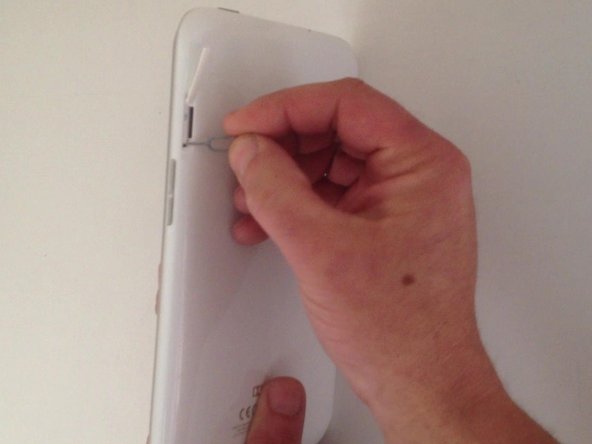
First of all you can try soft reset from the reset switch. This method does not delete the data from the tablet.
-
-
-
-
Now - hardware reset:
-
Switch off the tablet.
-
Press and hold at the same time Volume UP and Power keys.
-
When the System Recovery screen appears use the Volume Up/Down keys for navigation and the Power On key for OK.
-
Choose "wipe data / factory reset", "Yes -- delete all user data", "reboot system now".
-


To reassemble your device, follow these instructions in reverse order.
To reassemble your device, follow these instructions in reverse order.
İptal et: Bu kılavuzu tamamlamadım.
47 farklı kişi bu kılavuzu tamamladı.



Ekip

36 Yorum
If device is connected to charger that button combination doesn't work. It goes to hardware test menu.
How to reser chinese language lenova phone
With Chinese phones, you do not need to use other options, and there is no confirmation. The wipe simply starts, and completes by wiping your phone. Read more - http://www.gogorapid.com/how-to-reset-ch...
My lenovo a 1000 idea tab's display is gone....no bottom in work...how to reset or fix it
my lenovo s850 is on meta mode when i press vol down + power button and nothing appear when i press vol up + power button.. the thing is i've tried many button sequence but i just cat get into reset mode or cynogen mode.. :(
My lenovo tab isnt working until it went to some sort of menu using volume buttons but then i actually pressed something and it went to a screen saying "Now send the package you want to apply to the device using adb sideload <filename>" how do i go back to the reboot menu
