Ana içeriğe geç
Onarım Topluluğuna Katılın - Hesap Oluşturun

Lenovo Thinkpad E540 RAM Replacement

Neye ihtiyacın var

    1. Lenovo Thinkpad E540 RAM Replacement, Battery: adım 1, 2 resimden 1. Lenovo Thinkpad E540 RAM Replacement, Battery: adım 1, 2 resimden 2.
      • Push the battery release switches away from each other.

      FixBot'a Sor

      Yorum Ekle

    2. Lenovo Thinkpad E540 RAM Replacement: adım 2, 1 resimden 1.
      • Remove the battery.

      FixBot'a Sor

      Yorum Ekle

    1. Lenovo Thinkpad E540 RAM Replacement, Disassembly of the Back Panel: adım 3, 1 resimden 1.
      • Remove the three 1.2mm Phillips #00 screws from the bottom panel.

      FixBot'a Sor

      Yorum Ekle

    2. Lenovo Thinkpad E540 RAM Replacement: adım 4, 1 resimden 1.
      • Use a plastic opening tool to pry off the bottom panel.

      FixBot'a Sor

      Yorum Ekle

    1. Lenovo Thinkpad E540 RAM Replacement, RAM: adım 5, 1 resimden 1.
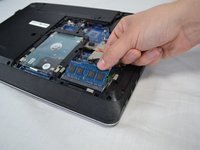
      • Release the tabs on each side of the chip by simultaneously pushing each tab away from the RAM.

      • These tabs lock the chip in place and releasing them will cause the chip to "pop" up.

      FixBot'a Sor

      Yorum Ekle

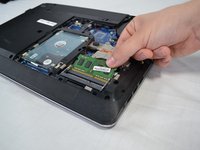
    2. Lenovo Thinkpad E540 RAM Replacement: adım 6, 2 resimden 1. Lenovo Thinkpad E540 RAM Replacement: adım 6, 2 resimden 2.
      • Pull the RAM out of the laptop.

      FixBot'a Sor

      Yorum Ekle

Sonuç

To reassemble your device, follow these instructions in reverse order.

İptal et: Bu kılavuzu tamamlamadım.

2 farklı kişi bu kılavuzu tamamladı.

Timothy Sumner

Üyelik tarihi: 02/14/18

1.052 İtibar

8 adet Kılavuz yazıldı

Ekip

USF Tampa, Team S2-G5, Nance Spring 2018 USF Tampa, Team S2-G5, Nance Spring 2018 üyesi

USFT-NANCE-S18S2G5

4 Üyeler

8 adet Kılavuz yazıldı

0Kılavuz Yorumları

Yorum Ekle

İstatistikleri Görüntüle:

Son 24 Saat: 1

Son 7 gün: 13

Son 30 gün: 31

Her zaman: 1,822