Ana içeriğe geç

Lenovo Yoga 910-13IKB SSD Replacement

Neye ihtiyacın var

  1. Lenovo Yoga 910-13IKB SSD Replacement, Bottom Panel: adım 1, 2 resimden 1. Lenovo Yoga 910-13IKB SSD Replacement, Bottom Panel: adım 1, 2 resimden 2.
    • Before you begin, be sure to turn off your laptop and unplug it from the outlet.

    • Turn the laptop over and remove the ten Torx T5 screws along the perimeter of the bottom panel.

    • Remove the panel.

  2. Lenovo Yoga 910-13IKB SSD Replacement: adım 2, 1 resimden 1.
    • Use a Phillips screwdriver to remove the four M2 x 1.7 mm screws securing the battery to the laptop.

    • Remove the battery.

  3. Lenovo Yoga 910-13IKB SSD Replacement: adım 3, 1 resimden 1.
    • Remove the six Phillips screws that attach the trackpad to the device.

    • Use a spudger to disconnect the ribbon cable connector from the trackpad.

    • Remove the trackpad using a spudger.

  4. Lenovo Yoga 910-13IKB SSD Replacement: adım 4, 1 resimden 1.
    • Use a Phillips screwdriver to remove six screws attached to the USB ports on both sides of the device.

    • Detach both ribbon cables attached to each USB port with a spudger, then detach the USB ports.

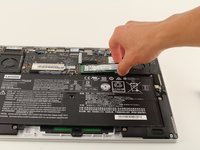
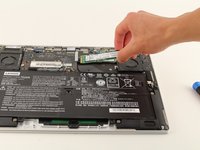
  5. Lenovo Yoga 910-13IKB SSD Replacement: adım 5, 2 resimden 1. Lenovo Yoga 910-13IKB SSD Replacement: adım 5, 2 resimden 2.
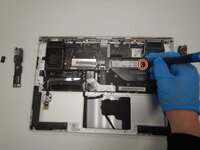
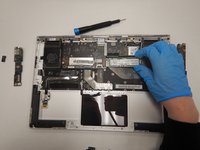
    • Use a small Phillips screwdriver to remove all single screw securing the SSD stick to the motherboard.

    • Slide the SSD stick from the port on the motherboard.

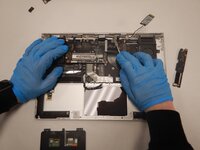
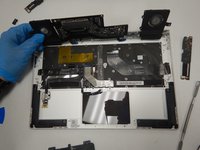
  6. Lenovo Yoga 910-13IKB SSD Replacement: adım 6, 3 resimden 1. Lenovo Yoga 910-13IKB SSD Replacement: adım 6, 3 resimden 2. Lenovo Yoga 910-13IKB SSD Replacement: adım 6, 3 resimden 3.
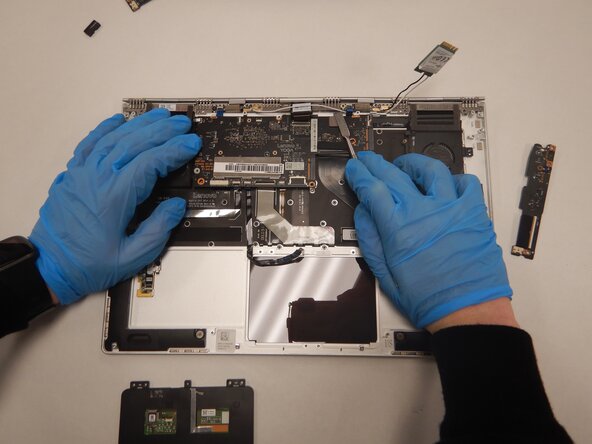
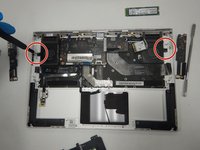
    • Use a small Phillips screwdriver to remove four screws from the fans.

    • Remove the back connector strip using a spudger to pry it off of the device.

    • Remove the fans.

    • Now, only the bottom panel should remain.

  7. Lenovo Yoga 910-13IKB SSD Replacement, SSD: adım 7, 1 resimden 1.
    • Remove the 3mm JIS #00 screw holding the storage in place.

  8. Lenovo Yoga 910-13IKB SSD Replacement: adım 8, 2 resimden 1. Lenovo Yoga 910-13IKB SSD Replacement: adım 8, 2 resimden 2.
    • Pull up lightly on the drive and gently pull it out of the connector.

Sonuç

To reassemble your device, follow these instructions in reverse order.

Nikhil Nagarajan

Üyelik tarihi: 01/23/20

97 İtibar

1 Kılavuz yazıldı

Ekip

Cal Poly, Team S1-G5, White Winter 2020 Cal Poly, Team S1-G5, White Winter 2020 üyesi

CPSU-WHITE-W20S1G5

4 Üyeler

14 adet Kılavuz yazıldı

1Rehber Yorum

Just one question: if I want to replace just the SSD, surely one goes straight from step one to step seven?

Bessi Aðalsteinsson - Yanıt

Yorum Ekle

İstatistikleri Görüntüle:

Son 24 Saat: 2

Son 7 gün: 15

Son 30 gün: 44

Her zaman: 7,077