Ana içeriğe geç
Onarım Topluluğuna Katılın - Hesap Oluşturun

Levoit Core 300-RAC Control Board Replacement

Neye ihtiyacın var

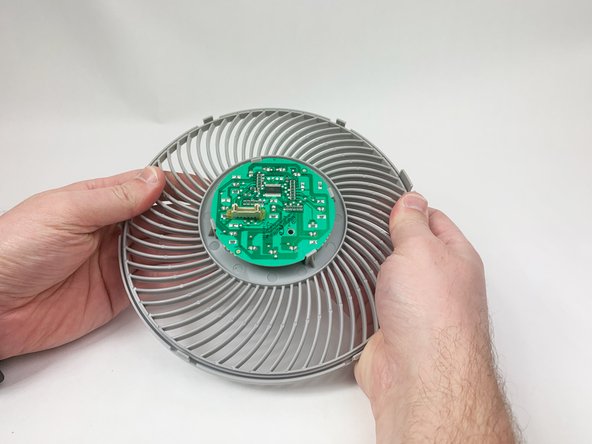
  1. Levoit Core 300-RAC Control Board Replacement, Control Board: adım 1, 3 resimden 1. Levoit Core 300-RAC Control Board Replacement, Control Board: adım 1, 3 resimden 2. Levoit Core 300-RAC Control Board Replacement, Control Board: adım 1, 3 resimden 3.
    • Make sure the device is turned off and unplugged before disassembling it.

    • Insert the Jimmy between the gray grille cover and the top of the device.

    • Work your way around the grille cover with the Jimmy to release the clips holding it in place.

    • Take note of the placement of the clips, as they are keyed and need to go back in the exact way they came out.

    • Remove the grille cover gently as it is connected by a ribbon cable.

    • Be careful not to put too much strain on the ribbon cable as it may break.

    FixBot'a Sor

    Yorum Ekle

  2. Levoit Core 300-RAC Control Board Replacement: adım 2, 3 resimden 1. Levoit Core 300-RAC Control Board Replacement: adım 2, 3 resimden 2. Levoit Core 300-RAC Control Board Replacement: adım 2, 3 resimden 3.
    • Squeeze the tab on the connector to release the bundled cable from the control board.

    • The connector should come out fairly easily, so do not force it. Pulling too hard could damage the connector.

    FixBot'a Sor

    Yorum Ekle

  3. Levoit Core 300-RAC Control Board Replacement: adım 3, 2 resimden 1. Levoit Core 300-RAC Control Board Replacement: adım 3, 2 resimden 2.
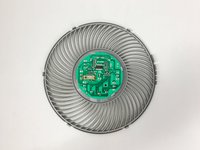
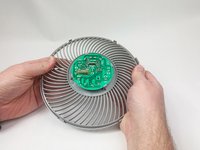
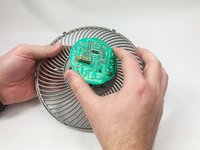
    • Gently bend the gray plastic cover to release the control board.

    • There are several hard tabs holding the control board in place.

    FixBot'a Sor

    Yorum Ekle

  4. Levoit Core 300-RAC Control Board Replacement: adım 4, 3 resimden 1. Levoit Core 300-RAC Control Board Replacement: adım 4, 3 resimden 2. Levoit Core 300-RAC Control Board Replacement: adım 4, 3 resimden 3.
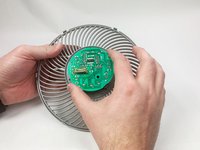
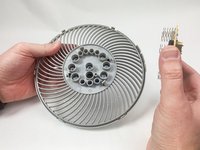
    • Lift the control board from the gray plastic cover.

    • Take note of the orientations of the buttons, as that will help during reassembly.

    FixBot'a Sor

    Yorum Ekle

Sonuç

To reassemble your device, follow these instructions in reverse order.

İptal et: Bu kılavuzu tamamlamadım.

Mustafa

Üyelik tarihi: 11/03/23

259 İtibar

1 Kılavuz yazıldı

Ekip

UMass Dartmouth, Team 1-6, Petersen Fall 2023 UMass Dartmouth, Team 1-6, Petersen Fall 2023 üyesi

UMASSD-PETERSEN-F23S1G6

5 Üyeler

8 adet Kılavuz yazıldı

0Kılavuz Yorumları

Yorum Ekle

İstatistikleri Görüntüle:

Son 24 Saat: 5

Son 7 gün: 20

Son 30 gün: 77

Her zaman: 1,754